Getting Started
Creating a new workspace
Spin up and manage additional Fashion Superintelligence workspaces for different brands or teams.
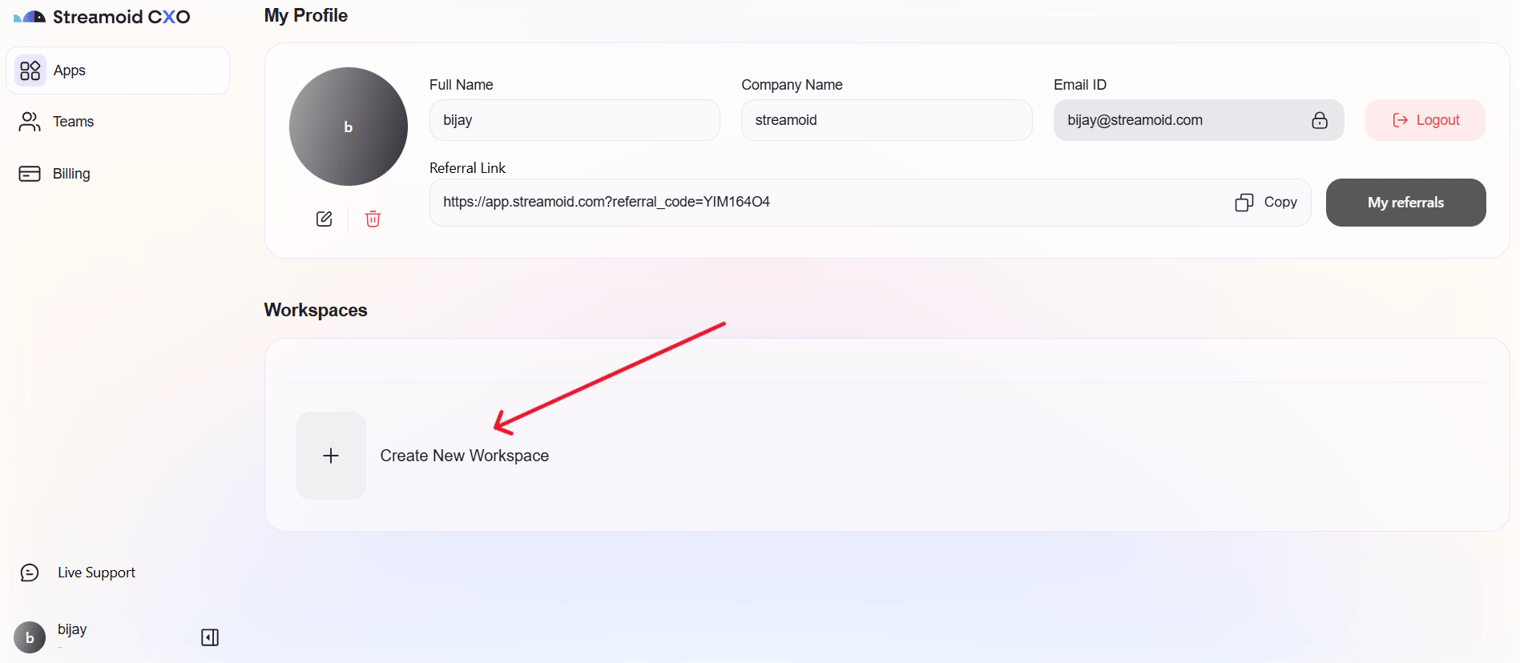
- Create a New Workspace
Click on your Profile menu in the bottom-left corner and select Create New Workspace.
- Name Your Workspace
Give your workspace a descriptive name (e.g., “Brand A” or “Summer Collection”).
- Save & Manage
Once saved, your workspace appears in the list, and you can rename or delete it anytime.
You can easily switch between workspaces using the profile menu, which suits multi-brand teams.
🎉 You’ve completed the Fashion Superintelligence onboarding guide. You’re now ready to explore, create, and scale with the power of AI-driven retail automation.
Something missing or unclear? Write to support@streamoid.com.