Catalogix - List it
Create a Store
Set up a new store with the right regions, channels, and advanced options.
Use separate stores for different brands, product categories, or sales regions to keep catalogs organized.
- Create a Store
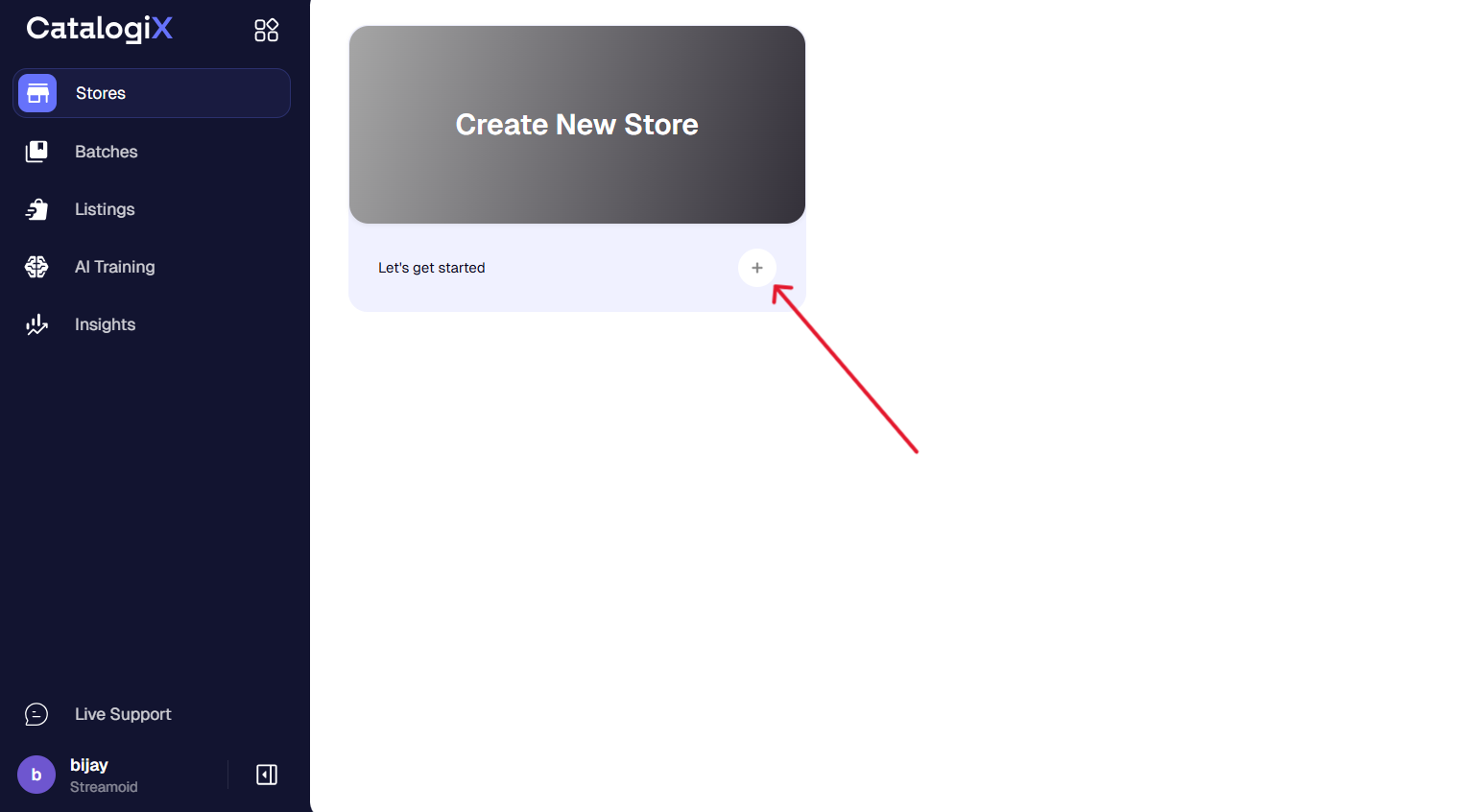
Click the + button under Create New Store to start setting up your store.
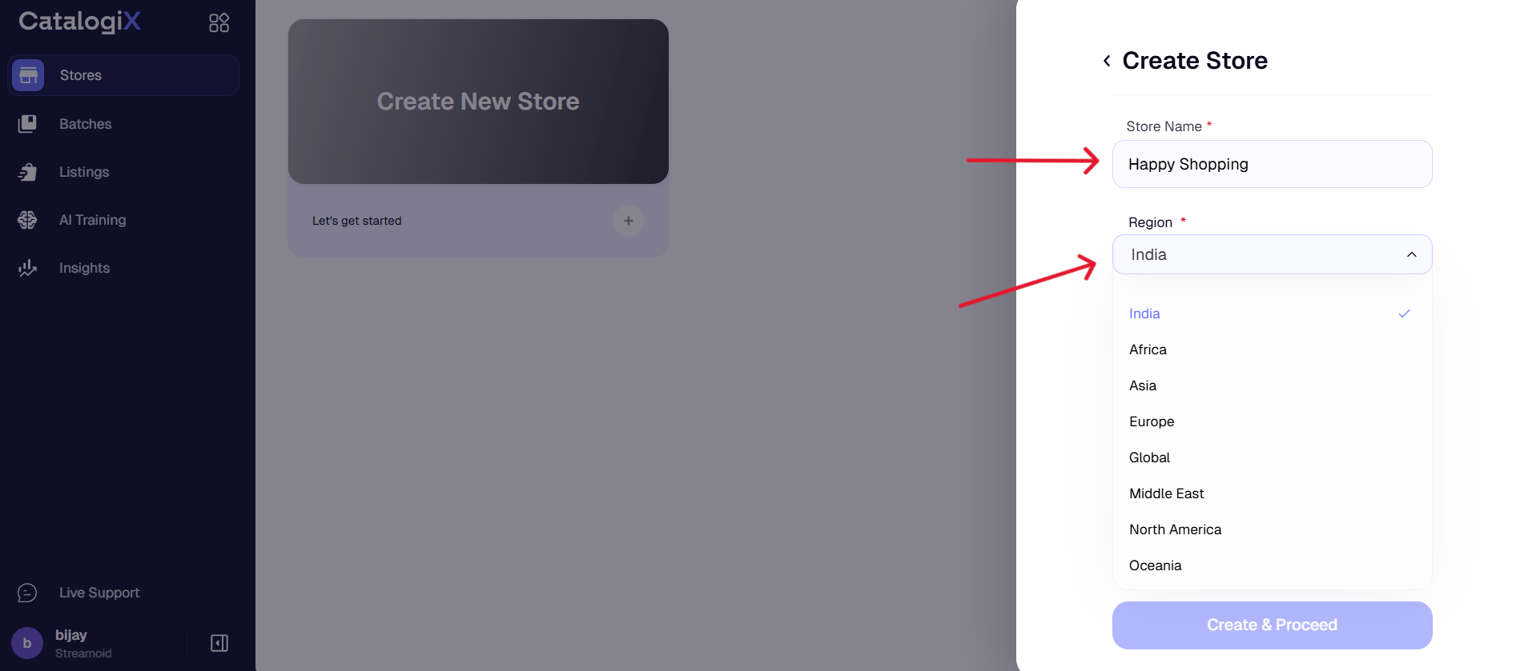
- Enter Store Details
Add a store name, region, and select your selling type as Marketplace
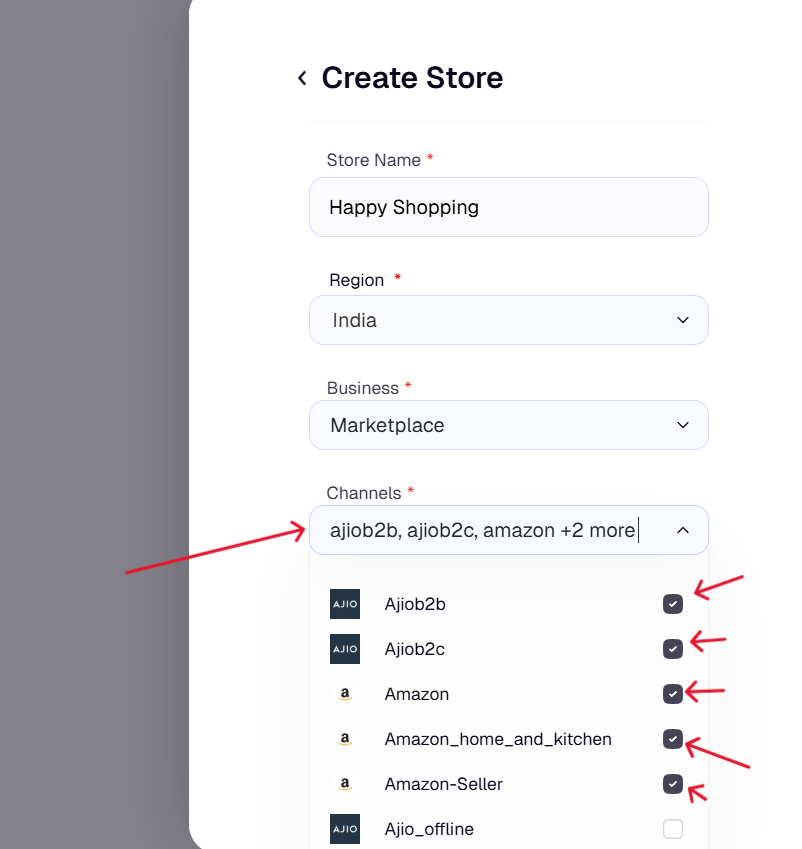
- Configure Channels
For Marketplace stores, select the platforms you wish to publish on (e.g., Amazon, Myntra, Ajio, etc.).
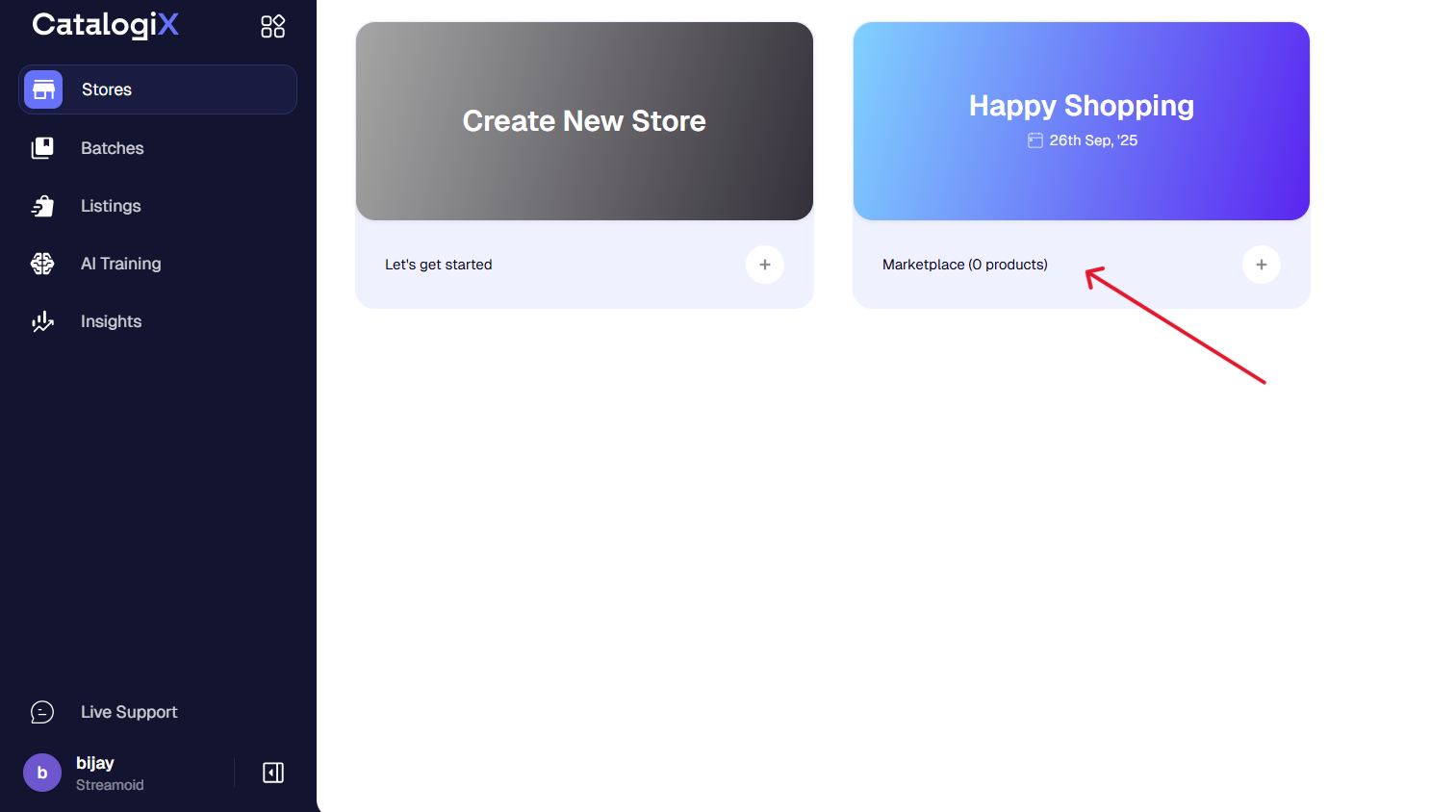
- Create & Proceed
After confirming all details, click Create & Proceed to set up your store.
Always select marketplace as your selling type. The D2C option requires set-up.
Something missing or unclear? Write to support@streamoid.com.