Channels
Fix Walmart US Listing Rejections
Identify common errors and resolve Walmart listing rejections faster.
Overview
Your guide to fixing Walmart US listing errors and getting products live.
Walmart listings may be rejected or suppressed when product data, images, attributes, or compliance fields don’t meet marketplace standards.This guide breaks down the most common Walmart US listing errors, how to fix them quickly, and how to monitor listings post-submission, so you can publish confidently using Streamoid.
Common Reasons for Walmart Listing Rejections
Below are the most frequent causes of Walmart US listing issues:
Missing or Invalid Required Attributes
Brand
Item Type Keyword
Category-specific attributes
Size, color, material or age range Missing required fields often block item setup.
Incorrect Category or Item Type
Product assigned to the wrong Walmart category
Incorrect item type or template selected
Category mismatch between parent and child items
Image Non-Compliance
Listings may be rejected if images have:
Low resolution
Incorrect background
Text overlays, logos, or watermarks
Wrong images assigned to variations
UPC / GTIN Errors
Common issues include:
Invalid or unregistered UPCs
Duplicate GTINs
Brand mismatch with UPC
Missing GTIN exemptions
Variation Setup Errors
Mixed variation attributes (e.g., size + color together)
Duplicate variation values
Missing child-level images
Incorrect parent/child relationships
Compliance & Restricted Product Issues
Some categories require:
Safety or regulatory information
Certifications or documentation
Approval for restricted items
Missing documentation may trigger rejection.
How to Fix Walmart Listing Rejections
Follow these steps to resolve Walmart US listing issues:
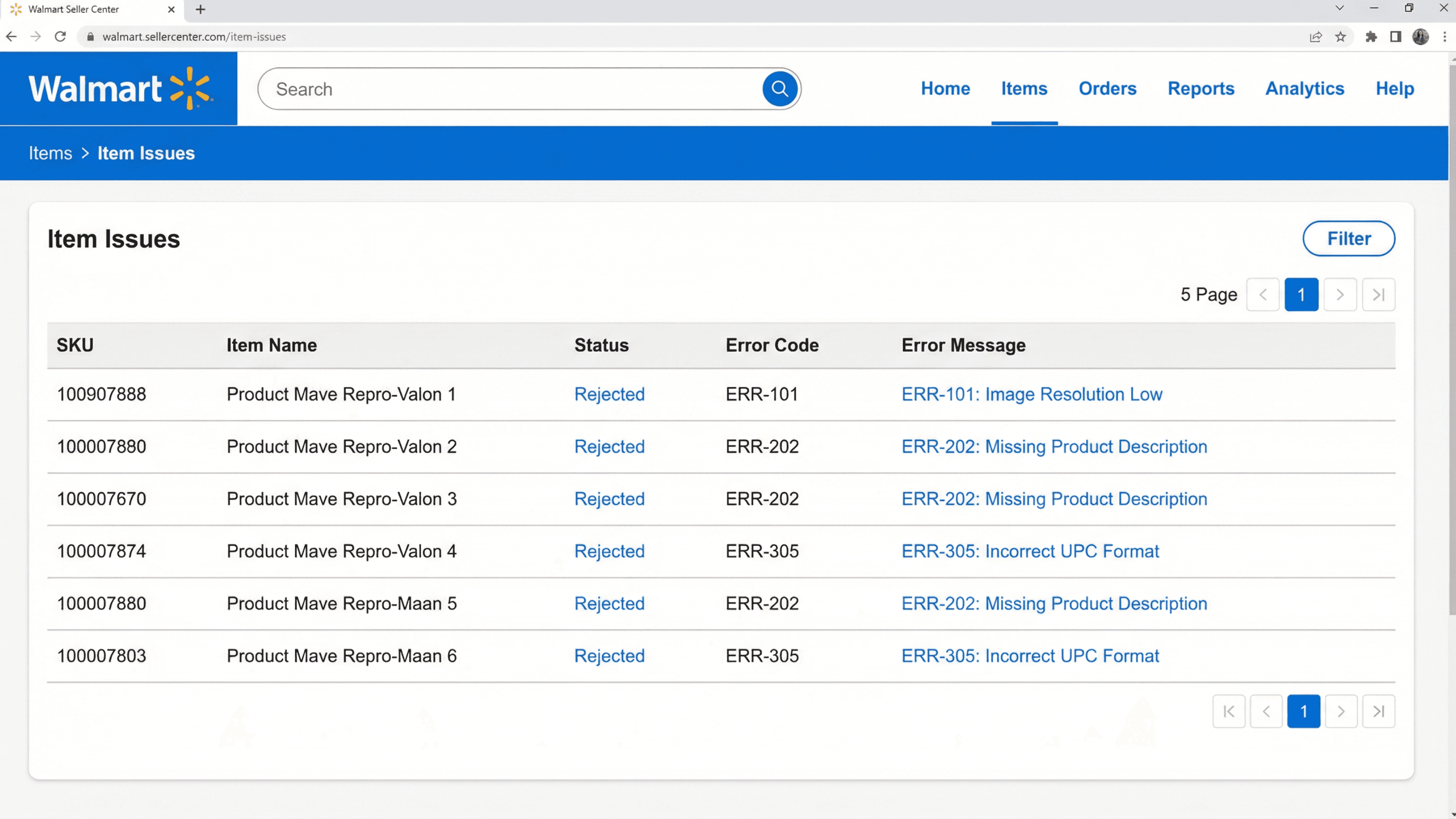
1. Review the Error in Seller Center
Go to Items → Item Issues / Item Status Walmart displays error messages or codes explaining the issue.
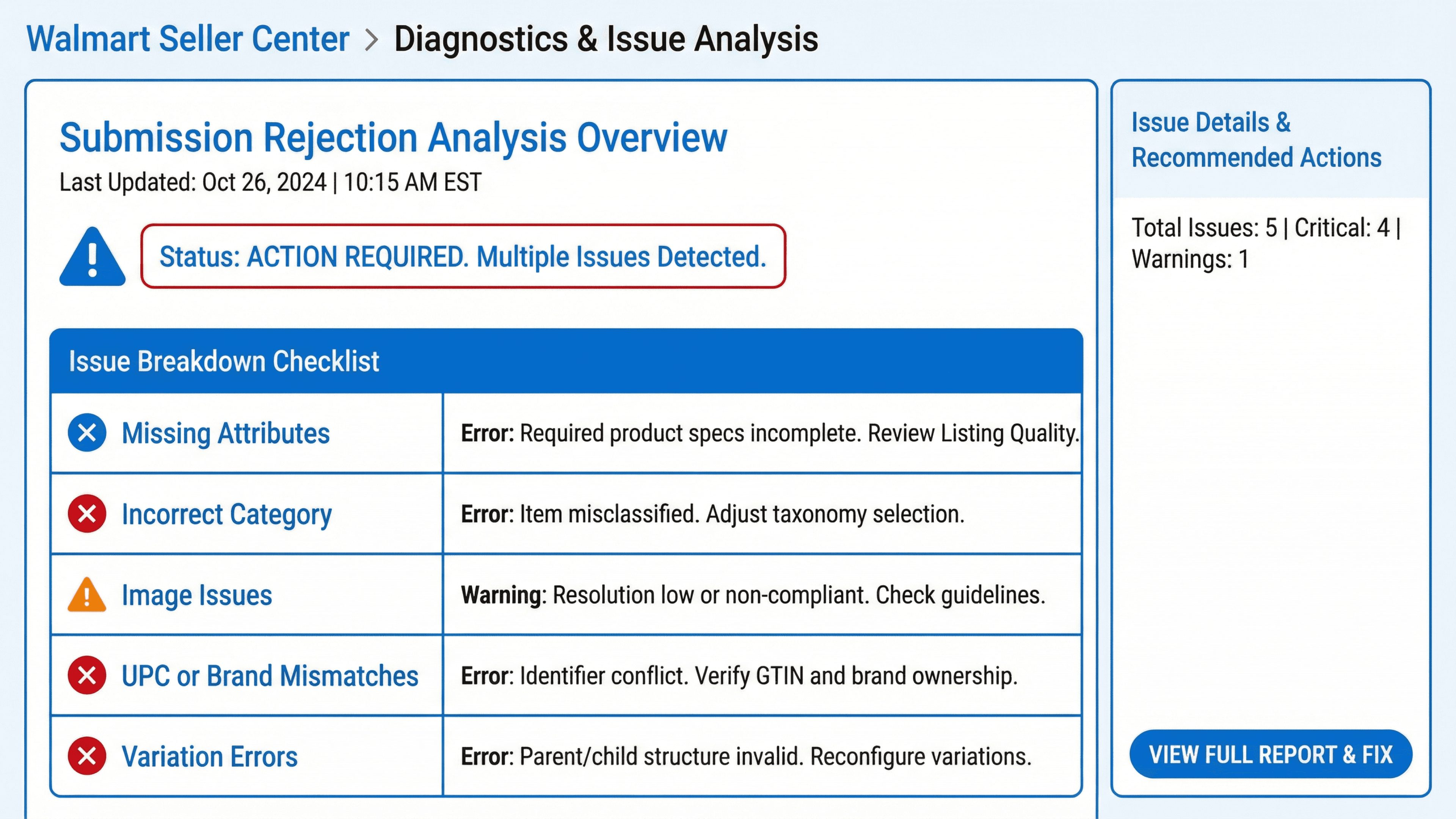
2. Identify the Root Cause
Check for:
Missing attributes
Incorrect category
Image issues
UPC/brand mismatches
Variation errors
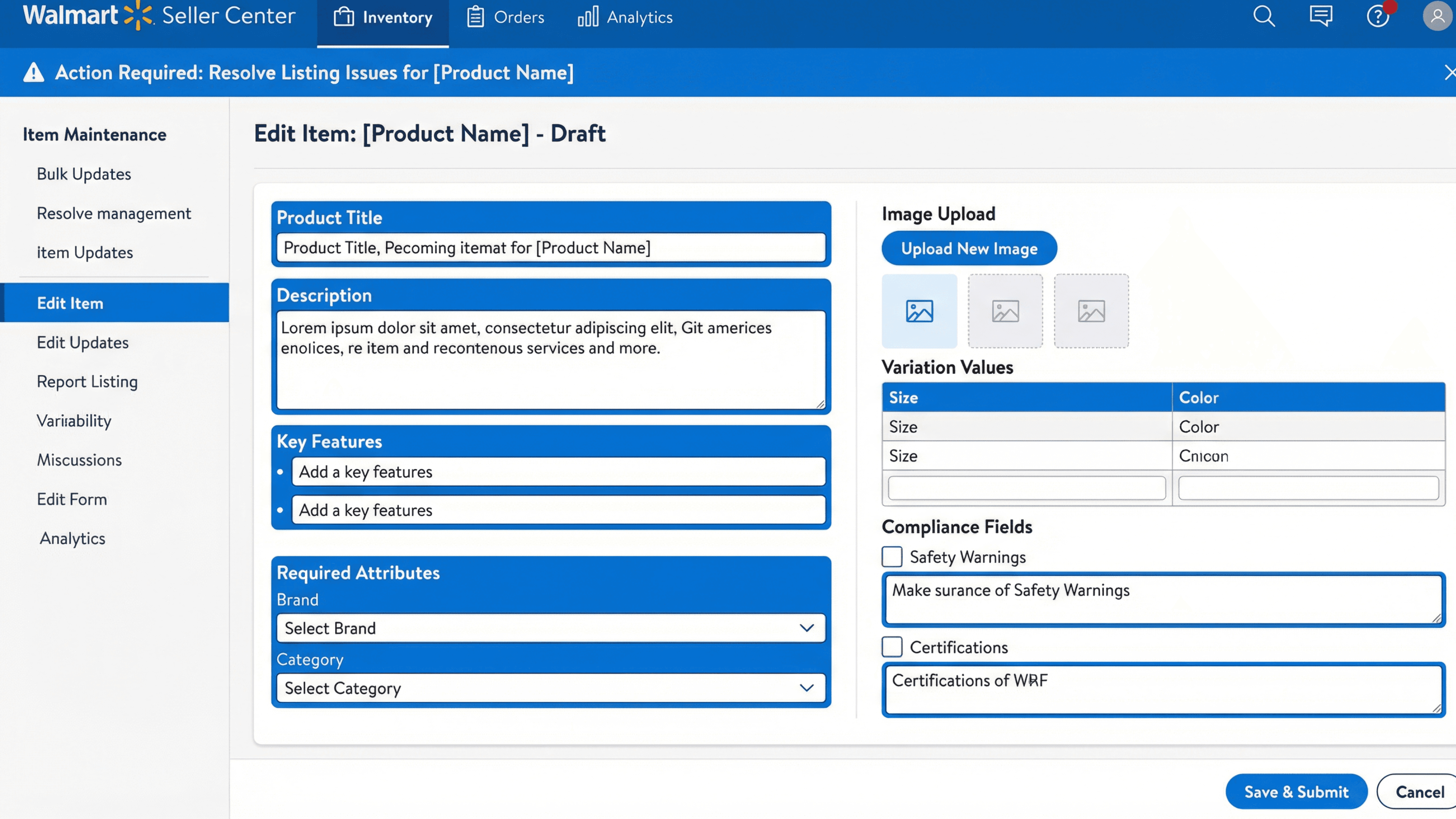
3. Edit the Listing
Update the necessary fields:
Titles, descriptions & key features
Required attributes
Images
Variation values
Compliance fields
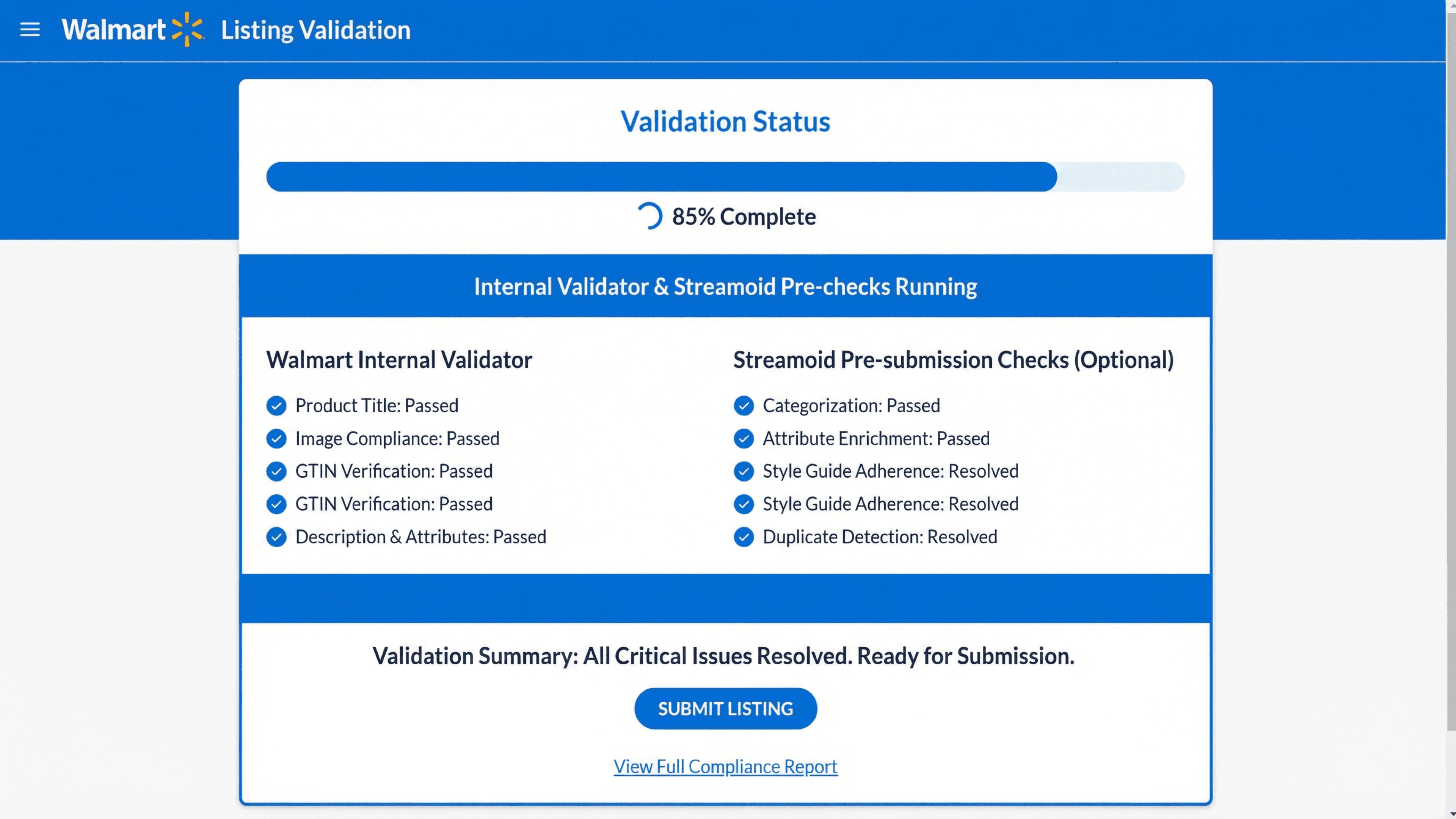
4. Run Validation
Use Walmart’s validator or Streamoid’s pre-submission checks to ensure all issues are resolved.
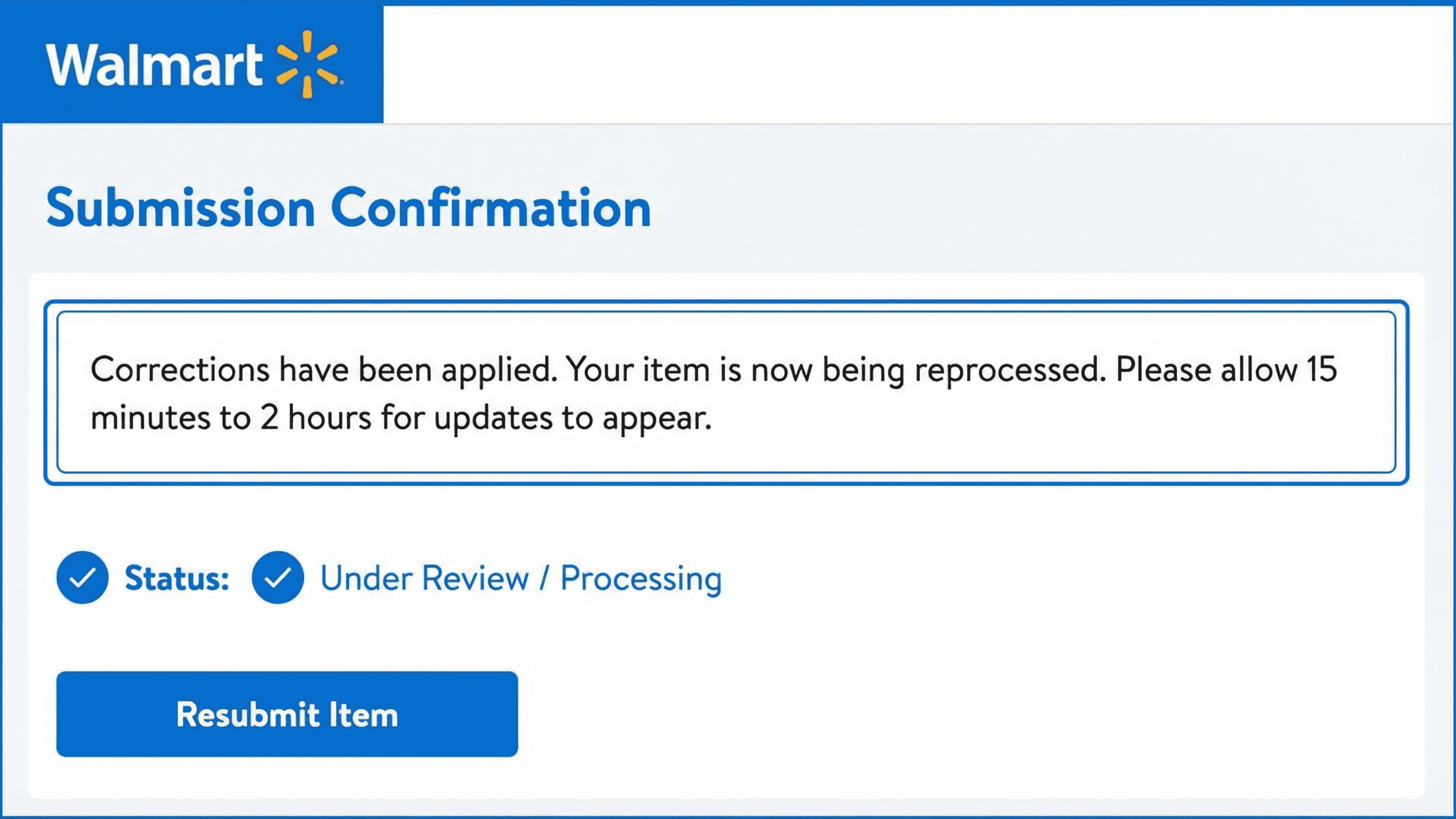
5. Resubmit the Listing
After corrections:
Resubmit the item
Walmart typically reprocesses within 15 minutes to 2 hours
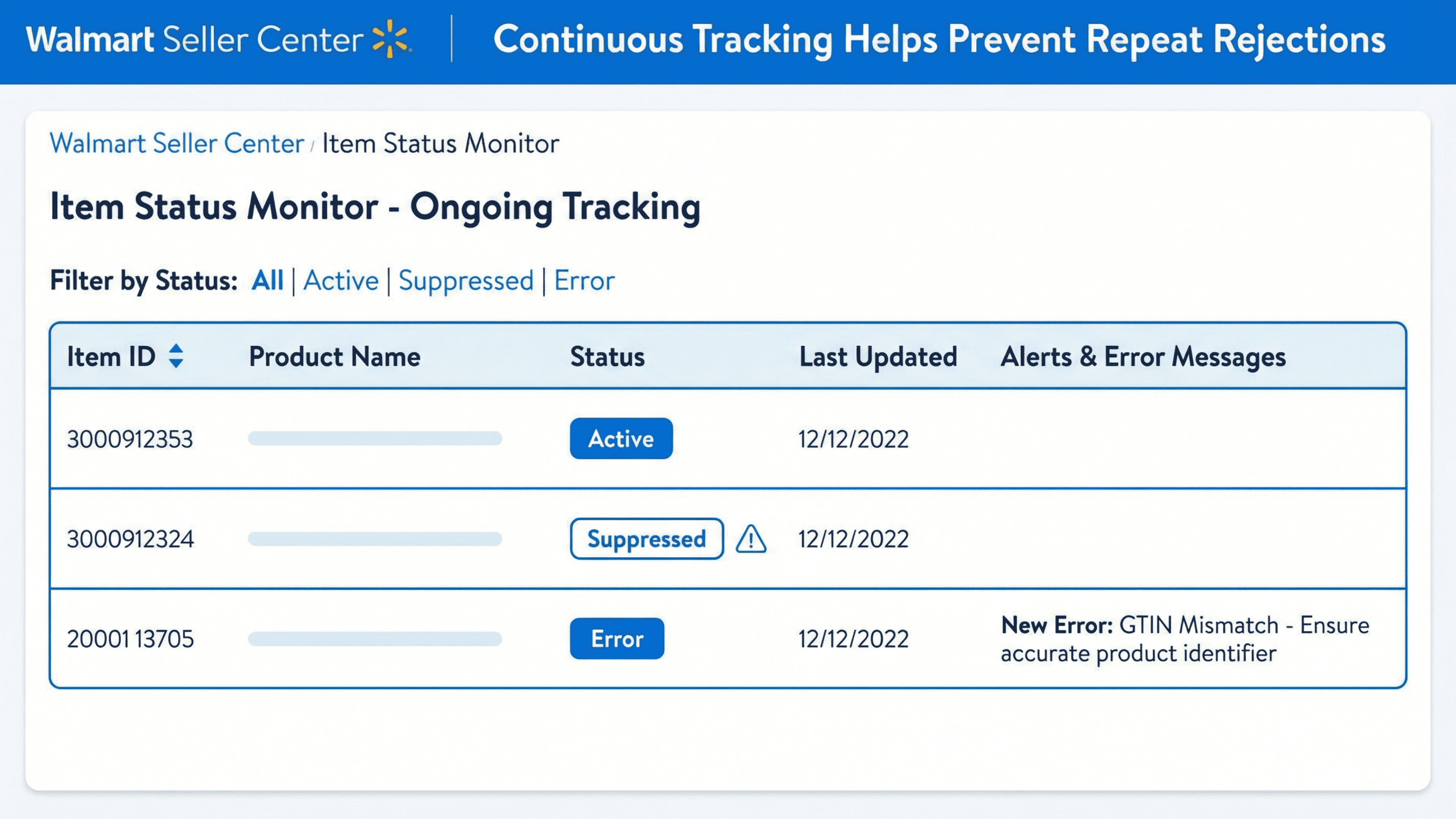
6. Monitor Listing Status
Check for:
Active status
Suppressions
New error messages
Ongoing monitoring prevents repeat rejections.
How It Works (Inside Streamoid)
Streamoid simplifies fixing and preventing Walmart listing rejections:
AI validates Walmart-specific requirements before submission
Auto-detects missing or incorrect attributes
Flags image and variation issues early
Identifies UPC and brand mismatches
Enables fast edits and clean resubmission
Monitors listing health post-publish
Comparison Table
Rejection Area | Without Streamoid | With Streamoid |
|---|---|---|
Error Detection | Manual & slow | Auto-flagged |
Attribute Fixes | Trial & error | Clear recommendations |
Image Issues | Hard to spot | Automated image QA |
Variation Errors | Complex | AI-validated |
Resubmission | Multi-step | One-click updates |
Monitoring | Reactive | Proactive alerts |