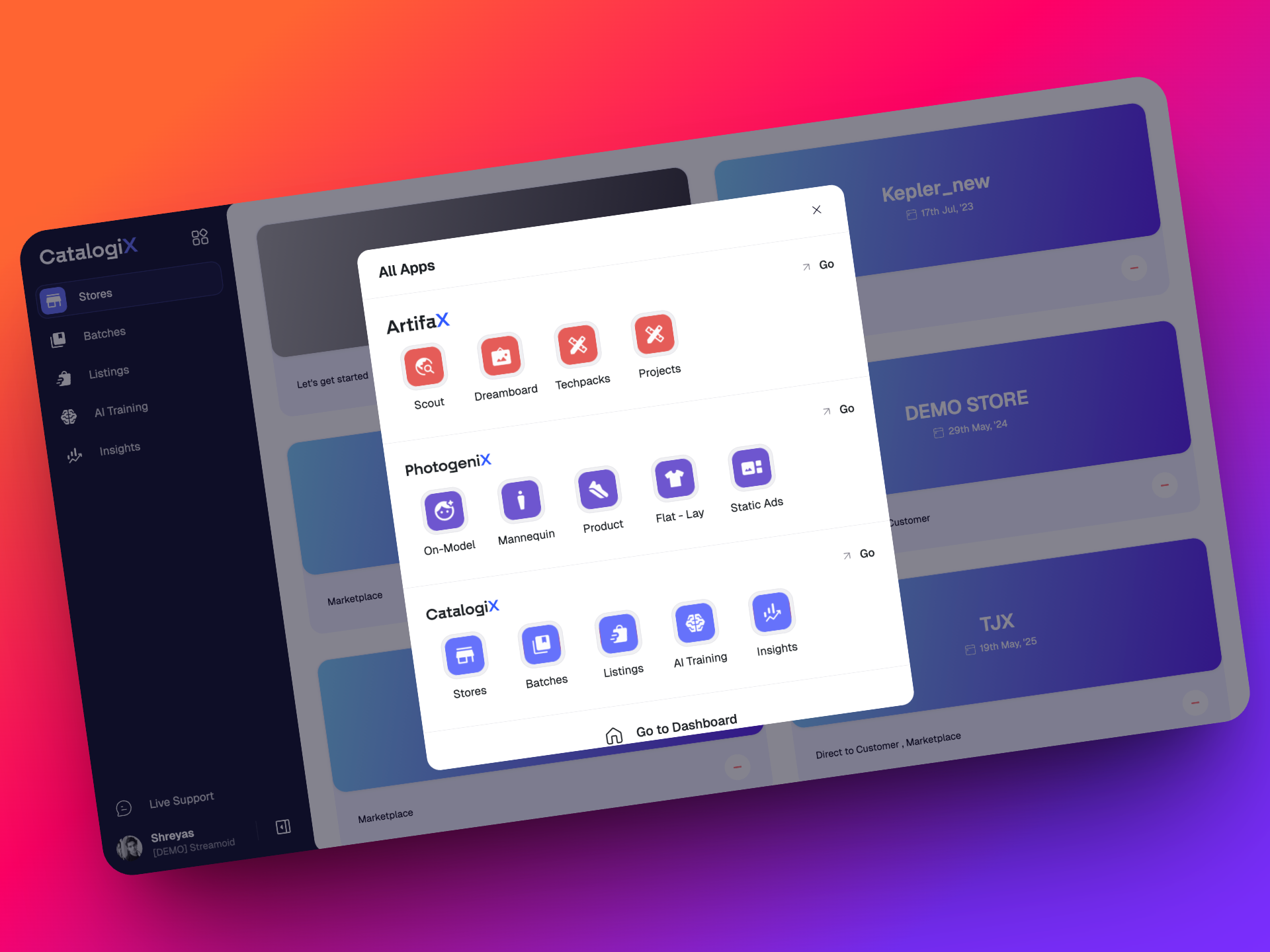
v0.33.0
18 September 2026
CXO v34 is Here!
This release brings a significant set of enhancements in CXO, introducing smarter workflows, improved capabilities, and a more seamless experience across the platform.
🚀 We are back! Latest Updates on Photogenix
This release brings a broad set of improvements across Studio, Renders, Downloads, AI Editing, Resources, and the overall workflow experience.
From faster imports and smarter Studio automation to more flexible exports, better editing controls, and a smoother first-time experience, these updates are focused on making everyday production faster, more reliable, and easier to manage.
Here’s what’s new 👇
⚙️ Studio Workflow Improvements
Studio is now faster, more flexible, and better equipped for high-volume production.
📦 Faster & Smarter Workflow
- Improved ZIP import speed for faster Studio setup
- Input/main images are now automatically populated after ZIP import
- Duplicate imports no longer create duplicate SKUs
- Larger previews are now available for input images
🎯 Better Studio Configuration
- Apparel Enhancer Auto Configure now supports front/back input selection and auto-detection
- Models can now be selected directly while editing guidelines
- Improved garment/styling pairing within the batch, with no need to reupload
- Option to copy images from Shoot to Final Images
- Rotate images directly within Studio
✏️ More Control While Editing
- Added Undo and Redo for bulk Studio edits
- New Edit View lets users customize their batch table view
- Lock columns to keep important information visible while working
- Drag and drop is now supported across Studio and other sections
- Added Stop Generations to safely stop bulk generations triggered by mistake
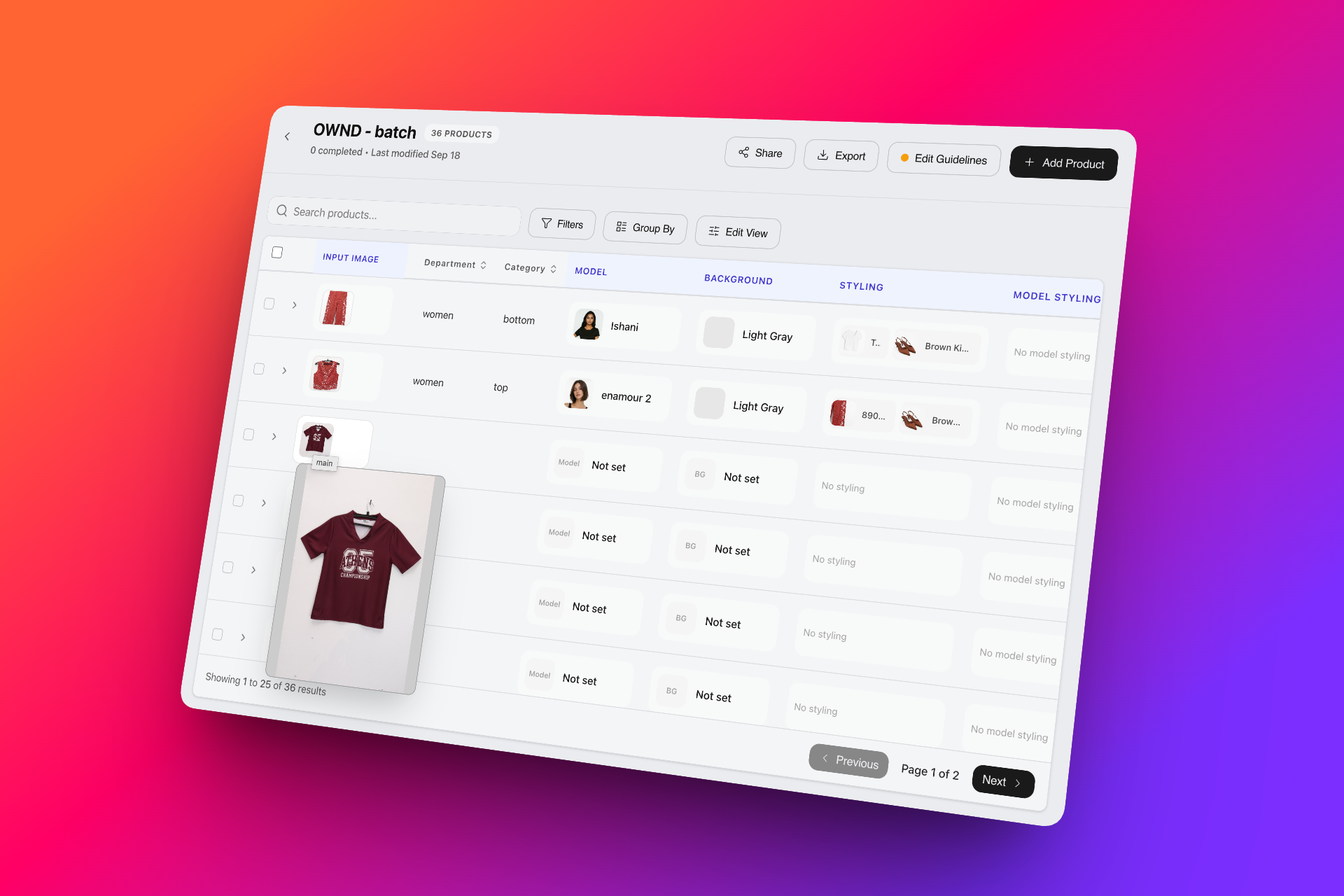
📥 Downloads & Exports: More Flexibility, Better Speed
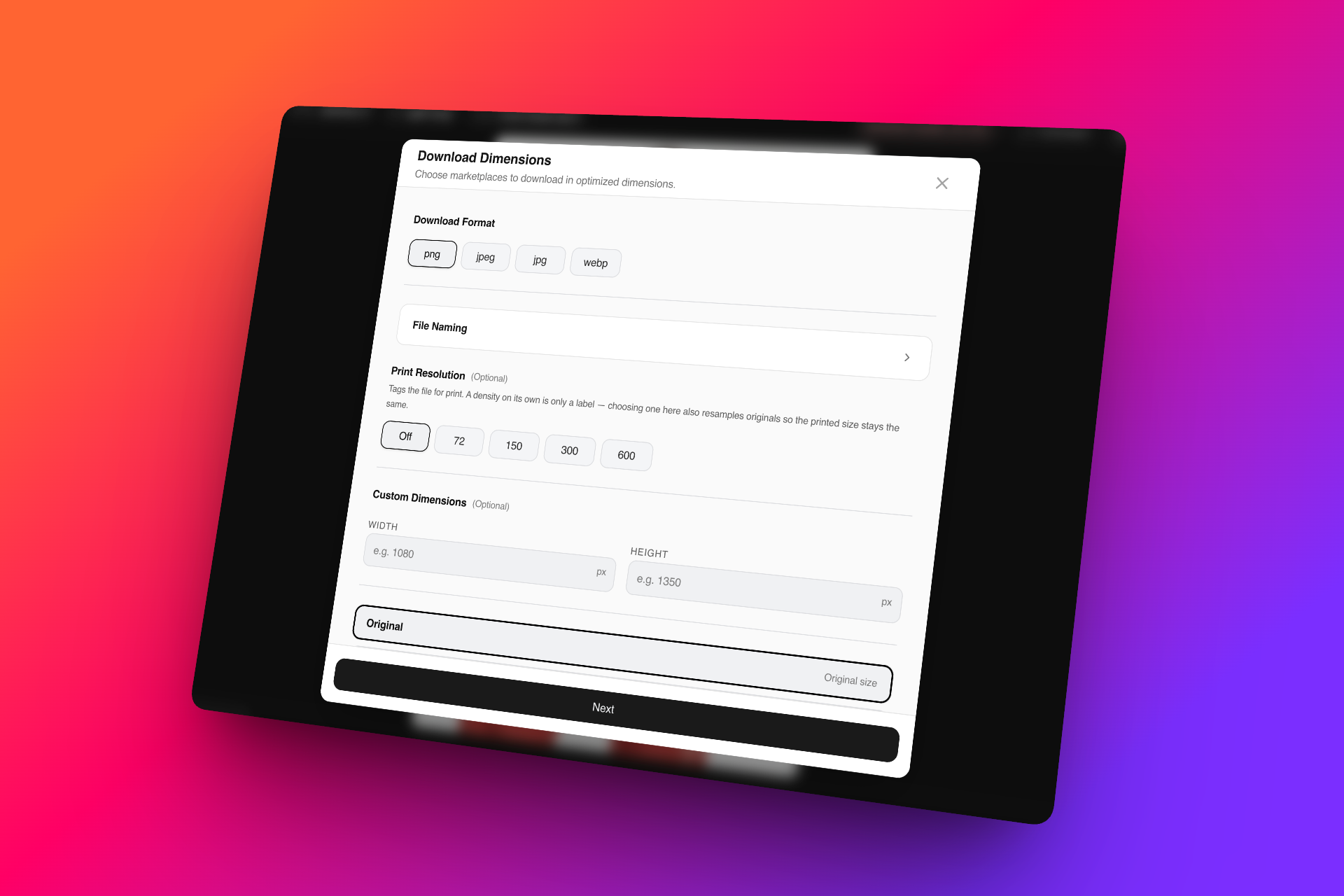
We’ve made it easier to get the right assets out of Photogenix, in the format and structure you need.
🖼️ Expanded Download Options
- Added DPI export support
- Output Nomenclature is now visible across downloads
- Improved Original Format export speed across Studio and Renders
- Improved output quality when exporting to different dimensions
- Added more marketplace options and supported ratios
🔗 Easier Sharing
- Shareable ZIP links are now available after Studio exports for easier asset sharing and delive
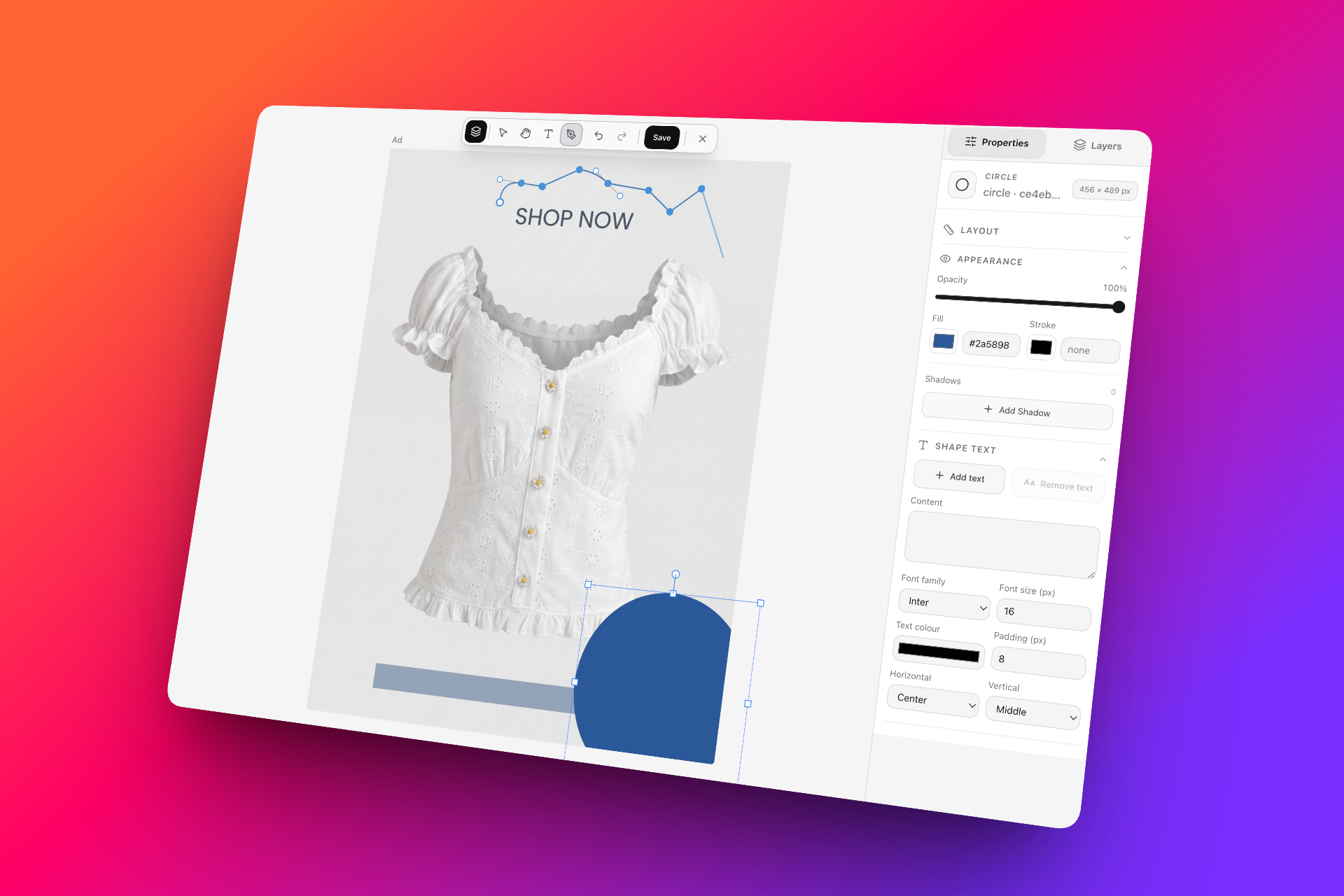
🎨 AI Editing & Creative Workflows
✨ Ad Canvas + AI Edits
Ad Canvas and AI Edits are now brought together to give users more flexibility when refining and creating campaign-ready assets.
🏠 Unified Flow & Creative Experience
The unified creation experience continues to evolve with more control over how outputs are generated.
- 🖼️ Improved Image Model: We’ve upgraded the underlying image model to deliver improved generation quality and more reliable outputs across supported workflows.
- Added a more guided first-time user experience with creative discovery and recommendations

🖥️ Photoshop Features
Photoshop capabilities are now integrated into Photogenix, bringing advanced editing workflows closer to your generated content and reducing the need to move between tools.
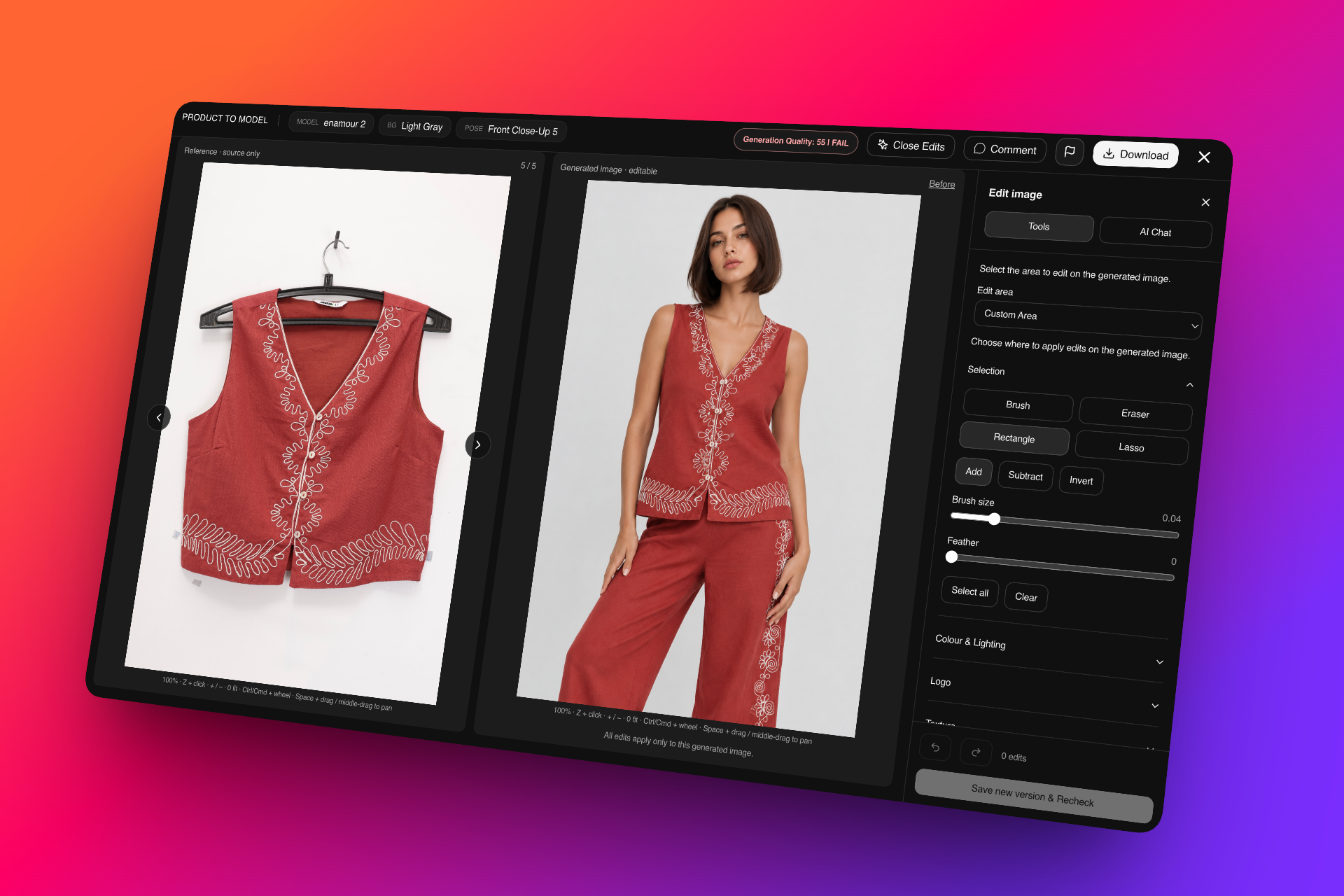
🔍 AI Image Check / Auto QC
- Compares the generated image with the original reference
- Checks colour, construction, logo, print, texture, and garment sharpness
- Reviews are saved and can be reused
🧐 Image Review & Fix
- Side-by-side comparison of the reference and generated image
- Statuses include Passed, Needs Review, Needs Correction, and Corrected
✨ Automatic Correction
- Fix individual flagged images or use Fix All
- Applies targeted corrections for local defects
- Unresolved or uncertain issues remain available for manual review
🖼️ Reference Image
- Reference images remain unchanged
- All corrections are applied only to the generated image
- Reference views can be switched using arrows
🔎 Zoom & Navigation
- Mouse/keyboard zoom
- Space-drag / middle-mouse pan
- Native-resolution inspection
✂️ Selection Tools
- Rectangle, Lasso, and Brush
- Eraser
- Add / Subtract
- Invert and Feather
- Fixed selection issues after crop and invert
🎨 Colour & Lighting Tools
- Pick colour directly from the reference
- Brightness and Contrast
- Hue and Saturation
- Temperature and Tint
- Levels and Curves
🖌️ Clone & Logo Correction
- Clone from either the reference or generated image
- Brush size, Hardness, Flow, and Opacity controls
- Copy & Place for logos
- Move, Resize, Rotate, and manual Warp
🌈 Blending
- Edge feathering
- Local lighting matching
- Natural blending
- Hide editing handles for preview
🧵 Texture & Cleanup
- Select texture swatches from the reference
- Apply texture inside a selected area
- Texture transformation
- Sharpening
- AI Remove with Preview → Apply / Discard
💬 AI Chat
- Targeted correction through natural-language instructions
- Preview the correction before applying it
🗂️ Layers & Saving
- Layer visibility and deletion
- Undo / Redo
- Saved versions retain editable layers
- Separate flattened output is also generated
- Recheck workflow after saving
⚡ Performance & Reliability
- Improved download timeout
- Shared concurrent downloads
- Worker-based previews
- Retry for failed previews
- Basic adjustments and blending work locally without AI calls
🚀 Built for Faster, Smoother Production
This release brings together a large number of improvements across the Photogenix workflow, from setting up a shoot and generating content to editing, reviewing, exporting, and sharing final assets.
The goal is simple: fewer manual steps, faster production, and more control over every stage of your creative workflow.
Explore the latest updates and let us know what you think! ✨
v0.33.0
19 August 2026
CXO v33 is Here!
This release brings a significant set of enhancements in CXO, introducing smarter workflows, improved capabilities, and a more seamless experience across the platform.
🚀 Latest Updates on Photogenix
This release brings a set of workflow improvements designed to make content creation more streamlined, organized, and efficient, from the moment you enter Photogenix to the final download.
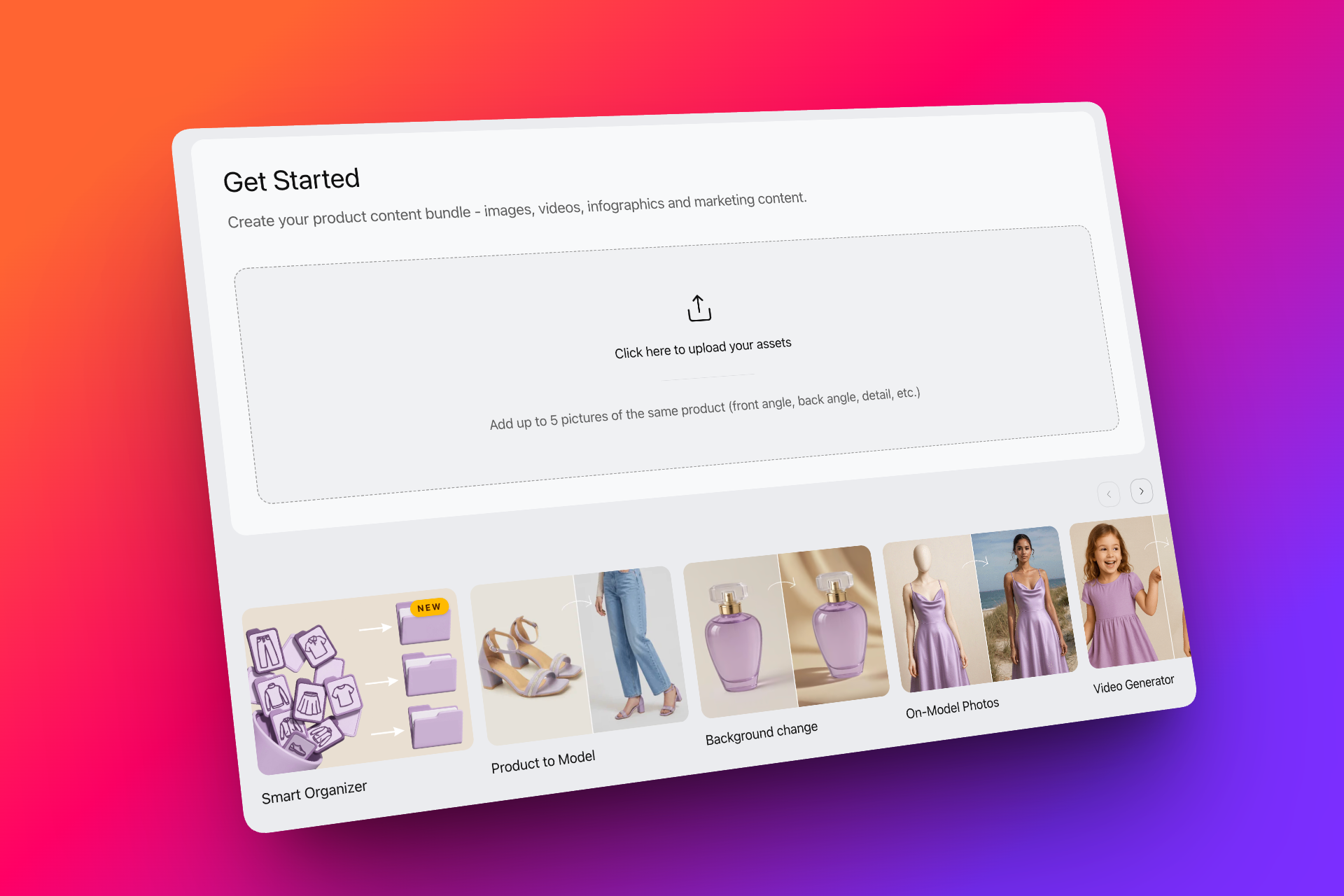
🏠 New Home Page – One Workflow, More Possibilities
The new Photogenix home page brings multiple creative workflows together in one unified experience.
What's new:
- Explore multiple possibilities for your product from a single starting point
- Quickly discover relevant workflows based on your creative needs
- Use the Explore section for quick, direct generations
- Move between different creation possibilities with fewer steps
A simpler starting point designed to help users discover and create faster.
📁 Folder Organizer for Studio
Organize raw studio images faster and reduce manual file preparation.
What's new:
- Upload raw images containing multiple SKUs and automatically organize them into groups
- SKU names directly fetched within the workflow
- Reduce manual file and ZIP preparation before upload
- Speed up the transition from studio-shot images to production
Built to simplify high-volume studio uploads and get your images into the Photogenix workflow faster.
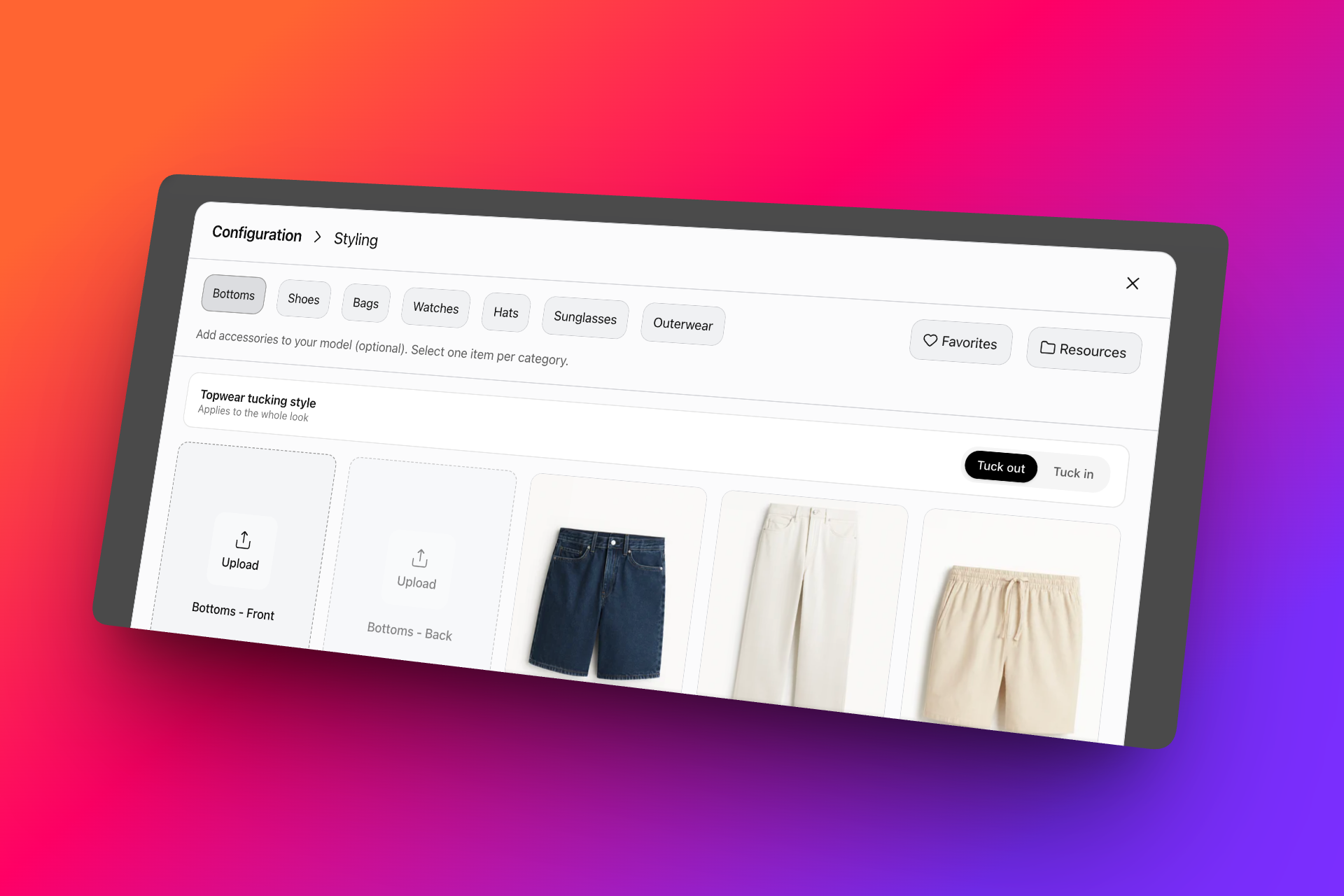
👕 Topwear Tucking Style
Get more consistent topwear styling across your generated model outputs.
What's new:
- Select your preferred tucking style during configuration
- Maintain the selected style consistently across different poses
- Reduce unwanted or inconsistent tucking in generated outputs
- Supported across categories and genders
More control over styling, with greater consistency from one pose to the next. Explore Product to Model and try it out!
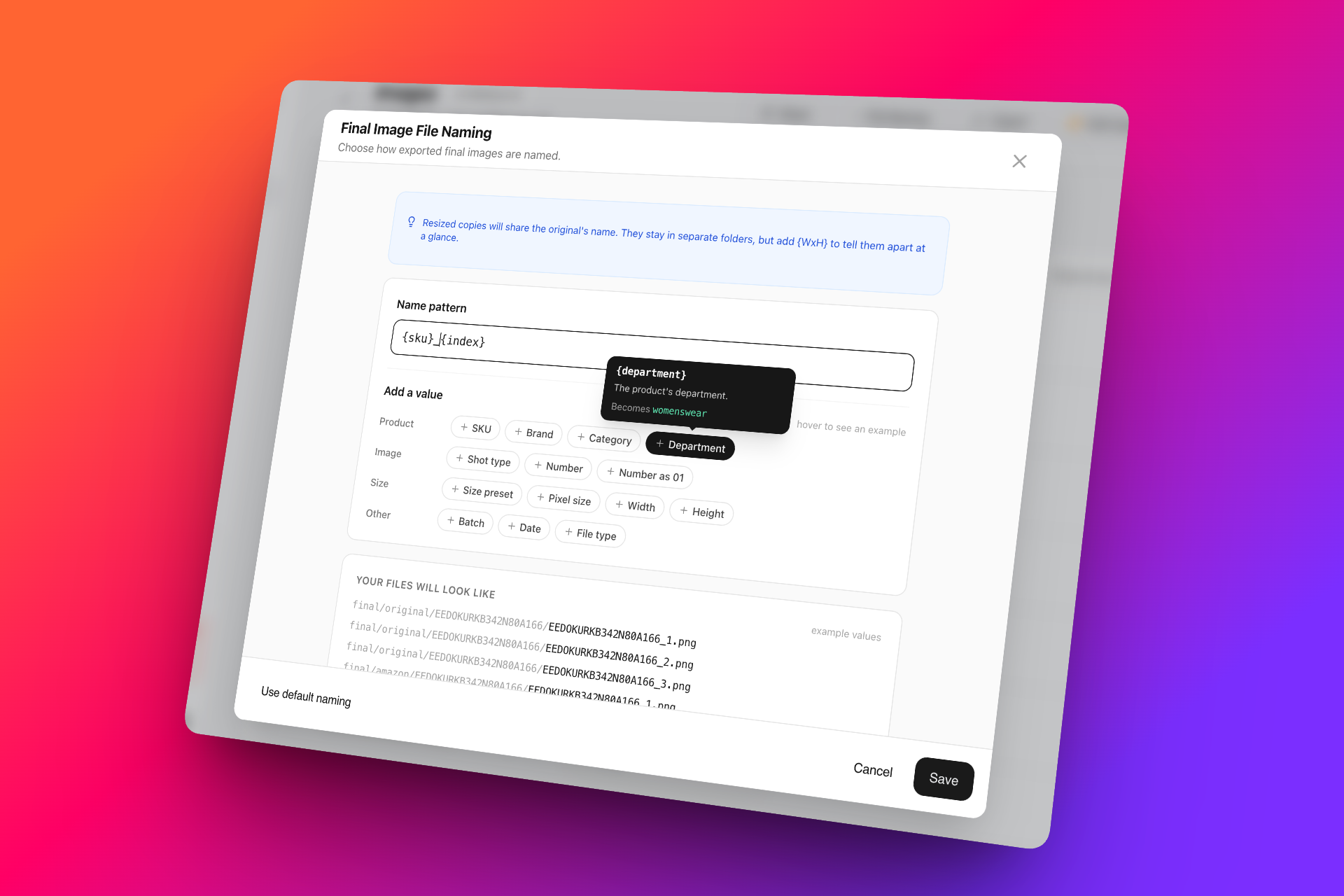
🏷️ Export File Naming
Take control of how your exported files are named, with automatic file naming built directly into the workflow.
What's new:
- Set your preferred file naming format
- Automatically apply the naming convention during export
- Works across all brand templates
- Reduce manual renaming and keep exported assets organized
A small workflow improvement that makes large-scale exports cleaner, faster, and easier to manage.
📥 Bulk Select & Download in Renders
Managing large volumes of generated assets is now easier.
What's new:
- Select multiple renders at once
- Reduce repetitive individual downloads
- Speed up asset collection for large-scale productions
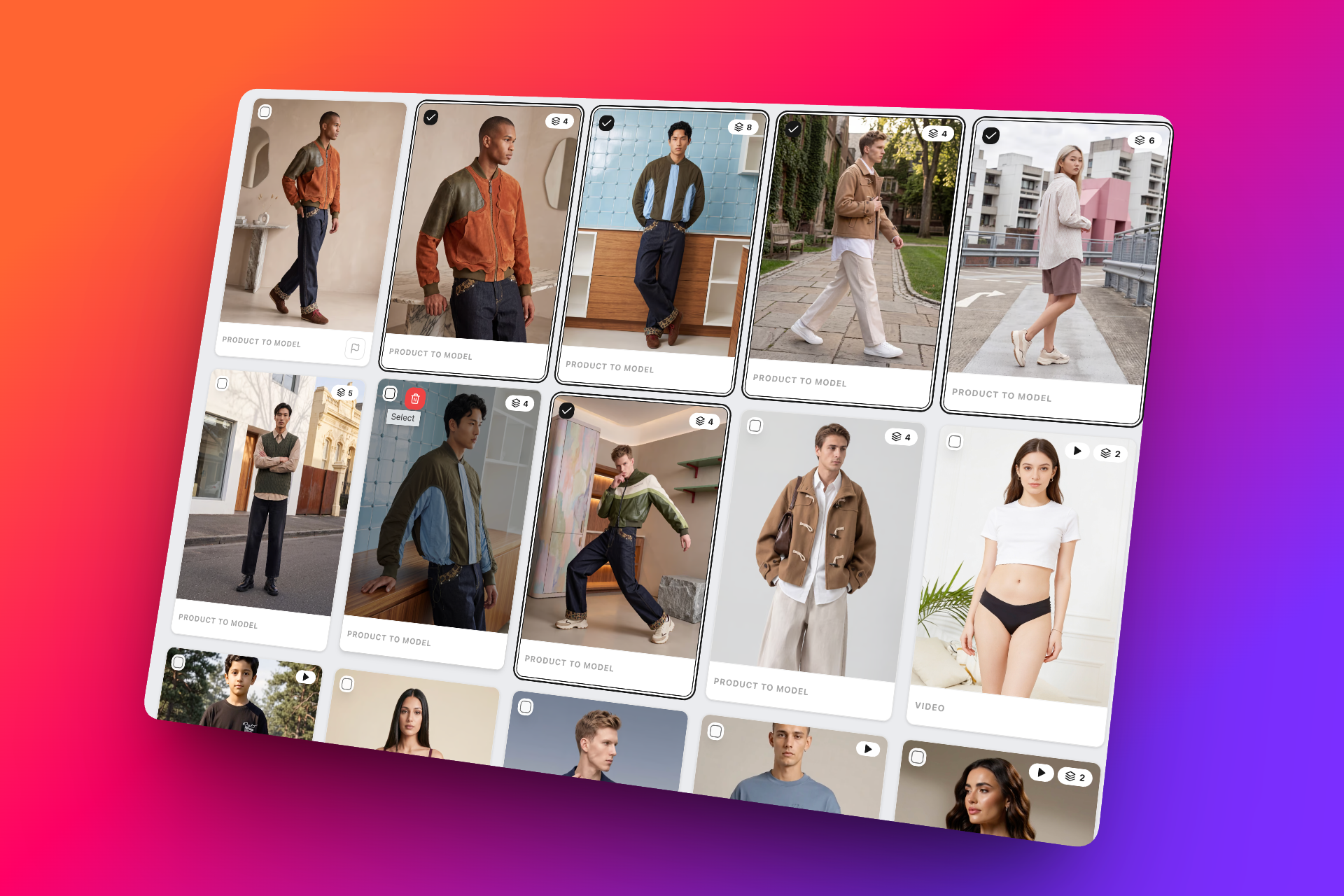
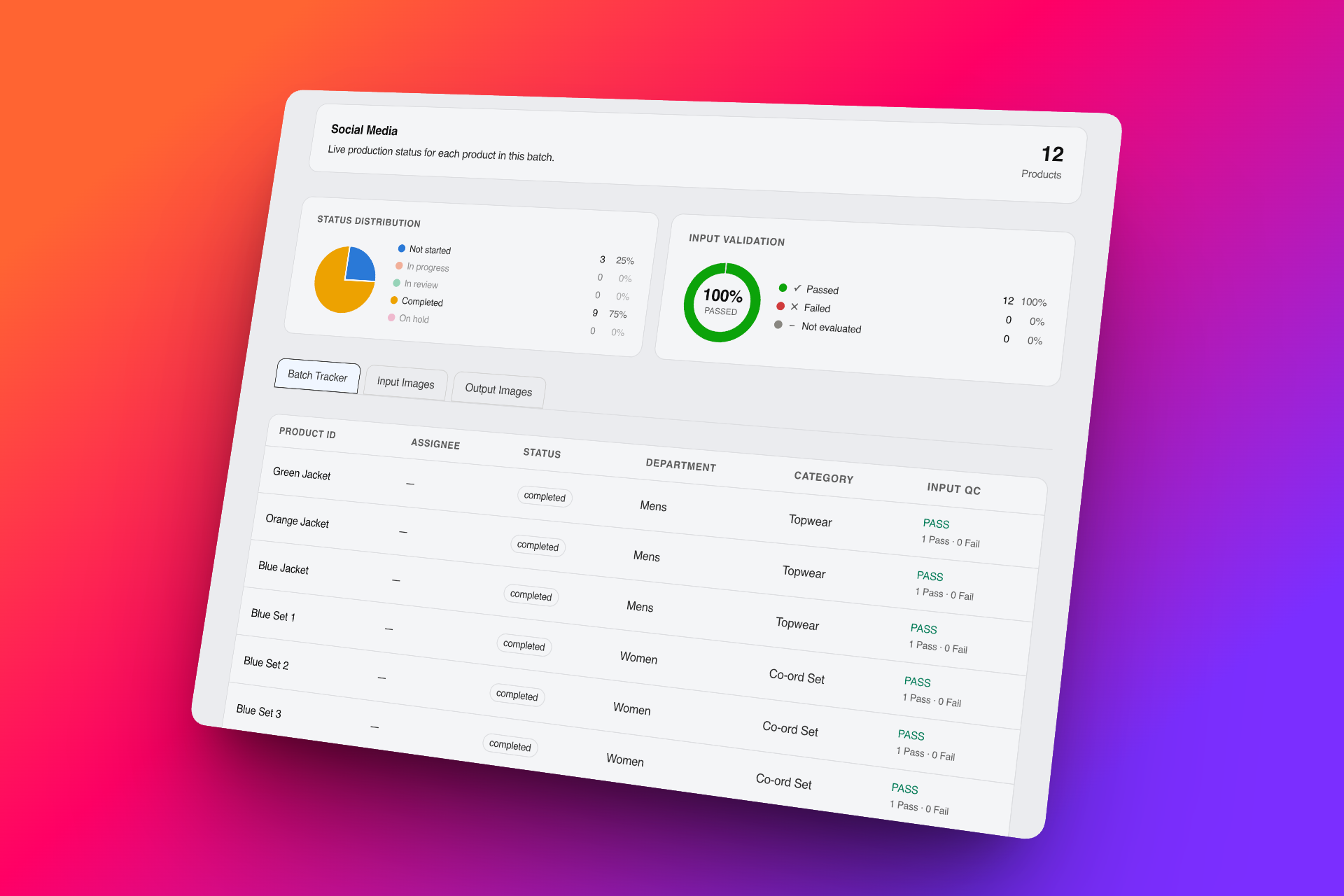
🔗 Shareable Studio-Batch Tracker Links
Keep everyone aligned on batch progress with shareable tracker links.
What's new:
- Generate and share a batch tracker link
- Give internal or external teams visibility into batch progress
- Track production status without needing to navigate through the platform
- Reduce confusion and unnecessary status follow-ups
A simpler way to keep stakeholders informed throughout production.
These updates are designed to make Photogenix easier to navigate, faster to work with, and better equipped for production at scale. 🚀
v0.32.0
28 July 2026
CXO v32 is Here!
This release introduces one of our biggest workflow upgrades yet, with major improvements across the tool!
🚀 New Releases on Photogenix
The focus of this release is simple—create faster, collaborate better, and deliver higher-quality video content. From a revamped Studio experience to significantly improved video generation and smarter review workflows, these enhancements are designed to boost productivity across every stage of production.
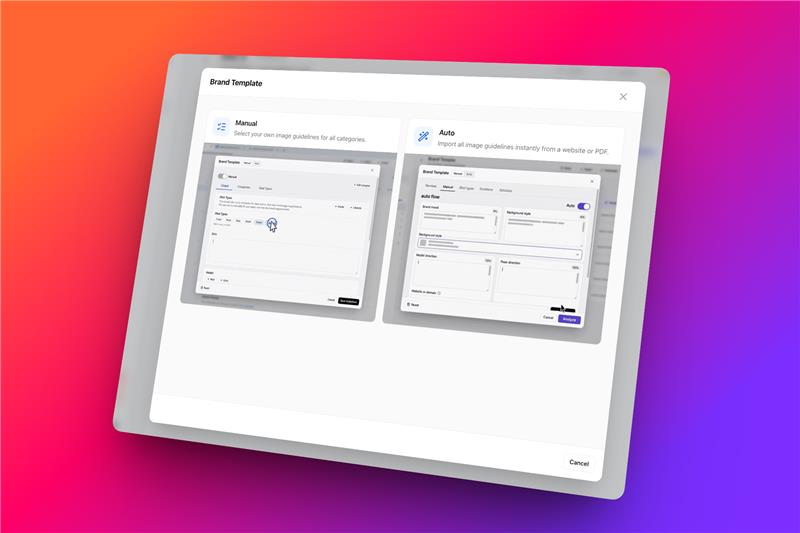
⚙️ Studio Revamp
Studio has been redesigned to support faster production workflows and greater consistency across large-scale operations.
What's new:
- Improved automation across Studio workflows
- Streamlined production flow with reduced manual effort
- Better consistency when configuring and generating assets at scale
- Optimized experience for production teams handling high-volume projects
The new Studio experience helps teams move from input to output with fewer steps and greater operational efficiency.
🎬 Video Ads – Major Workflow Upgrade
Creating marketing-ready video ads is now smoother and more flexible than ever.
Improvements include:
- Completely refined timeline editor for a faster editing experience
- Improved controls for arranging and refining video sequences
- Create end-to-end video advertisements directly within Photogenix
- Smoother generation workflow with better overall usability
Designed to simplify video production while giving users greater creative control.
🎥 Video Generator Improvements
All video generation models have received significant quality upgrades.
Enhancements:
- Better overall visual quality
- Improved subject and product retention throughout the video
- More consistent and realistic motion and scene generation
- Higher-quality outputs across supported video workflows
These improvements help create more production-ready videos with minimal refinement.
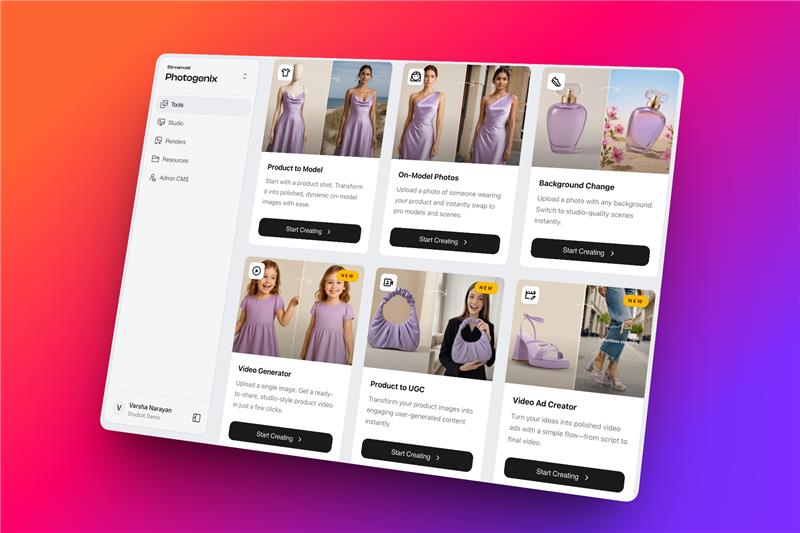
🎤 UGC Model Upgrade
Our UGC generation model has been significantly enhanced for more realistic and engaging content.
Highlights:
- Improved overall generation quality
- Multiple scene transitions within a single 10-second video
- Significantly better lip-sync accuracy
- More natural expressions and character movement
Built to create richer user-generated content suitable for marketing campaigns and social media.
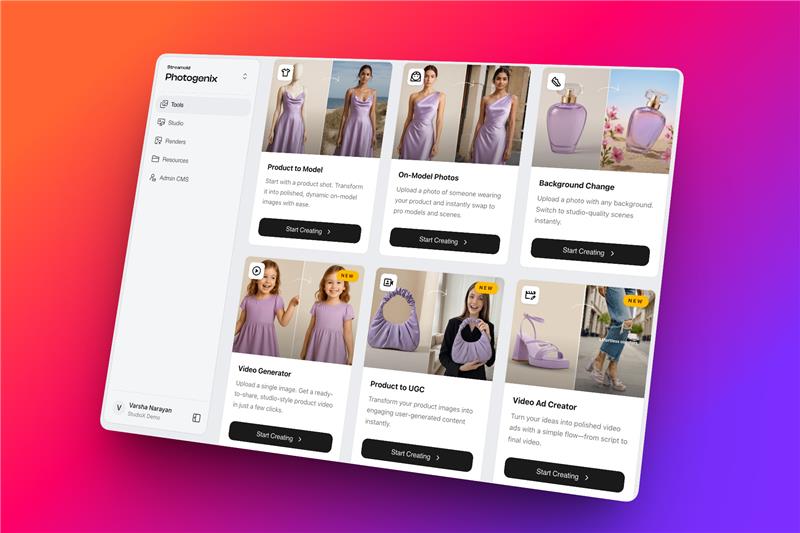
🔄 Smarter Regeneration
Regeneration is now more flexible, with precise control.
Users can now:
- Regenerate outputs with updated configurations
- Modify settings without repeating the entire workflow
- Iterate faster while preserving existing progress
- Quickly fix generation issues with fewer manual steps
This makes experimentation and refinement considerably faster.
📋 Render Experience Revamp
Managing large volumes of generated content is now easier with enhanced review tools.
New capabilities:
- Flag outputs that require attention
- Add comments directly within the platform
- Filter renders by feature, status, and workflow
- Simplify quality tracking and review cycles
These updates make collaboration between creative, QA, and production teams much more efficient.


This release represents a significant step forward in making Photogenix a faster, smarter, and more collaborative creative production platform. With improvements across generation quality, automation, review workflows, and video capabilities, teams can now produce high-quality content with greater speed and confidence than ever before.
v0.31.1
9 July 2026
CXO v31.1 is Here!
This release introduces a collection of smaller enhancements that deliver a big impact on everyday workflows.
🚀 New Releases on Photogenix
This release introduces a collection of smaller enhancements that deliver a big impact on everyday workflows. From improved collaboration and quality control to greater creative flexibility, these updates are designed to help teams work faster, reduce manual effort, and streamline production.
⚙️ Auto Configure for Product-to-Model & Background Change
Setting up generations is now faster and more scalable.
- Auto Configure now supports Product-to-Model and Background Change workflows
- Apply predefined settings across products in just a few clicks
- Reduce repetitive manual configuration
- Ensure consistent outputs across large-scale productions
Perfect for teams managing high-volume creative workflows.

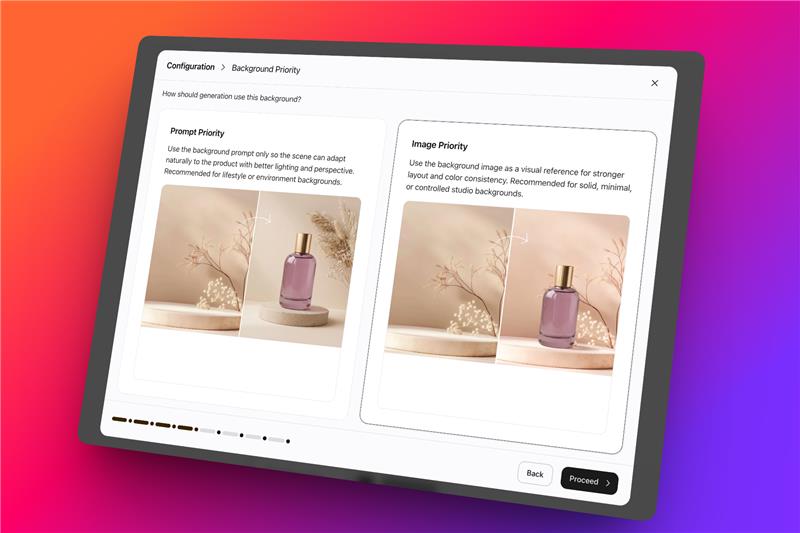
🖼️ Background Prompt Priority
Gain more control over how backgrounds are generated.
Choose the generation behavior based on your creative needs:
- Image Priority: Uses the reference image to maximize background consistency across outputs. Best consistency achieved so far!
- Prompt Priority: Gives greater importance to your prompt, producing more realistic and diverse catalog-style backgrounds.
This provides greater flexibility depending on whether consistency or creative realism is the priority.
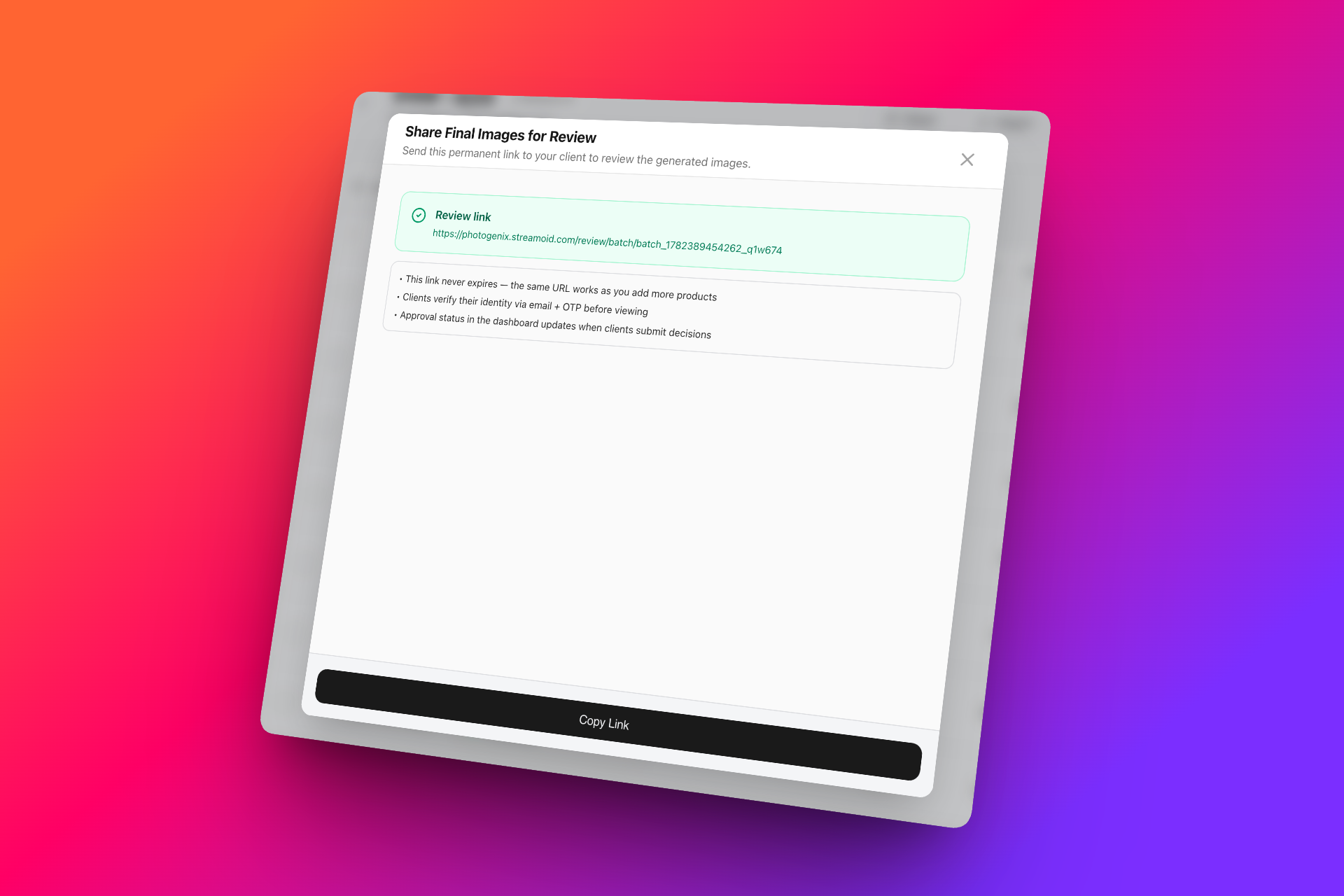
✅ Approval Workflow in Studio
Collaborating on creative outputs is now easier with the new approval workflow built directly into Studio.
- Share outputs for review with both internal and external stakeholders
- Track approval status within the workflow
- Reduce back-and-forth communication across channels
- Speed up creative reviews and decision-making
This update brings approvals closer to where the work happens, making production workflows more seamless.
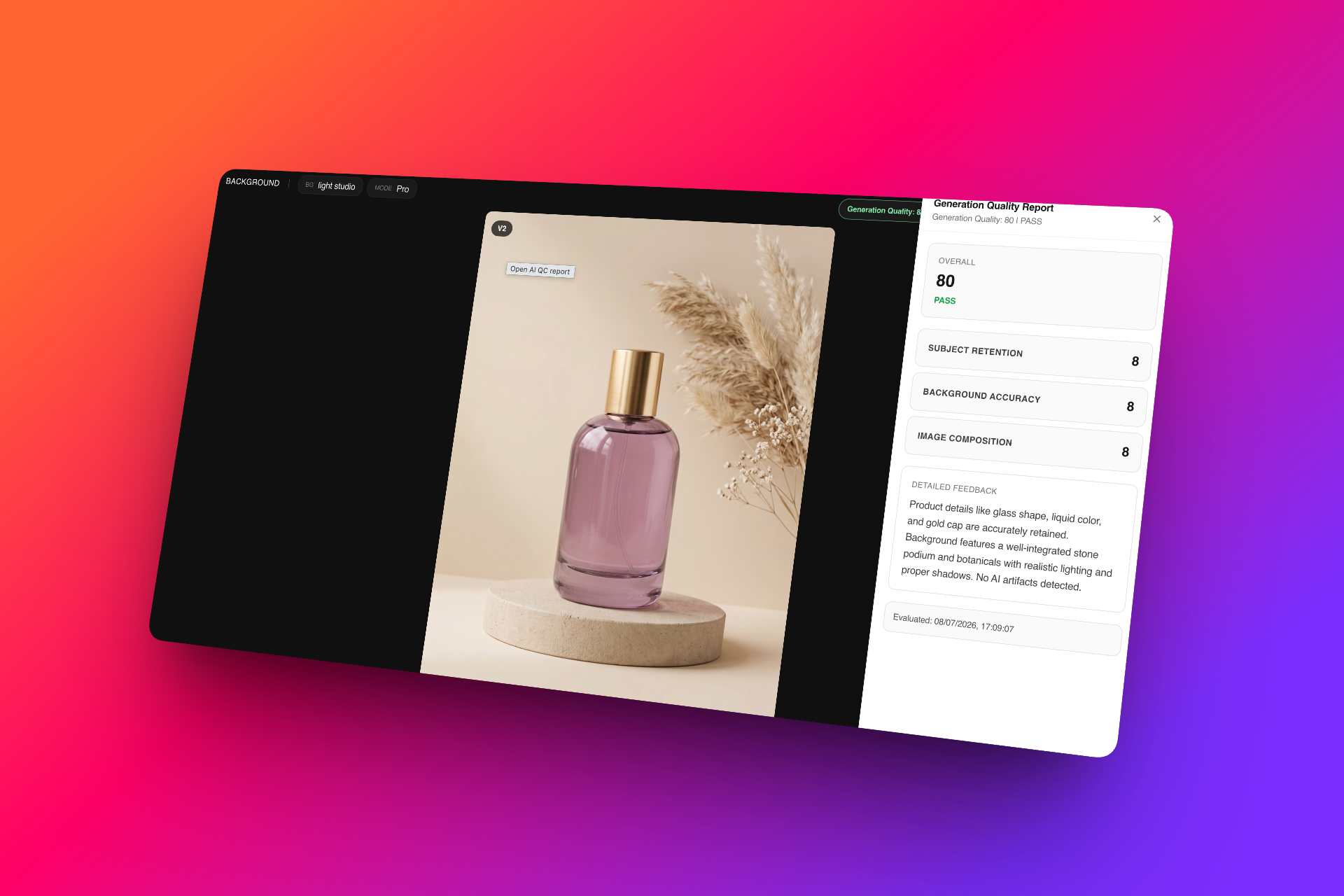
🔍 QC Report Improvements
Quality Control reports have been significantly enhanced across all image generation features in PhotogeniX.
- More comprehensive quality checks
- Better visibility into generation issues and inconsistencies
- Improved reporting for faster review and validation
- Enhanced support across all image workflows
Designed to help teams review outputs more efficiently while maintaining consistent quality standards.
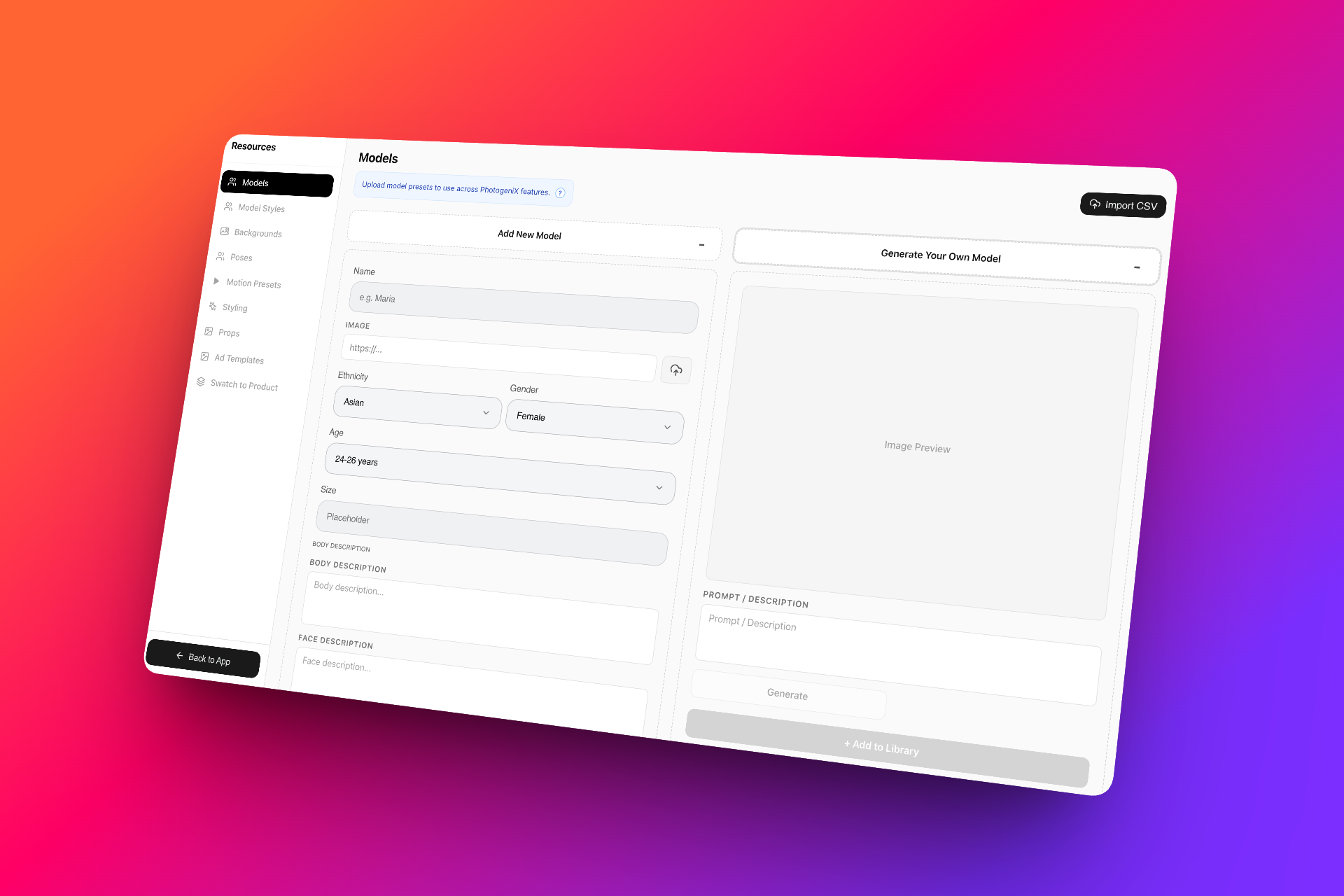
🎨 Resources – Generate Your Own Assets
Resource creation is now more flexible than ever.
- Generate your own AI models directly within the platform
- Create custom backgrounds without leaving PhotogeniX
- Build reusable resources tailored to your brand
- Reduce dependency on external asset creation
Everything you need to create and manage resources is now available within a single workflow.
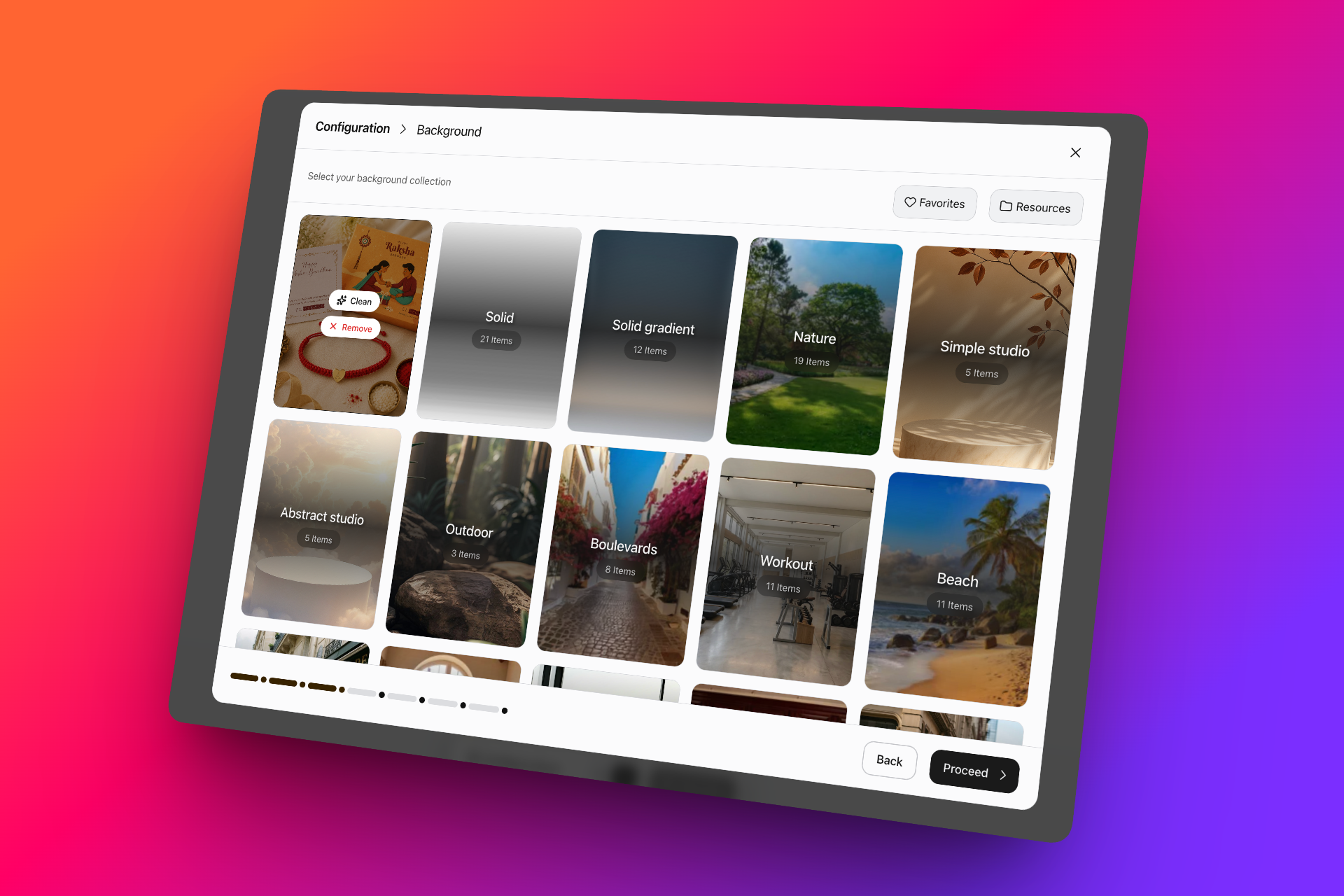
🧹 Background Cleanup in Studio
Studio now includes an improved background cleanup capability.
- Remove unwanted subjects or objects from background images
- Create clean background plates for reuse
- Replicate existing backgrounds for future generations
- Build a reusable background library with minimal manual editing
Perfect for creating cleaner, more consistent visual environments across your creative workflows.
These updates are focused on making everyday tasks simpler, faster, and more efficient—so your team can spend less time managing workflows and more time creating.
v0.31.0
16 June 2026
CXO v31 is Here!
This release brings a fresh set of enhancements focused on creative flexibility, workflow reliability, and faster content production across PhotogeniX.
🚀 Latest Update on Photogenix
We've introduced several upgrades across image, video, and styling workflows to help teams create, iterate, and scale content more efficiently.
🚀 What's New?
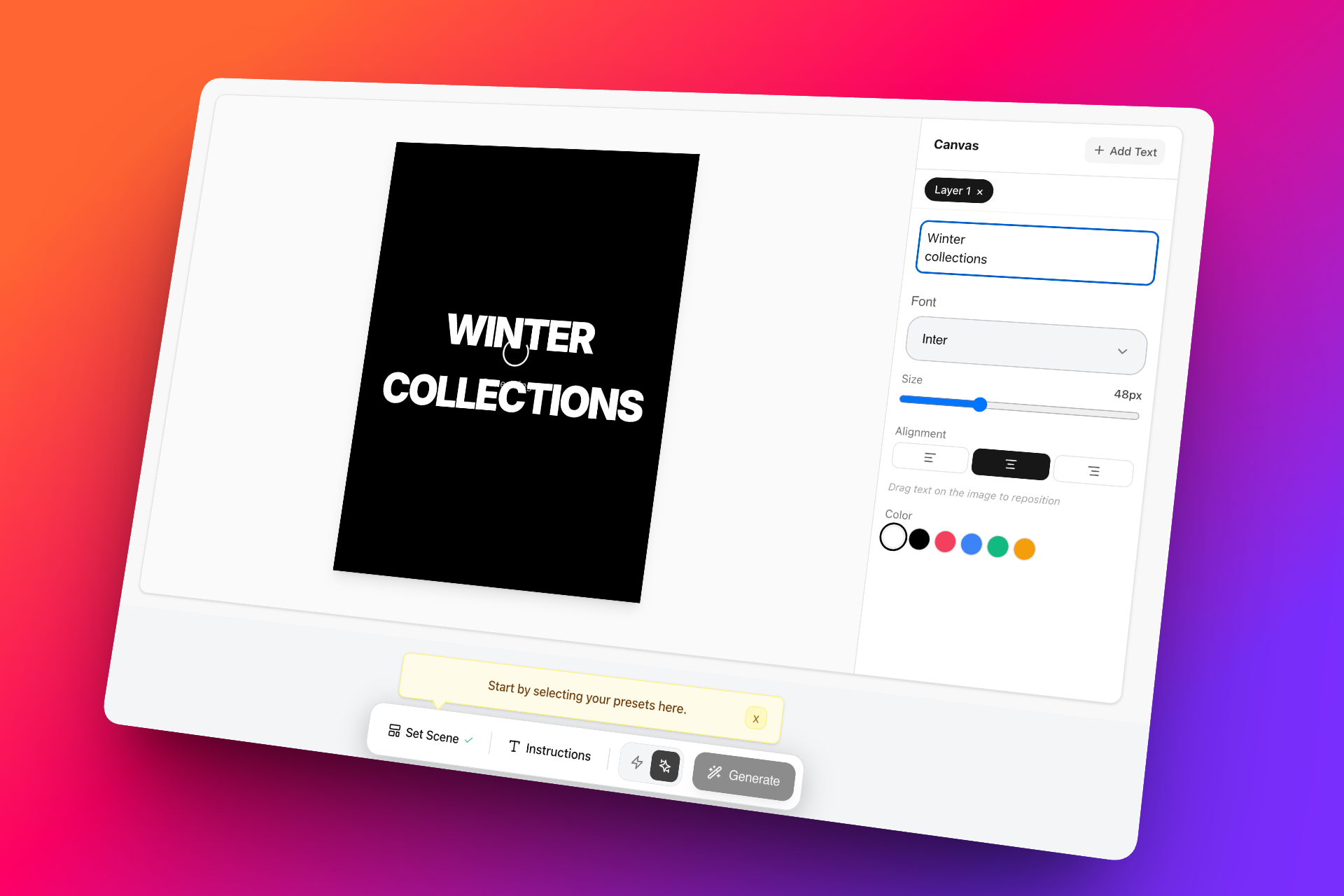
🎨 Ad Creator – Enhanced Editing Controls
The Ad Creator now offers greater flexibility after generation, allowing teams to fine-tune creatives without starting over.
What's new:
- Add and edit text directly on generated creatives
- Customize fonts, colors, and visual elements
- Make last-minute adjustments without regenerating the entire asset
This gives marketing and creative teams more control over campaign-ready outputs.
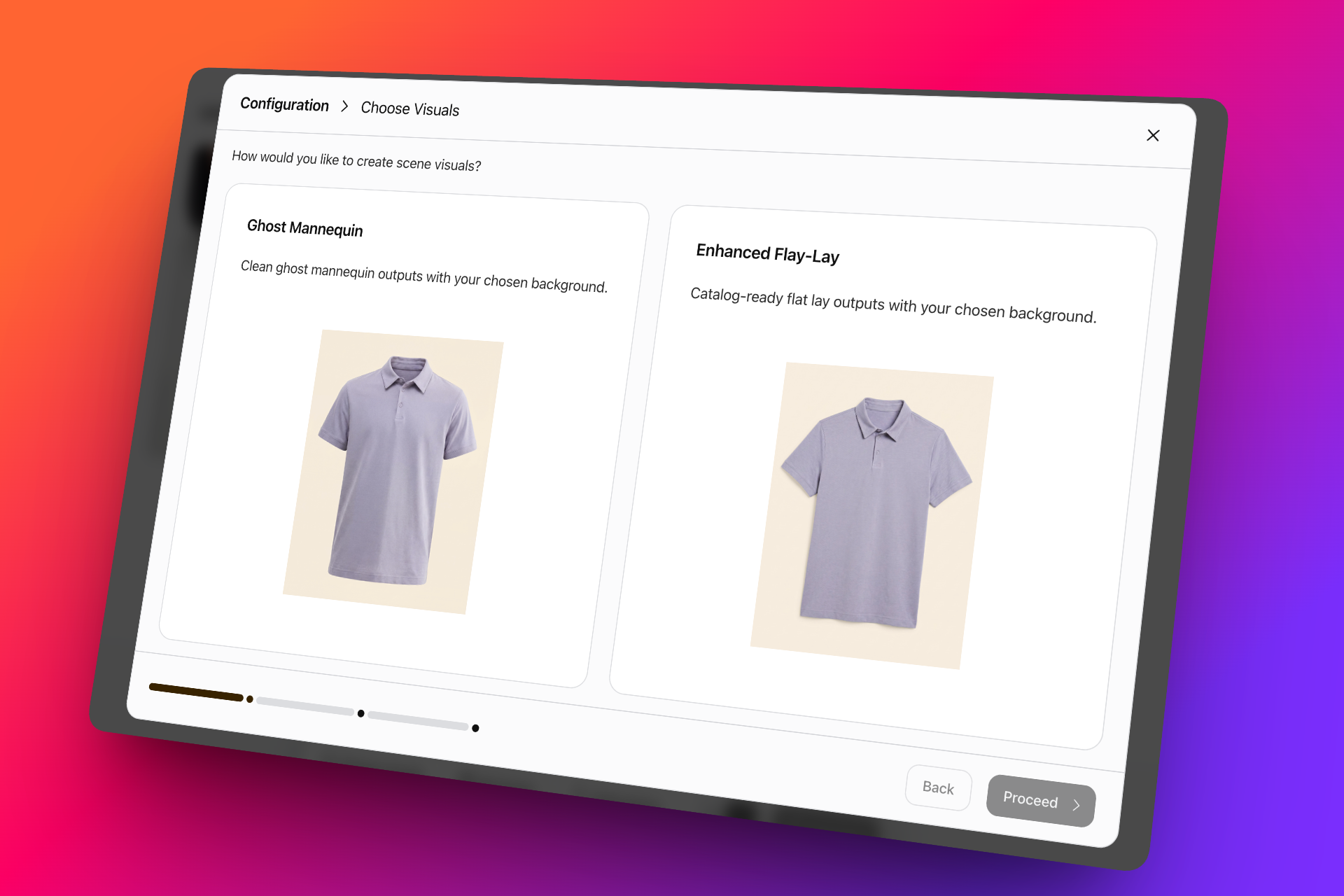
👕 Apparel Enhancer
Ghost Mannequin has evolved into Apparel Enhancer, providing multiple presentation styles within a single workflow.
Now supports:
- Flat-lay apparel generation
- 3D ghost mannequin outputs
Designed to help fashion and e-commerce teams create polished, production-ready product imagery faster.
🎬 Video Ads – Draft Mode
Never lose progress during video creation again.
With Draft Mode, you can:
- Save work in progress
- Return and continue editing later
- Preserve uploaded assets and configurations
Making video creation more reliable for longer creative workflows.
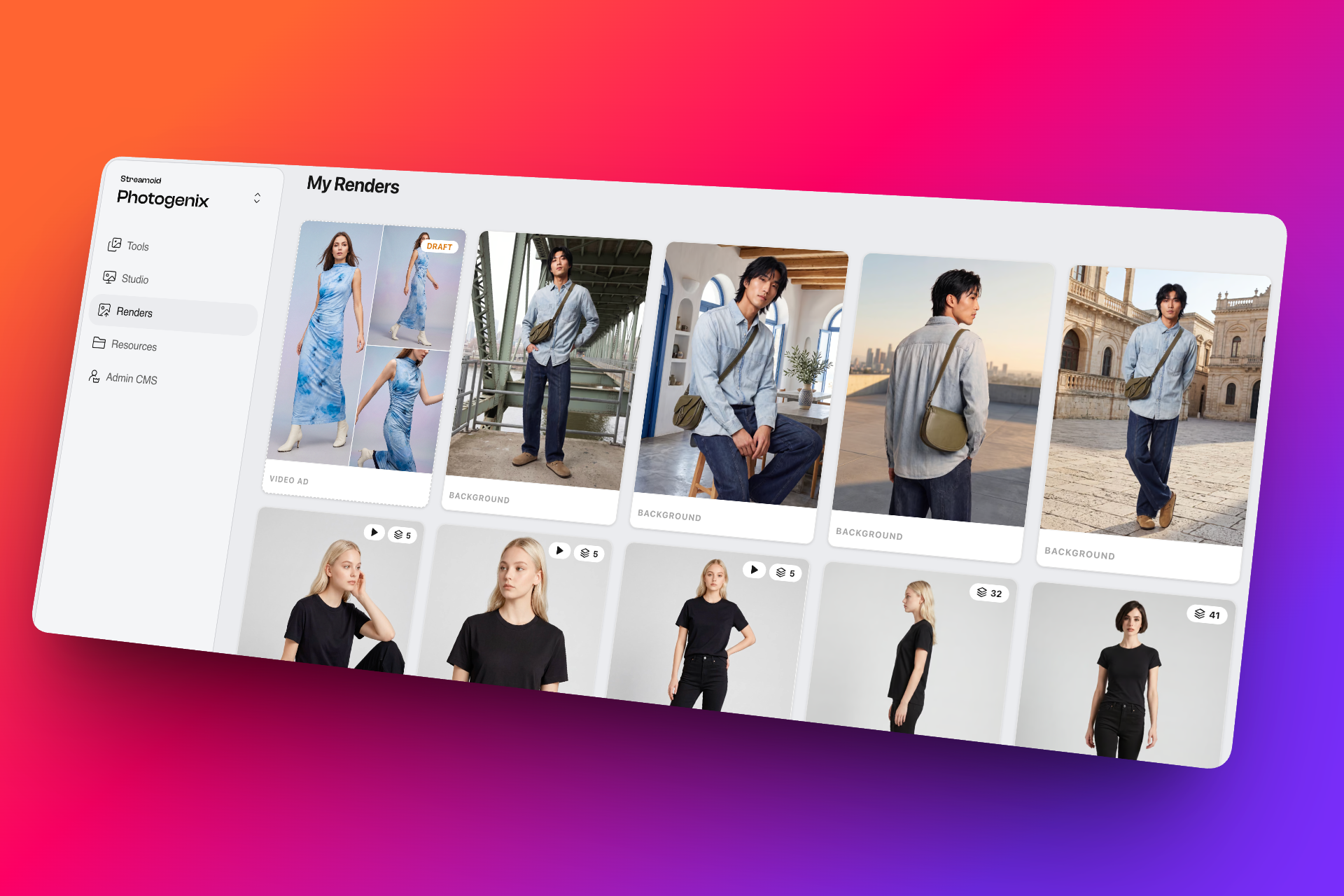
👗 Expanded Styling Library
We've significantly expanded the styling library with more options across categories and genders.
Highlights:
- Broader styling selections
- Increased variety for fashion experimentation
- Better support for diverse creative directions
Giving teams more ways to style products and create compelling visual stories.
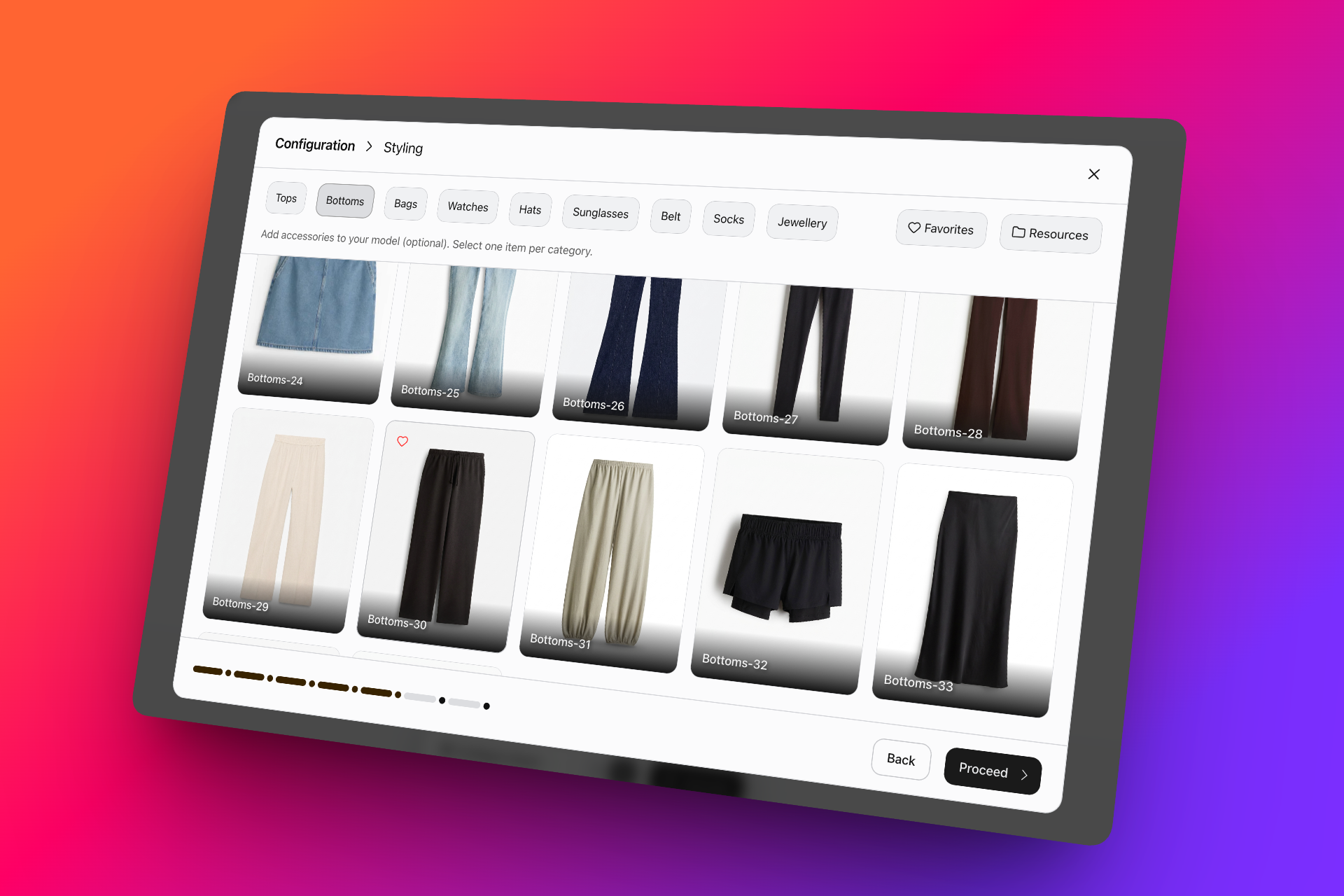
⚡ Faster Image Generation
We've optimized image generation performance across key workflows.
• Image generation is now up to 2× faster
• Quicker turnaround for both individual and bulk production
More improvements are already underway. Stay tuned for the next round of updates as we continue building faster, smarter, and more flexible creative workflows!
v0.29.0
27 May 2026
CXO v29 is here!
Read on to explore the latest launches, major improvements, and powerful new capabilities now live across the platform
🚀 Latest Update on PhotogeniX
We’ve rolled out an exciting new feature built to make creative production even faster and more flexible.
What’s New?
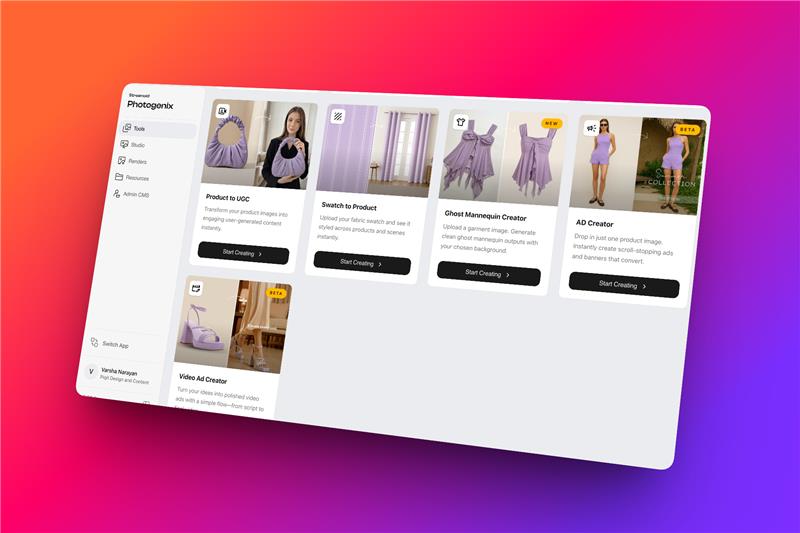
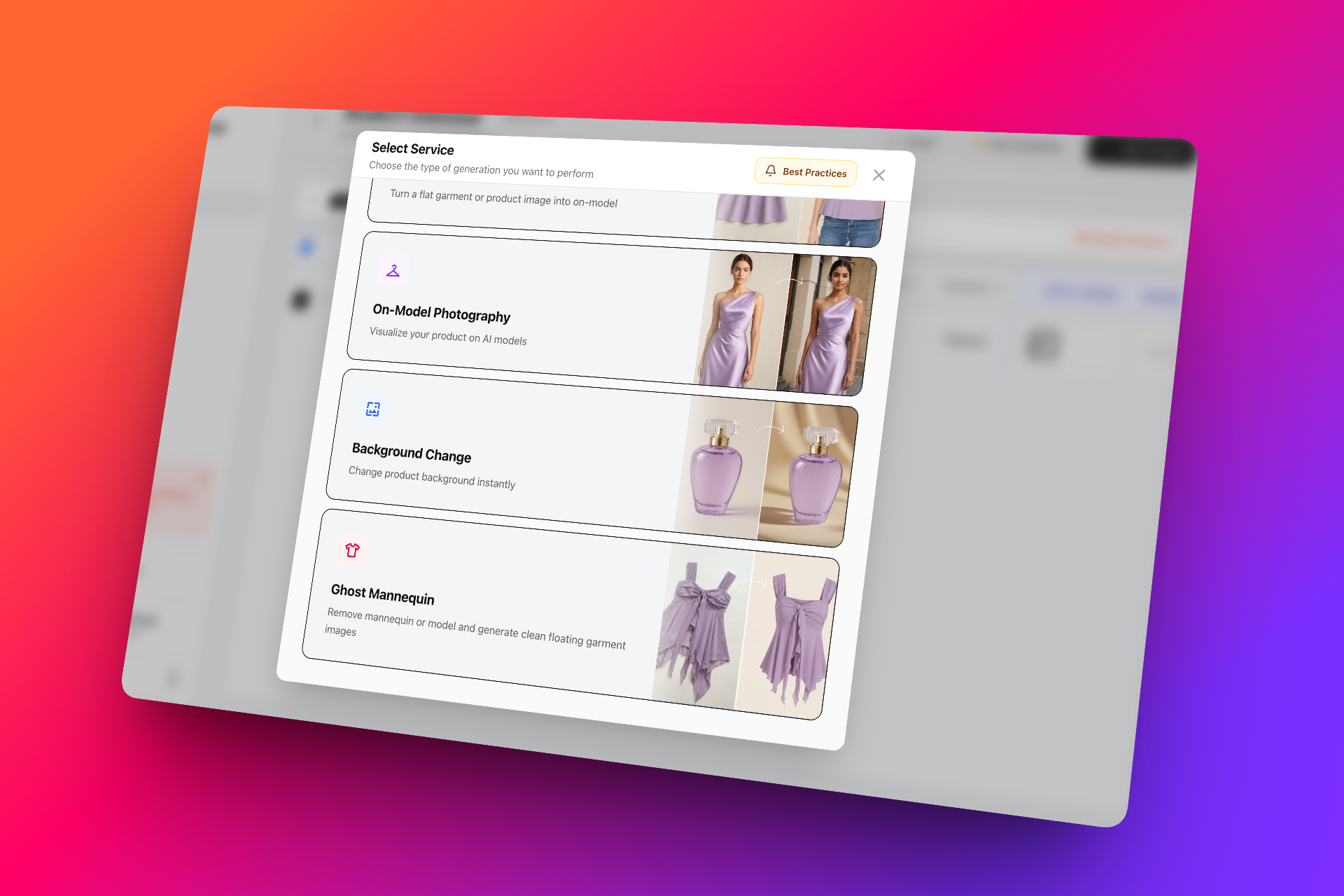
✨ New Feature: Ghost Mannequin Creator
Transform garment images into clean, professional ghost mannequin visuals in just a few clicks.
• Upload any garment image
• Generate polished ghost mannequin outputs automatically
• Customize with different background options for catalog or branding needs
• Available in both individual and bulk Studio workflows for faster large-scale production
Built to simplify apparel presentation and create production-ready imagery faster. Try it out now 🚀
v0.28.0
8 May 2026
CXO v28 is here!
Read on to explore what’s new, what’s improved, and the latest features now live across the platform!
🚀 Latest Updates on PhotogeniX
We’ve rolled out a new set of improvements focused on automation, editing precision, video generation, and overall workflow consistency.
This is a core upgrade focused on making StudioX more scalable, consistent, and adaptable to brand-specific creative operations.
What’s New?
⚙️ StudioX Automation – Major Upgrade
Scale production faster with smarter automation workflows.
Users can now add brand-specific guidelines and automatically configure settings across entire product lines in just a few clicks. This significantly reduces manual effort, improves consistency, and helps teams manage large-scale productions more efficiently.
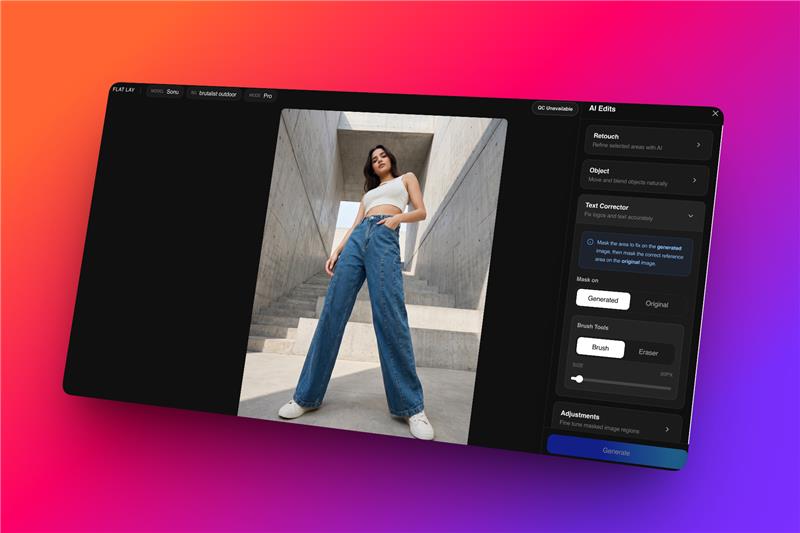
✨ AI Edit – Text Corrector Enhanced with a brand new model
Our Text Corrector has been upgraded with improved precision for logo and text retention.
Expect cleaner corrections, sharper outputs, and better quality consistency—especially for detailed branding elements and typography.
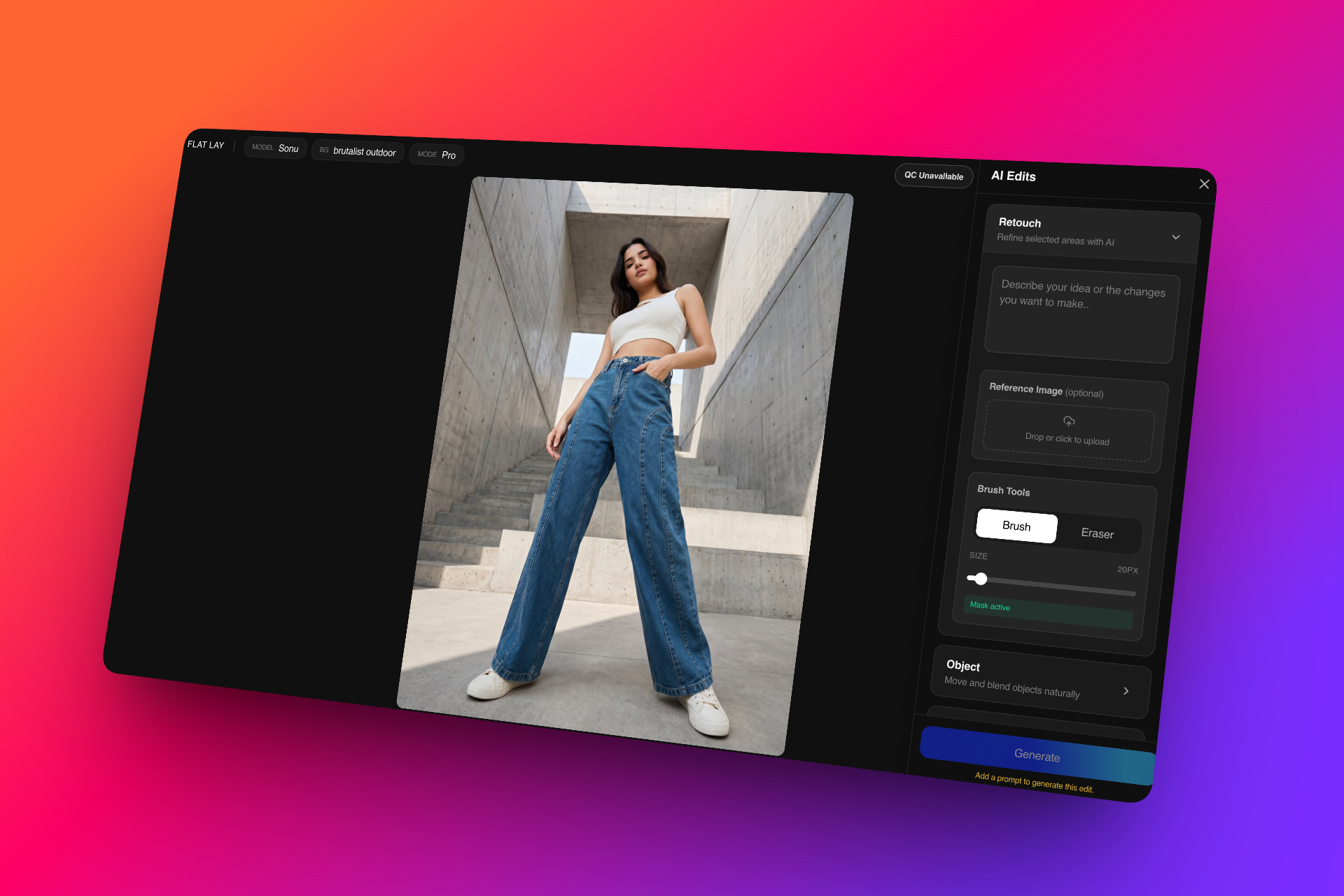
🎨 Retouch with Reference Image – Improved Workflow
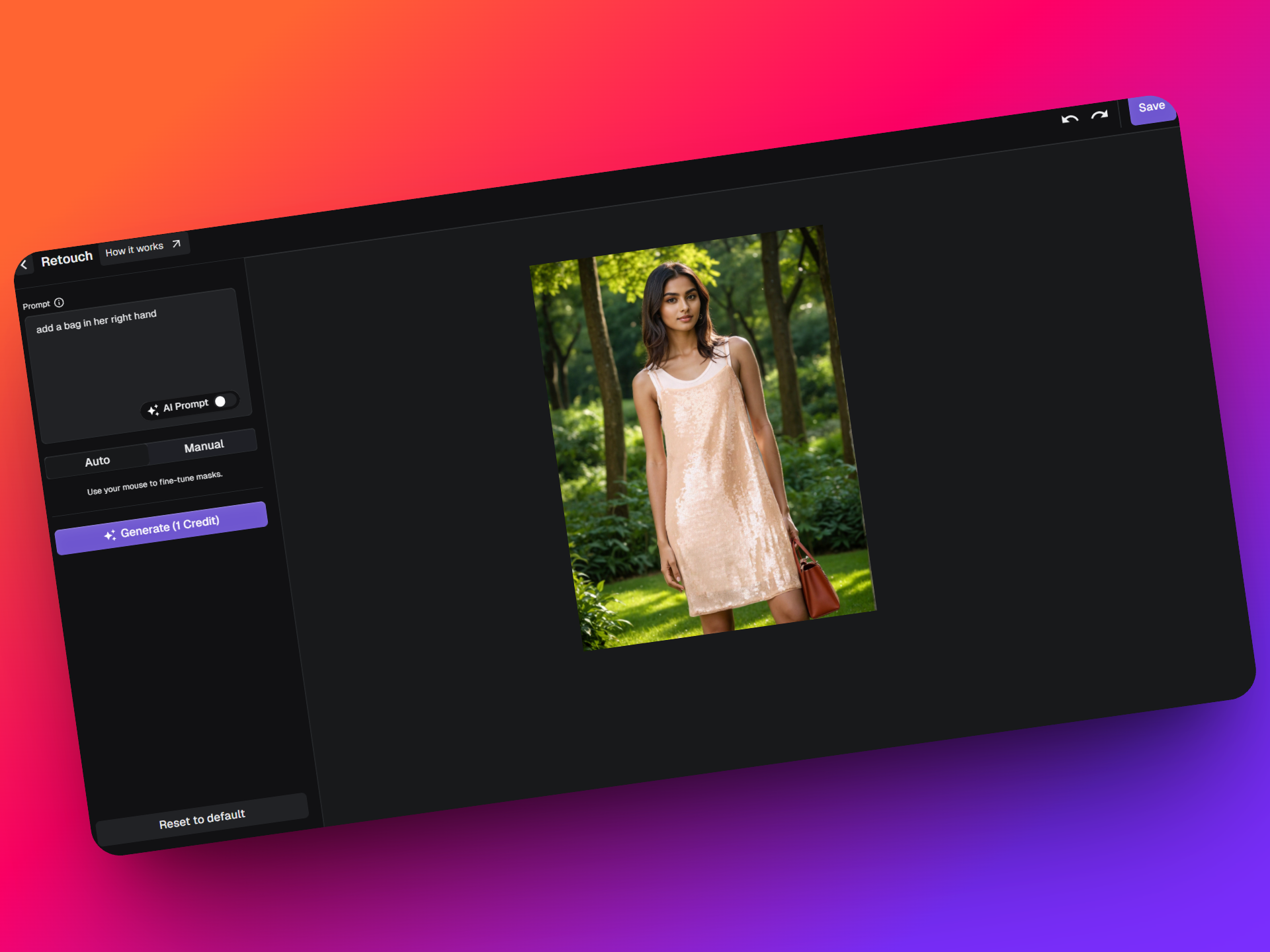
Retouching is now more flexible and intuitive.
Upload a reference image alongside your prompt to guide corrections and styling updates more accurately.
You can now:
• Add or modify accessories
• Introduce new styling elements
• Make last-minute visual adjustments
• Align outputs closer to your desired reference aesthetic
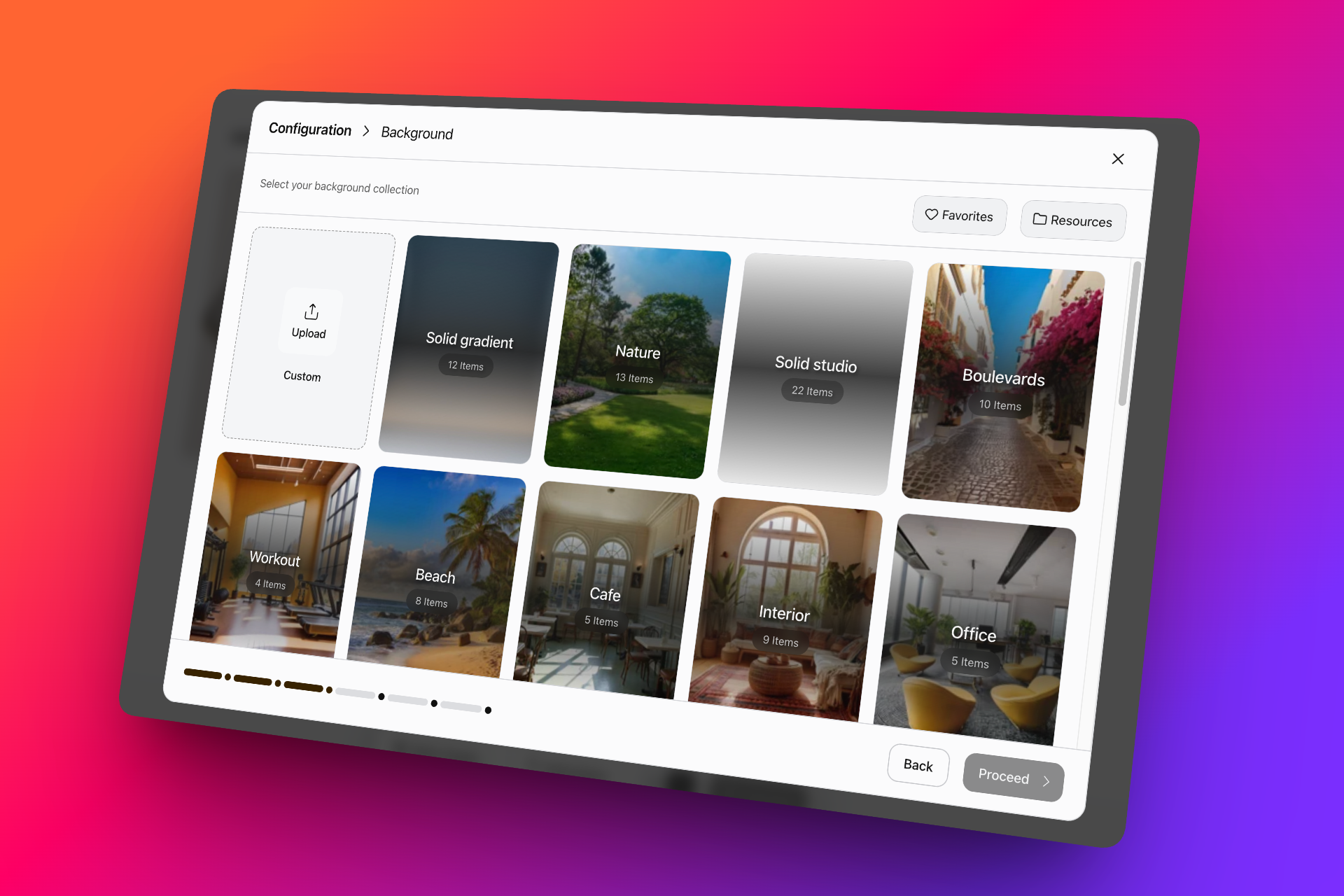
🎬 Video Generation – Expanded Capabilities
Video generation now supports more advanced creative controls.
New updates include:
• Background change support within videos
• Generate multiple motion video variations simultaneously
• Improved flexibility for faster creative experimentation
🖥️ UI Mode Updates
The platform experience has been refined with a more consistent and streamlined interface across features.
v0.27.0
24 April 2026
CXO v27 is here!
Platform-wide: this shipped across Streamoid CXO, so it appears on the Artifax, Photogenix and Catalogix changelogs alike.
We’re closing out April with a strong set of updates across all our apps + we've got some exciting new launches!
Read on to find out what's new!
Introducing CXO Agents!
We’re introducing CXO Agents a new yet familiar way to run and manage workflows across all our apps, directly from chat.
Instead of navigating across tools, you can now trigger, monitor, and manage workflows in one place. This release brings automation, visibility, and control together — making it easier to handle complex tasks like marketplace uploads and rule debugging without breaking your flow.
This is just the beginning. More agents, skills, and workflows will continue to be added.
🧠 Manage Marketplace Uploads via Chat
You can now use CXO Agents to handle marketplace template uploads end-to-end — directly from chat.
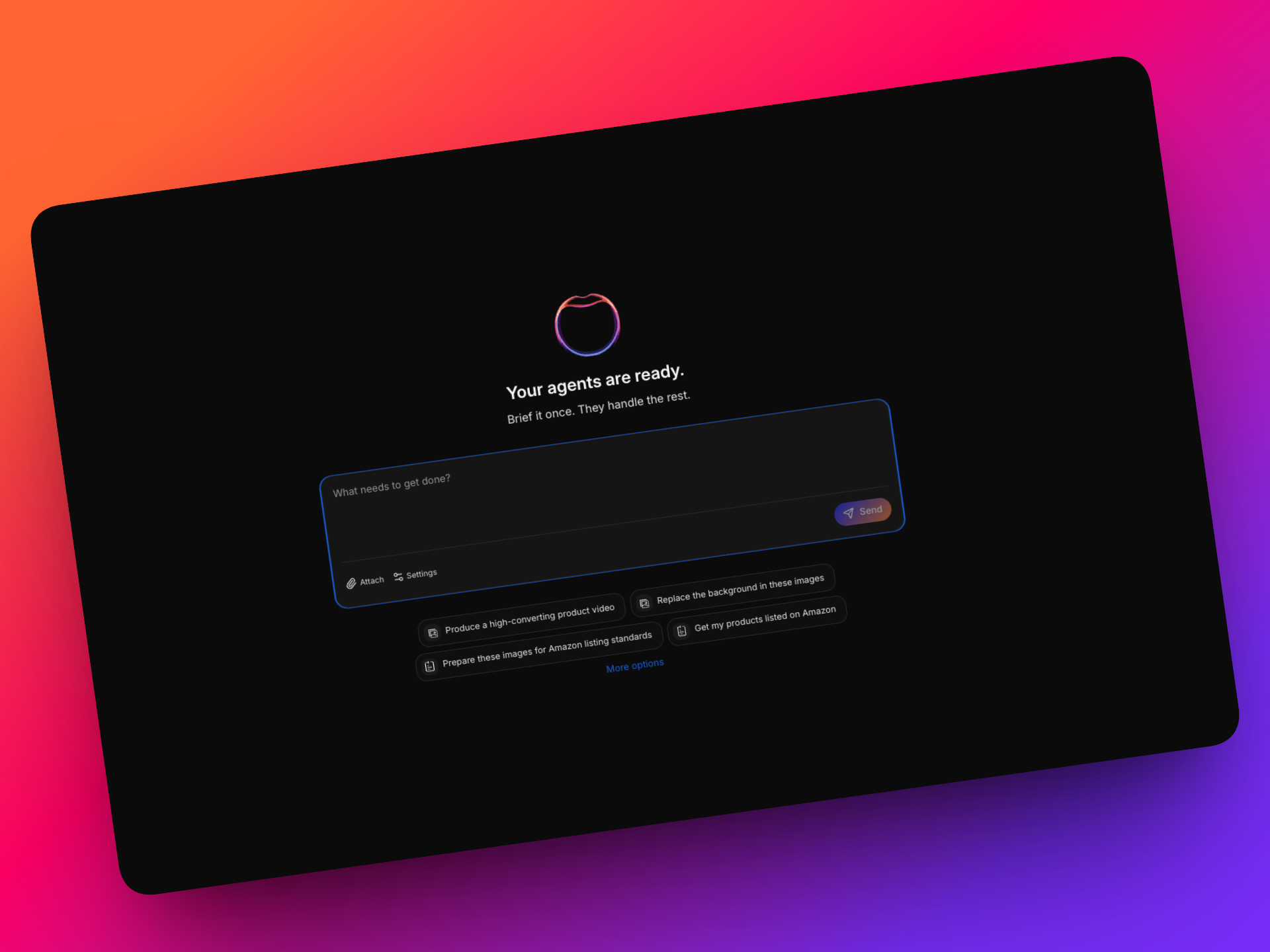
Currently supported marketplaces:
- Amazon
- Flipkart
- Myntra
- Ajio
Each marketplace has its own upload process, validation steps, and QC timelines all of which are now handled by the agent.
⚙️ How It Works
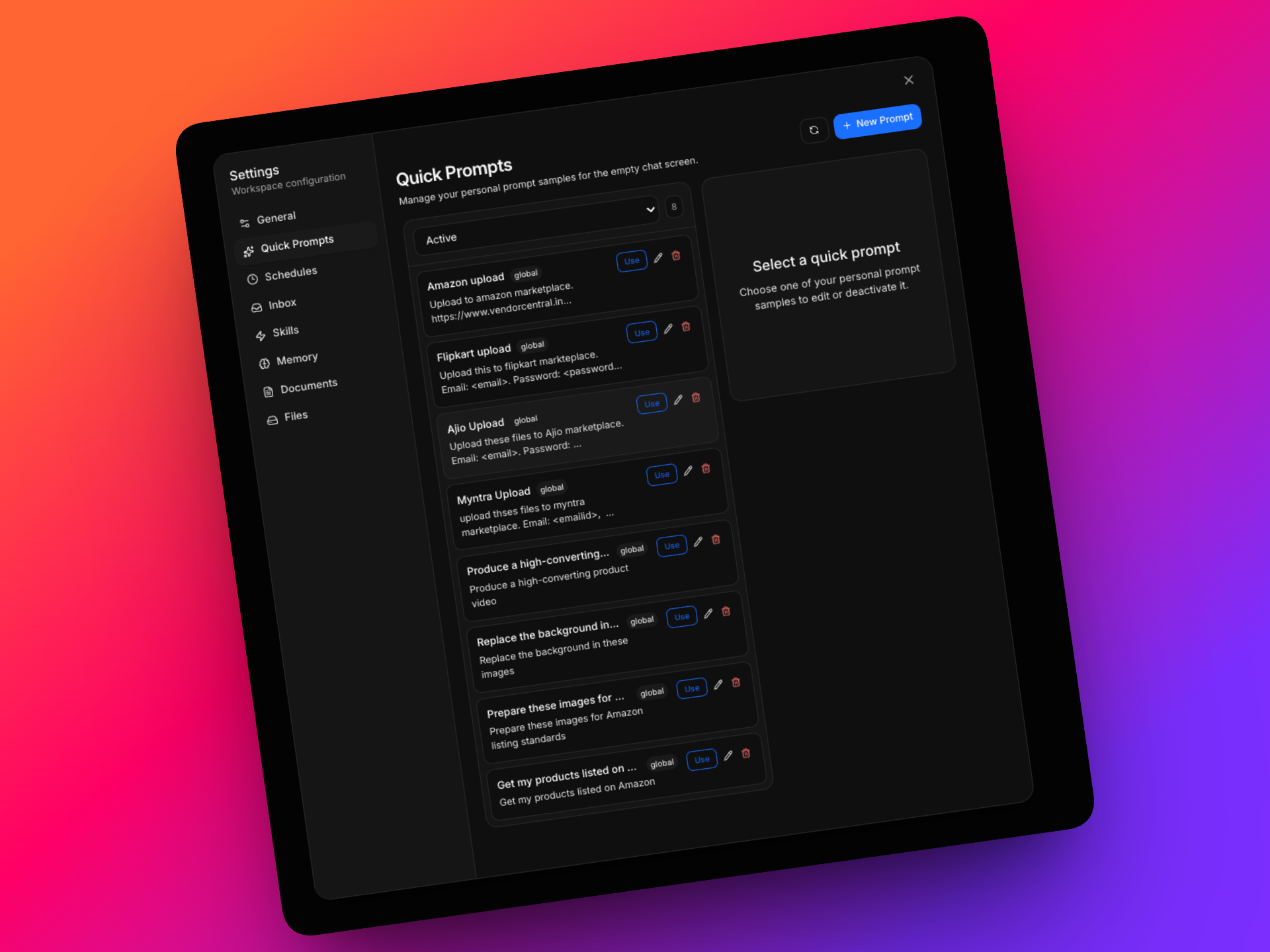
- Trigger uploads using quick prompts or simply 'upload this file to 'xyz' marketplace
- Upload multiple files (3–5 per batch) within the same chat
- Provide credentials when prompted, or use saved configurations
The agent will guide you through the process and proactively ask for inputs wherever required.
🔄 End-to-End Workflow Handling
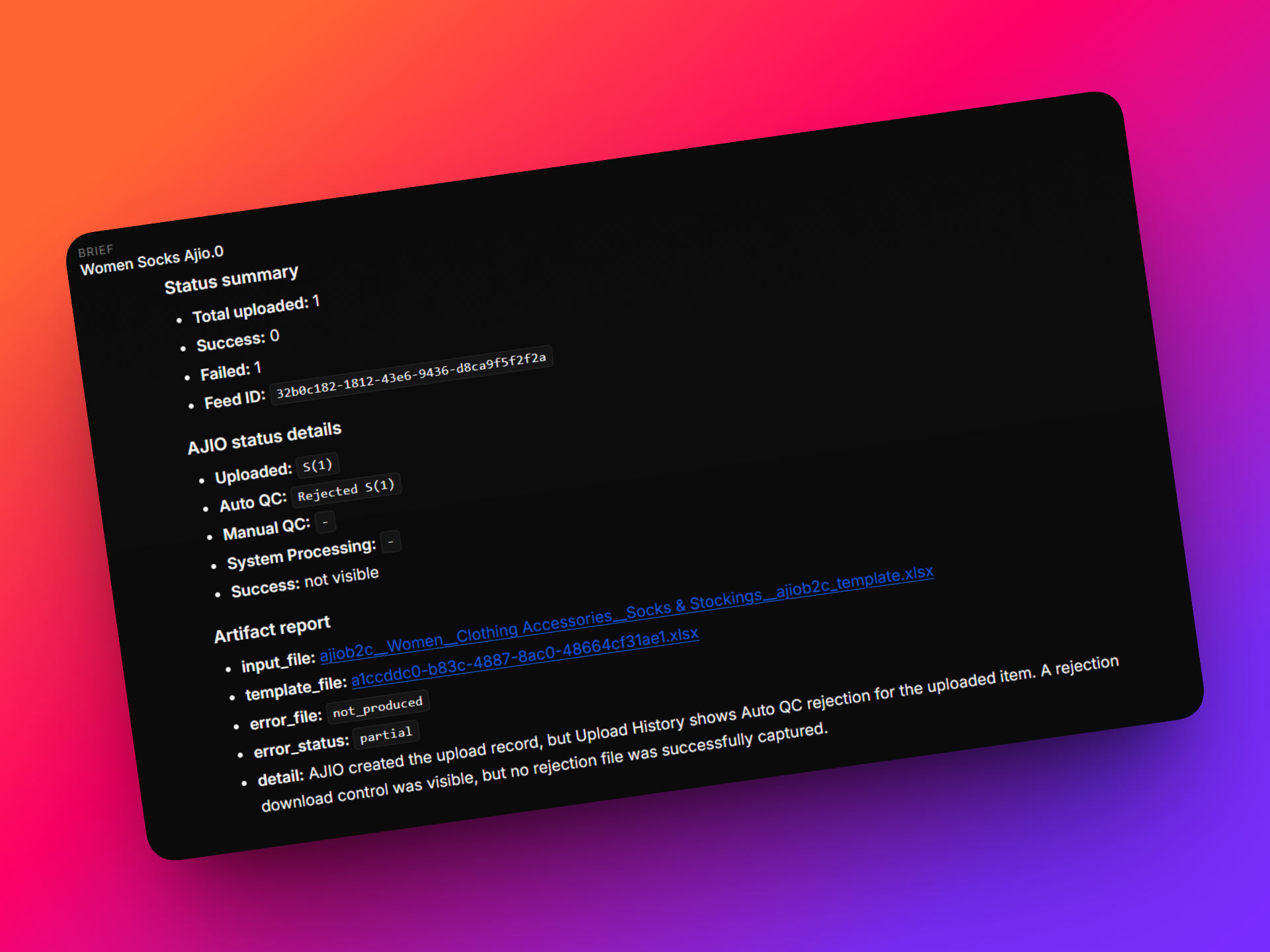
Once initiated, the agent:
- Handles marketplace-specific steps such as:
- Executes exact human like browsing, navigation and file uploads
- Waits for marketplace-side QC processes to complete
- Fetches and displays:
🧑💻 Human-in-the-Loop Control
You remain in control throughout the process:
- The agent asks for input when needed
- You can nudge or intervene at any step
- Yu can take control of the browser if required
🔜 What’s Next
In upcoming updates, the agent will also:
- Automatically fix errors and reprocess uploads
- Fix errors inline in the chat
- Check Job status
🛠️ Rules Debug Agent – Now Live
We’ve also introduced a dedicated Rules Debug Agent to help you understand and troubleshoot issues related to Custom Rules more effectively.
This agent gives you full visibility into how rules behave against Catalogix outputs — helping you identify issues, validate logic, and take action without relying on technical teams.
✨ Key Capabilities
🧩 Intelligent Discrepancy Segregation
Issues are automatically categorized into:
- Data issues (Vendor input / SMP / marketplace mappings)
- Rule configuration gaps
- Manual overrides
- Genuine technical issues
This helps you quickly identify the root cause of discrepancies.
🚫 Missing Value Detection
- Identify cases where rules exist but Catalogix outputs are blank
- Guided validation to check:
Escalations are triggered only when all validations are complete.
⚖️ Output Difference Analysis
- Detect mismatches between Catalogix outputs and Custom Rule outputs
- Identify:
Helps prevent unnecessary escalations by clearly highlighting the issue source.
✅ Matching Output Confirmation
- Instantly confirm when outputs are aligned
- Validate rule accuracy
- Highlight stable, correctly functioning scenarios
✏️ Editable Output Layer
- Make direct corrections to outputs from the dashboard
- Re-trigger rules instantly
- Treat corrections as improvements to rule logic, not system failures
🎯 Why It Matters
- Reduces dependency on technical teams
- Speeds up issue identification and resolution
- Improves rule accuracy and data quality
- Enables more confident, structured decision-making
🔜 What’s Next
In upcoming updates, the agent will also:
- Guide users to the custom rules dashboard
- Fix errors inline in the chat
- Check Job status
🚀 What’s New?
🚀 UI Upgrades
PhotogeniX now features a refreshed interface built for comfort, flexibility, and ease of use.
.jpeg)
With the introduction of Adaptive Lighting Modes, you can seamlessly switch between Light, Dark, or System modes to match your environment and working preferences!
✨Flat-Lay – Expanded Capabilities
Flat-Lay has been significantly upgraded to support a wider range of products and more advanced styling outputs. You can now move from simple inputs to fully styled, on-model visuals more efficiently, all within a single workflow.
- Broader Product Support – Generate on-model outputs across more product types, expanding the range of visuals you can create
- Detailed Shot Support – Capture and enhance close-up, detail-focused imagery with improved clarity and better pose handling
.png)
- Expanded Categories – Now includes categories like sarees, with the ability to pair them with custom blouses or tops to create complete looks
.png)
🎯 Why It Matters
These updates give you more flexibility to create fully styled visuals, experiment with different combinations, and produce polished, hero-ready imagery—without switching between tools or workflows.
Start exploring and bring your products to life with more flexibility and creative control.
Updates for Catalogix and Artifax are just around the corner—rolling out over the next couple of days. Stay tuned to see what’s new!
v0.26.0
20 March 2026
CXO v26 - We're going strong with the updates!
We are going strong in March with updates all around. This release packs a punch since we have some big updates to both Photogenix and Artifax!
Read below to find out what's new!
🚀 What’s New?
🎬 Video Ad Generator - New Feature
.jpeg)
Create short, ad-ready video creatives directly from product inputs.
Designed for quick campaign needs — reducing dependency on separate video production workflows.
🧠 Automated QC Reports
Get automated quality and consistency scores across individual images and entire sets.
.png)
.png)
Quickly identify the best outputs, spot inconsistencies, and maintain visual standards across large catalogs — without manual review cycles.
🧩 More Flexible Pairing (Flat Lay Photos)
.png)
Styling is now more flexible and closer to real production needs:
• Custom uploads supported for tops, bottoms, accessories, and footwear
• Works across both front and back frames
• Enables better mix-and-match combinations for complete looks
🧍♀️ Expanded Library Support
More options to create diverse outputs:
• Poses now support multiple frames and orientations
• Added more home decor assets for swatch-to-product use cases
• New kids hairstyles for improved styling accuracy
• Expanded pose libraries for male, female, and kid models
• New AD creator templates
📦 Improved Export Tracking
.png)
Exports are now easier to track and manage:
• Better visibility on export status
• More reliable tracking which supports retries
✨ Auto-Generated Prompts for Resources
Prompts are now automatically created based on your uploaded resources for models, backgrounds, poses and styling— reducing manual effort and helping users get better, more consistent outputs.
Take a look below to find out what's new!
v0.25.1
4 March 2026
We’ve rolled out a set of powerful updates across the dashboard to improve generation quality, workflow control, and production speed.
🚀 What’s New?
🎬 New Video Generation Model — Grok Imagen
We’ve introduced Grok Imagen as our latest video generation model. This model is optimized for studio-style videos at faster speed.
.jpeg)
✨ Revamped AI Edit Section
The AI Edit module has been fully upgraded with improved performance and faster processing.
🔹 Auto Edit
Automatically enhances outputs with intelligent corrections — lighting balance, detailing, and minor refinements — in a single click.
.png)
🔹 Mask Edit
Allows precise area-based editing. Users can select specific garment or background sections for controlled regeneration.
.png)
🔹 Object Edit
Resize, move and blend elements within the frame while maintaining scene consistency.
.png)
🏷 StudioX Workflow Enhancements
✅ Labels for Binning
You can now assign labels to assets for better categorization and internal tracking.
✅ Improved Filters & Sorting
Enhanced filter and sort options allow teams to:
- Quickly find specific outputs
- Organize by Labels or Category
- Sort in orders
.png)
These updates improve control, especially for high-volume workflows.
📂 Library Upgrade
The library panel now includes a “Resource” filter across all categories.
This makes it easier for brands and studios to:
- View only their uploaded presets
- Separate default library items from custom brand assets
.png)
🧾 Automated Garment Descriptions
StudioX now automatically generates garment descriptions based on the uploaded product.
This helps with:
- Faster catalog preparation
- Reduced manual content writing
🎯 Pro Mode Upgrade — Highest Quality Yet
Pro Mode now delivers our best image quality to date:
- Enhanced detail preservation
- Sharper textures and detail clarity
- Improved fabric realism and retention
- Up to 4K resolution output
Ideal for premium catalogs, hero banners, and high-resolution marketplace listings.
That's all for this time!
We have more excting updates and features upcoming!
v0.24.1
30 January 2026
Following our revamp from two weeks ago, we are now back withsome powerful new upgrades to photogenix. Here’s a quick breakdown of everything!
🚀 What’s New?
1. 🏗️ StudioX Enhancements
- Flat Lay & Video Generation now live inside StudioX
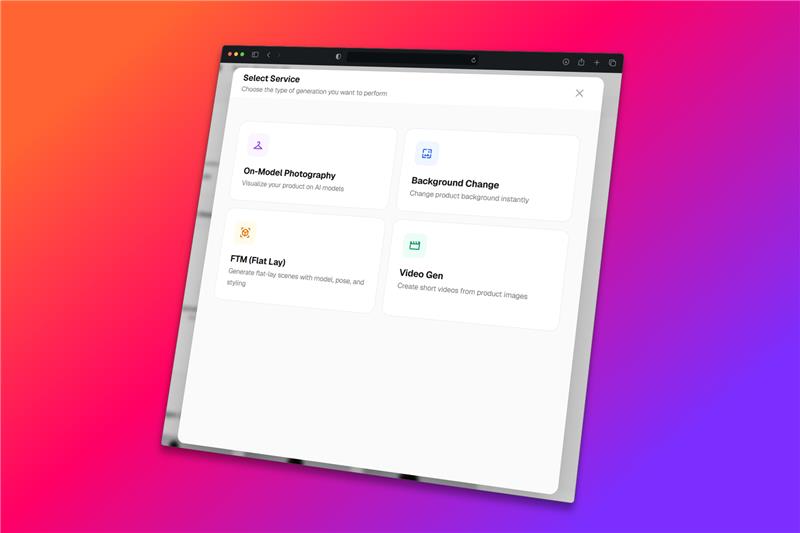
🔁 Regenerate Made Easy
- Regenerate outputs for individual images or in bulk
- Faster iterations, better control
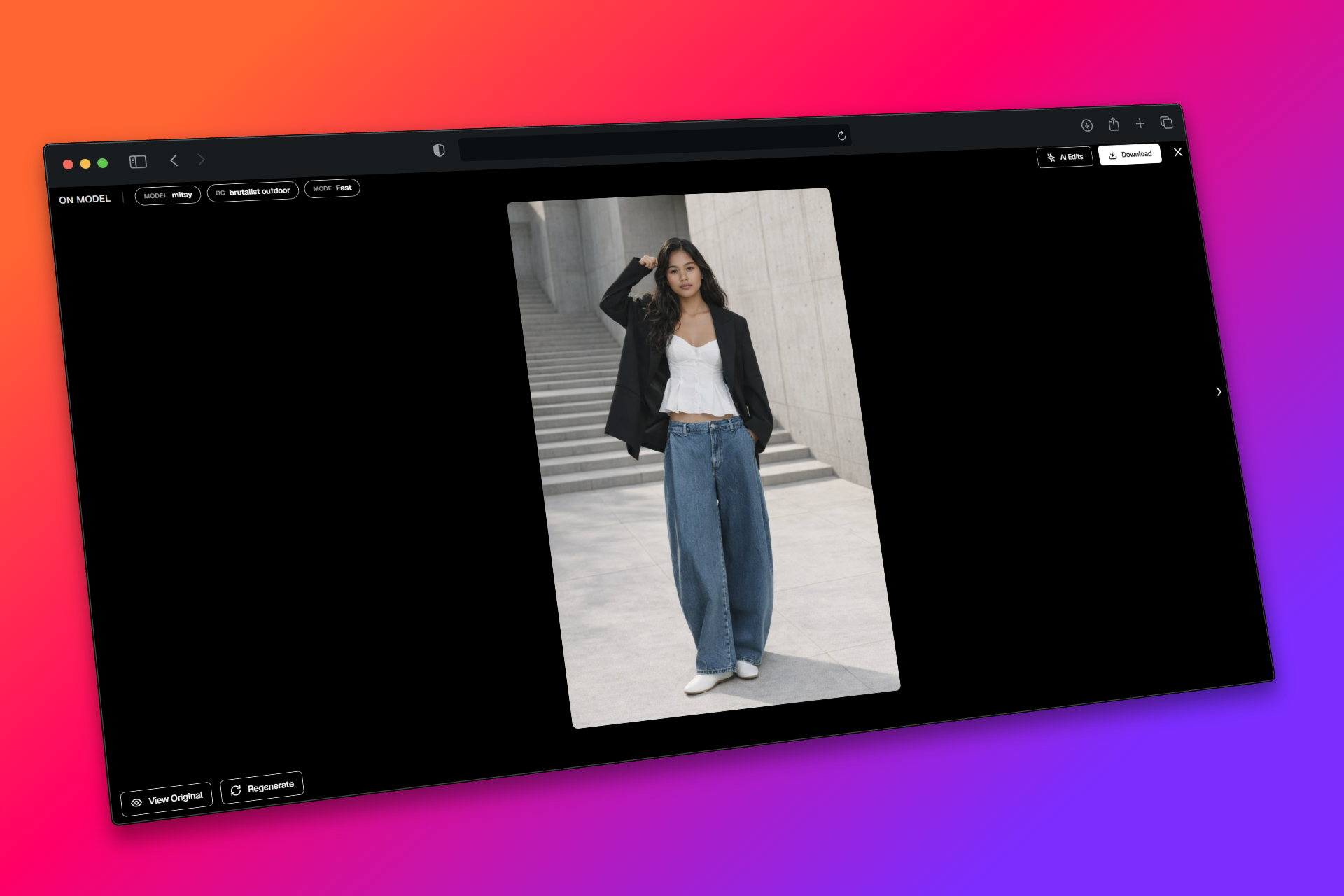
🎒 New Props Library
- Add props to enhance context and storytelling in your visuals.
.png)
💇 Model Styling Library
- Choose from hairstyles, makeup, and facial hair.
- Options vary intelligently based on gender and age group.
.png)
⚡ Fast Mode Fix
- Fast Mode now delivers more realistic and stable outputs
🔀 Merged Mannequin & On-Model Workflow
- Upload either an on-model image or a mannequin image
- Get consistent outputs from a single, unified flow
That's all this time around! Stay tuned for more updates!
v0.24.0
14 January 2026
🚀 We’re excited to announce the revamp of PhotogeniX !
PhotogeniX has been revamped to improve output quality, performance, and overall usability.
While the core feature set remains the same, the UX has been significantly simplified to remove key blockers and bottlenecks, making the platform faster, smoother, and more intuitive.
.png)
Below is a structured overview of what’s new and what’s improved in PhotogeniX!.
🚀 What’s New?
1. ⚡ Fast Mode & 🎯 Pro Mode - For all workflows!
Fast Mode (Default)
Fast Mode is designed for speed and rapid iteration. It generates outputs quickly, making it ideal for early-stage exploration, previews, and testing different directions.
- Ideal for quick testing and experimentation
- Efficient for high-volume previews
- Fine details may vary across images
- Outputs may appear slightly less refined
- Minor inconsistency or hallucinations expected
Best suited for: Background changes, flat-lay, and quick creative exploration.
Pro Mode
Pro Mode focuses on visual realism, consistency, and production readiness. While it takes slightly longer, it delivers higher-quality outputs with better face accuracy, styling consistency, and overall polish.
- Significantly improved realism and detail
- Better face, fit, and styling consistency
- Will alter the image, however keeps the garment details intact
- Requires clean, high-quality inputs for best results
- Minor inconsistency or hallucinations expected
Best suited for: On-model shoots, mannequin transformations, ad creatives, swatch-to-product workflows, and final deliverables.
.png)
2. 🎥 Product to UGC - A brand new workflow!
Convert existing product visuals into UGC-style content effortlessly.
- Built for social media marketing use cases
- Generates short, engaging videos for ads and organic posts
- Uses predefined scripts to guide content flow
.png)
3. ⚙️ CMS Flexibility at a workspace level
User-level CMS control to add and manage
.png)
- Models
- Backgrounds
- Styling
- Poses
- Video presets
Designed to support production-scale requirements without dependency on platform updates.
4. 🏗️ StudioX - New Upgrades!
.png)
StudioX now supports:
- Bulk processing via Configure
- Marketplace exports with custom sizing
- Basic analytics board
StudioX is now fully production-ready for end-to-end studio workflows.
5. 📱 We're now Mobile Responsive
- Explore section and Copilot are now accessible on mobile
- Create, review, and iterate on the go
.png)
6. 📁 ZIP Folder Processing is now supported
- Upload and process up to 20 folders in one go
- Supported workflows:
Further Updates & Improvements!
🖼️ Custom Image References
Add your own image references for:
- Backgrounds
- Styling
- Poses
- StudioX workflows
👗 On-Model Enhancements
- More Indian models added
- Optional styling selections
👶 Flat to Model Updates
- Expanded infant pose library
🎬 Video Generation
- Expanded preset library for richer outputs
.png)
That's all for this release! We have more exciting updates and features in the works.
Stay tuned for more!
v0.22.3
26 November 2025
We have some more exciting and important updates to Photogenix. We're launching Studio X and a AI powered Co-pilot all in the same version!
Check out the details below!
🚀 What’s New?
Flat to model v2 & v3
- v2 (Realistic Mode): Best-in-class face consistency
- v3 (Clarity Mode): Sharpest style transfer yet
.png)
Ad creator
- Powered by a new AI model for noticeably better AD generations
.png)
Product Background Change Upgrade
- Powered by a new AI model for noticeably better product BG results
.png)
HOT FIX – Retouch
- Improved accuracy and cleaner touch-ups
Copilot
- Your personal assistant and chatbot for faster workflows
.png)
StudioX
- Your photoshoot studio helper for planning, organizing, and managing shoots
.png)
v0.22.2
18 November 2025
We’re back with updates across Catalogix and Photogenix aimed at making your daily workflows smoother and more intuitive. From simpler navigation to powerful new creative tools, this release is all about helping you move faster and create better
🚀 What’s New?
Swatch to Product is here!
Upload your fabric swatch, and see it come alive on real products, instantly!
It’s a powerful new way to visualize how prints, textures, or patterns would look on finished items before production.
.png)
The first category, Blankets, is now live, giving you a cozy starting point for experimentation.
More product categories are coming soon!
v0.22.1
30 October 2025
Lights, Camera, AI!
This release is all about creativity in motion and a smoother, smarter editing experience.
Check out what’s new with photogenix!
🚀 What’s New?
🎬 Video Generations – Bring Images to Life
Turn your still product photos into short, AI-generated videos in just one click. Upload your first frame, select a video model, and watch your product come alive. Perfect for dynamic listings and social media highlights.
.png)
🖥️ Enhanced Render UI – Smarter, Smoother Editing
We’ve revamped the render interface to make editing more intuitive. You can now compare before vs. after with an interactive slider, drop comments, and flag issues directly on your image for quicker reviews and feedback.
.png)
.png)
💡 Relight Feature – Perfect the Mood
Take full control of your lighting post-generation. Adjust and relight your images, compare side-by-side, and save your preferred version — ensuring every shot looks professionally lit.
These updates are all about helping you create faster, sharper, and more dynamic visuals. Try them out, see the difference, and get ready — there's more coming to CXO!
v0.21.1
26 September 2025
CXO v0.21.2 is here!
CXO v0.21.2 is here, and this time the spotlight is on Photogenix. This release makes your shoots more inclusive, creative, and professional with new models, fresh backdrops, and key fixes that improve output quality.
🚀 What’s New?
👗 Plus-size Models, All Ethnicities
Representation matters. Photogenix now supports plus-size models across all ethnicities, helping you create more inclusive visuals for your collections.
.png)
🌍 Fresh Background Collections
We’ve expanded your creative toolkit with brand new themes: Around the World, Destination Aisles, Kids, Futuristic, plus new options in the Heritage category. More variety, more storytelling possibilities.
.png)
🔥 Hot Fix: Perfect Skin Tones
Skin tone inconsistencies on solid backdrops in Model-to-Model are now fixed. Expect crisp, balanced, and natural-looking results every time.
.png)
🎨 Studio-like Solids
Generate studio-quality outputs with the solid background workflow. Cleaner lighting, sharper details, and more professional results at the click of a button.
.png)
🖼️ No More Cropped Thumbnails
Pose thumbnails are now rendered cleanly, so what you see is exactly what you get.
.png)
Bug Fixes:
📱 HEIC Uploads Fixed
Seamlessly upload iPhone photos in HEIC format without errors or workarounds.
✨ Smarter Prompts + Thumbnails
We’ve fine-tuned prompts and thumbnail rendering for better model consistency across your generations. Subtle improvements, smoother results.
v0.21.1
17 September 2025
🚀 Streamoid CXO v0.21.1 is out now!
We’re excited to share the latest updates for Photogenix and Catalogix. This release makes it easier to work with new file types, improves image handling, and gives you more flexibility in billing and store management.
🚀 What’s New?
📱 HEIC Image Support
Photogenix now supports HEIC files, so you can upload photos directly from iPhones and other devices without needing to convert them to JPEG or PNG. This saves time and keeps your workflow seamless.
🎨 Improved Manual Retouching
Manual retouching is now sharper and more precise. Masking has been upgraded to deliver smoother touch-ups, resulting in more natural and professional-looking outputs.
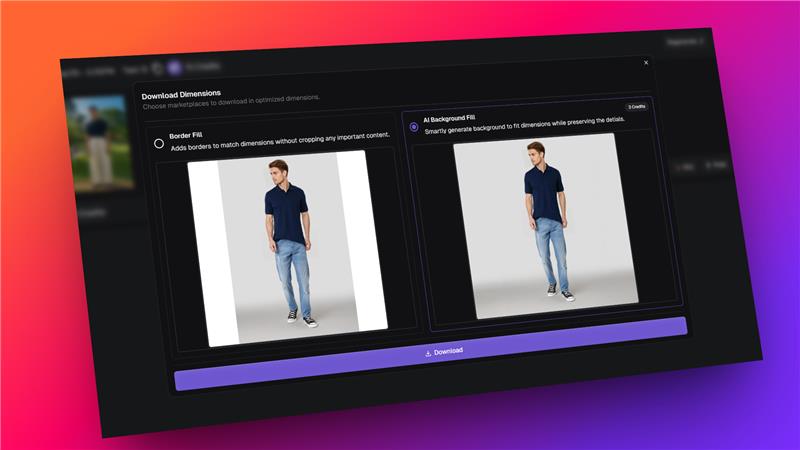
📏 Easy Resizing on Download
You can now resize images at the time of download to match marketplace dimensions. Choose between border fill or generative expand to ensure your product images fit perfectly without cropping or distortion.
v0.21.0
4 September 2025
✨ Streamoid CXO v0.21.0 is here!
We’re rolling out smarter workflows, sharper images, and cleaner experiences across Scout, Photogenix, and Catalogix. Here’s what’s new across all apps:
🚀 What’s New?
🔄 Flat to Model works for sets, now including back poses
You can now switch styles on both front and back poses. More flexibility and more creative control.
✨ Smart Retouching
We’ve added automatic corrections and precise mask-based edits so small flaws get fixed instantly.
👟 Better handling of footwear and footed onesies
Outfits with bare feet or footed onesies now render smoothly without distortions.
🧒 Kids Models available on the Free Plan
Everyone can now create kidwear visuals without needing to upgrade.
💧 Watermarked outputs for Free Plan users
Free users will now see watermarks on their outputs. Upgrade whenever you’re ready to unlock clean, pro visuals.
v0.20.0
21 August 2025
Our first ever update for the Streamoid CXO Platform! ✨
Platform-wide: this shipped across Streamoid CXO, so it appears on the Artifax, Photogenix and Catalogix changelogs alike.
We’re thrilled to bring you Streamoid CXO v0.20.0 — a release packed with improvements and new features across Artifax, Photogenix, and Catalogix.
🌟 Highlights
- Artifax: More brands to explore, with new rules for free plan users.
- Photogenix: Big upgrades to on-model editing, background changes, and solid colour outputs.
- Catalogix: Smarter automation management, clearer marketplace version updates, and key fixes.
Check out the full details below!
🚀 What’s New?
✨ On-Model Glow-Up (Model + BG)
- Lighting between model and background now looks smoother and more natural.
- No more annoying 1mm borders, distortions, or stretched proportions.
- Shoes and legs retain full detail across outputs.
- Moiré patterns have been completely removed.
🌅 Background Change Boost
- Background lighting now blends naturally with the subject.
- Subjects have crisp, sharp edges without blurring.
- Outputs look sharper overall, delivering professional-quality results.
🎨 Solid Colour Upgrade
- Shadows are more realistic and natural-looking.
- Colours are consistent across every output.
- Solid colour outputs now align better with thumbnails for a seamless visual match.
v0.19.0
6 August 2025
Platform-wide: this shipped across Streamoid CXO, so it appears on the Artifax, Photogenix and Catalogix changelogs alike.
👋 Say Hello to Streamoid CXO!
This is our biggest release yet. With version 0.19.0, we’re bringing everything you love into one powerful, unified platform: Streamoid CXO, your new retail command centre.
To kick things off, Brand Eye has been renamed to Artifax!

🔄 One Streamlined Platform for All Fashion Workflows
Artifax, Photogenix, Catalogix, Prelogix, and Catalist are now part of a single, unified platform -Streamoid CXO. No more multiple tools or logins. Just one place to design, shoot, and list your products.
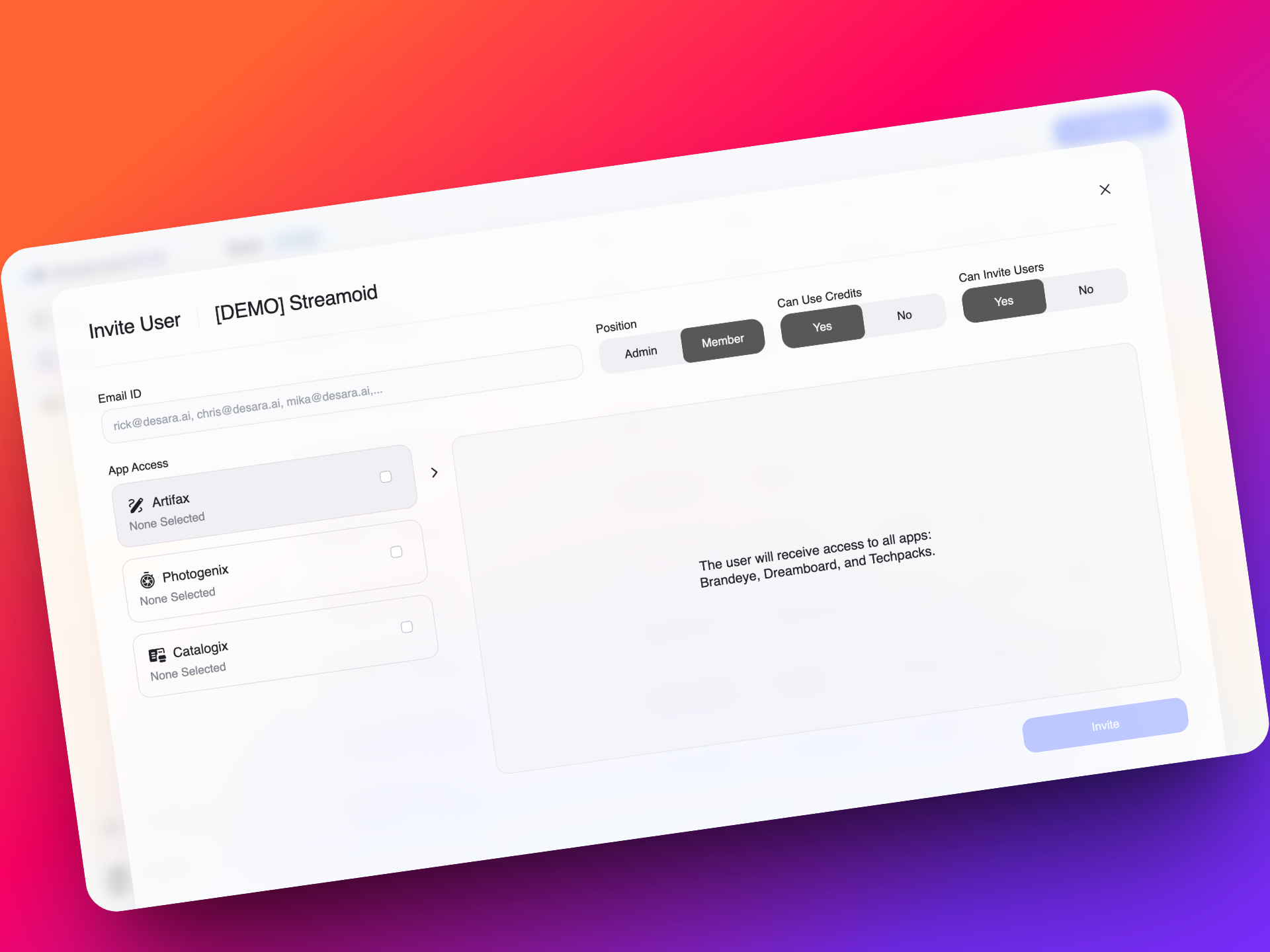
🔐 Advanced Team Access and Permissions Management
You now have fine-grained control over who on your team can access which apps, purchase credits, or invite new members. Build better governance across workflows without micromanaging each tool.
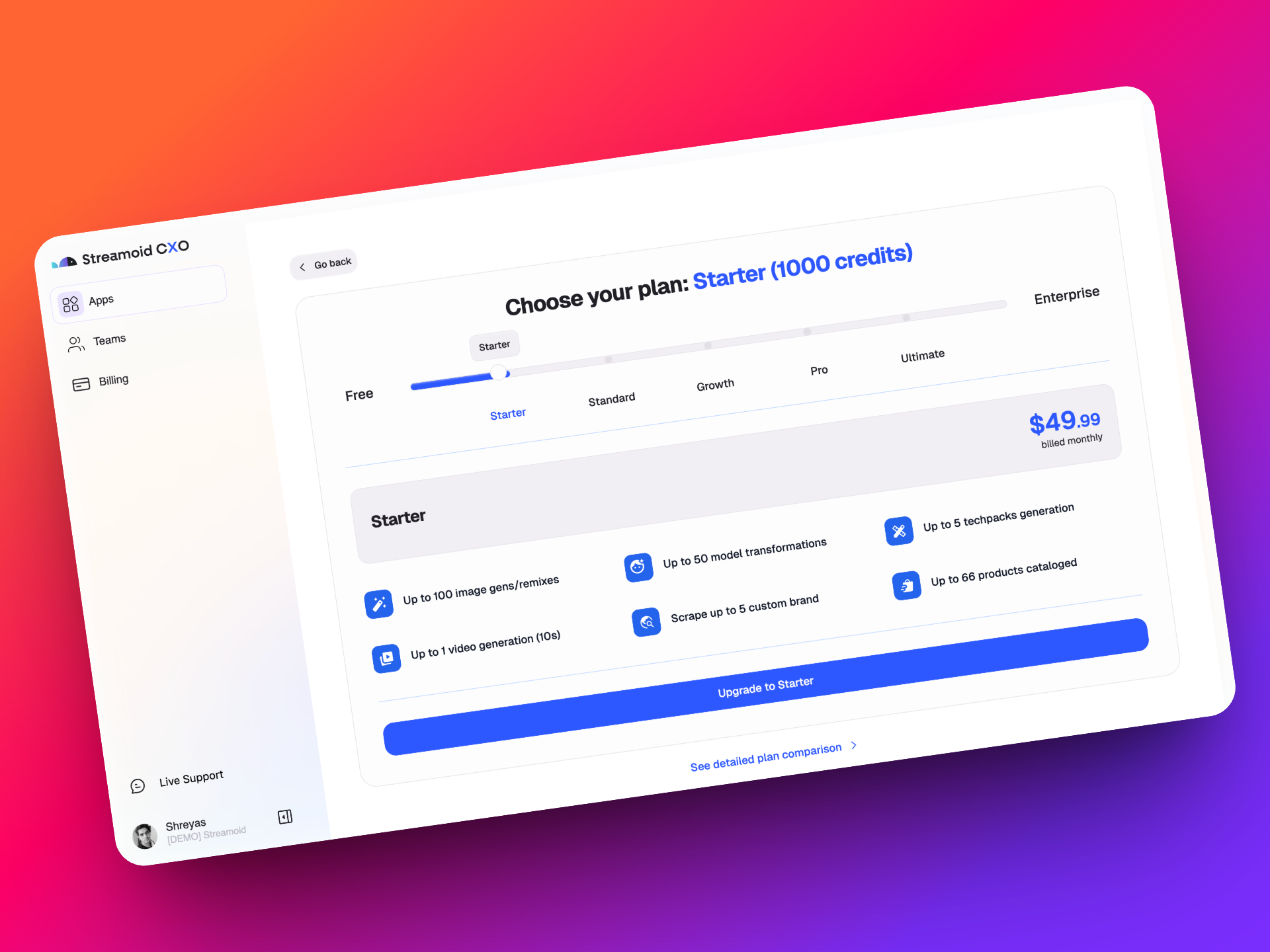
💳 A Smarter, Unified Billing System with Free Credits to Start
Every new signup gets 300 free credits, usable across any app in CXO. Only pay for what you need, when you need it and choose from flexible plans:
Starter, Standard, Growth, Pro, or Ultimate. Need something custom? We’ve got you covered.
👥 Workspaces with Built-in Access to Every Streamoid App
Every workspace now automatically comes with access to Artifax, Photogenix, and the Catalogix Suite. No setup required. Just log in and start working across all our tools instantly
🔁 Effortless Navigation Between Design, Photo, and Catalog Tools
Switch between apps in a click without logging in again or juggling browser tabs.
CXO is built to keep your momentum going, no matter where you are in the fashion workflow.