v0.30.0
11 June 2026
CXO v30 is here!
This release focuses on one of the most important parts of Catalogix — getting data into the platform and understanding what happened after it got there.
We've introduced significant improvements to Imports, Store Activity, Validation, and Error Handling, making data updates more transparent, easier to troubleshoot, and safer to execute at scale.
🚀 What's New?
📥 Imports Get Smarter
Updating product data is now more controlled and transparent. Catalogix now provides two clear update modes when importing data:
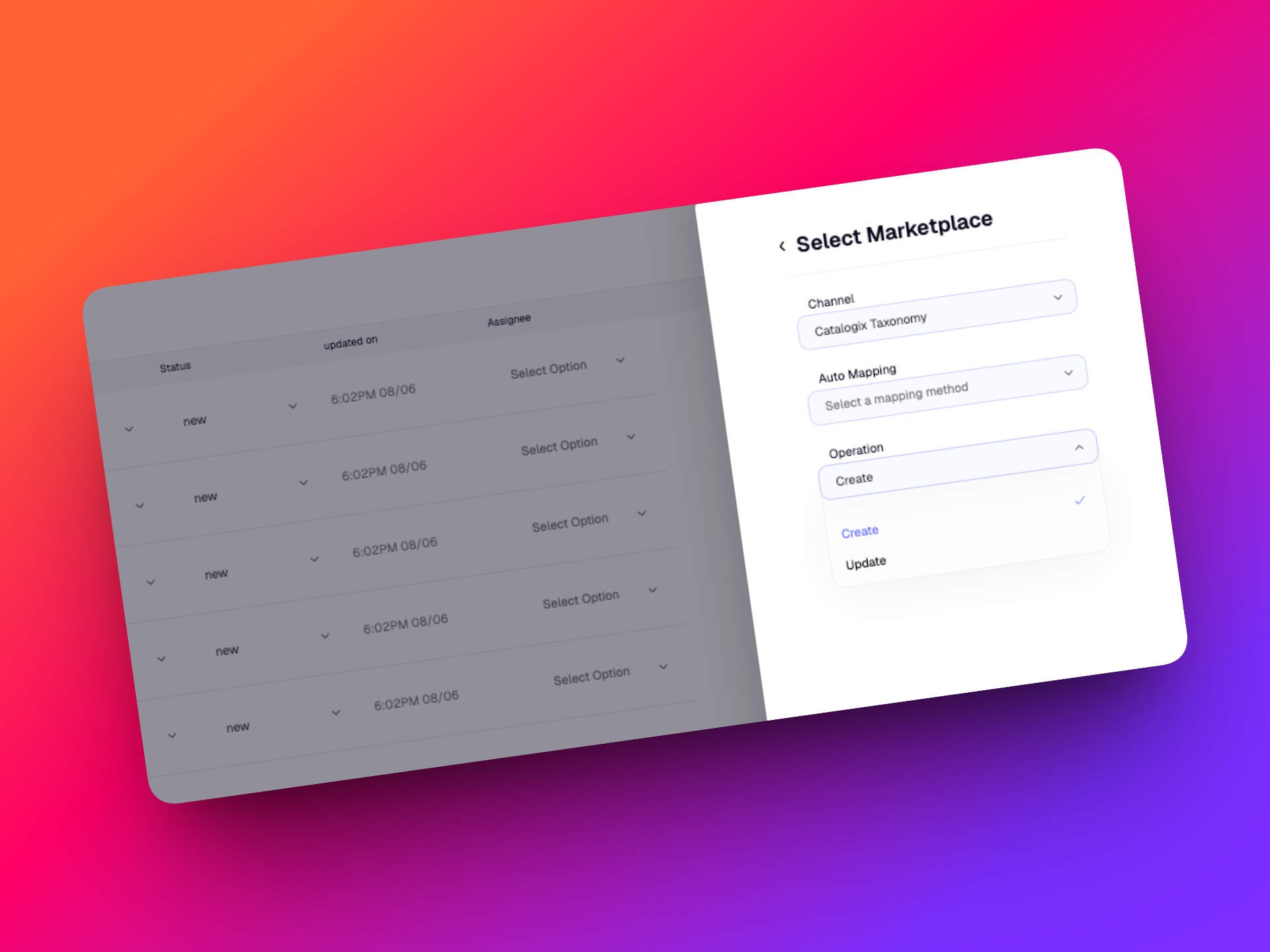
➕ Create New Products
Use Create when importing products that do not yet exist in Catalogix.
The system validates your file before ingestion and provides visibility into:
- New products to be created
- Invalid records
- Missing identifiers
- Validation failures
This helps ensure only valid products are added to your catalog.
✏️ Update Existing Products
Use Update when making changes to products that already exist in your store.
Before applying updates, Catalogix validates:
- SKU matches
- Style code matches
- SKU-to-style code relationships
- Product grouping structures
Potential issues are flagged before processing begins, helping prevent accidental updates or incorrect product regrouping.
🛡️ Advanced SKU & Style Code Validation
One of the biggest causes of catalog issues is incorrect SKU and style code grouping.
Catalogix now validates uploads against:
- SKU matches
- Style code matches
- SKU-to-style code relationships
Before any update is applied, Catalogix automatically checks for:
- Missing SKUs
- Missing style codes
- SKU-to-style code mismatches
- Incorrect regrouping of products
- Partial style code uploads
- Mixed style code structures
📂 Import Activity Tracking
Import operations are now fully visible within Store Activity.
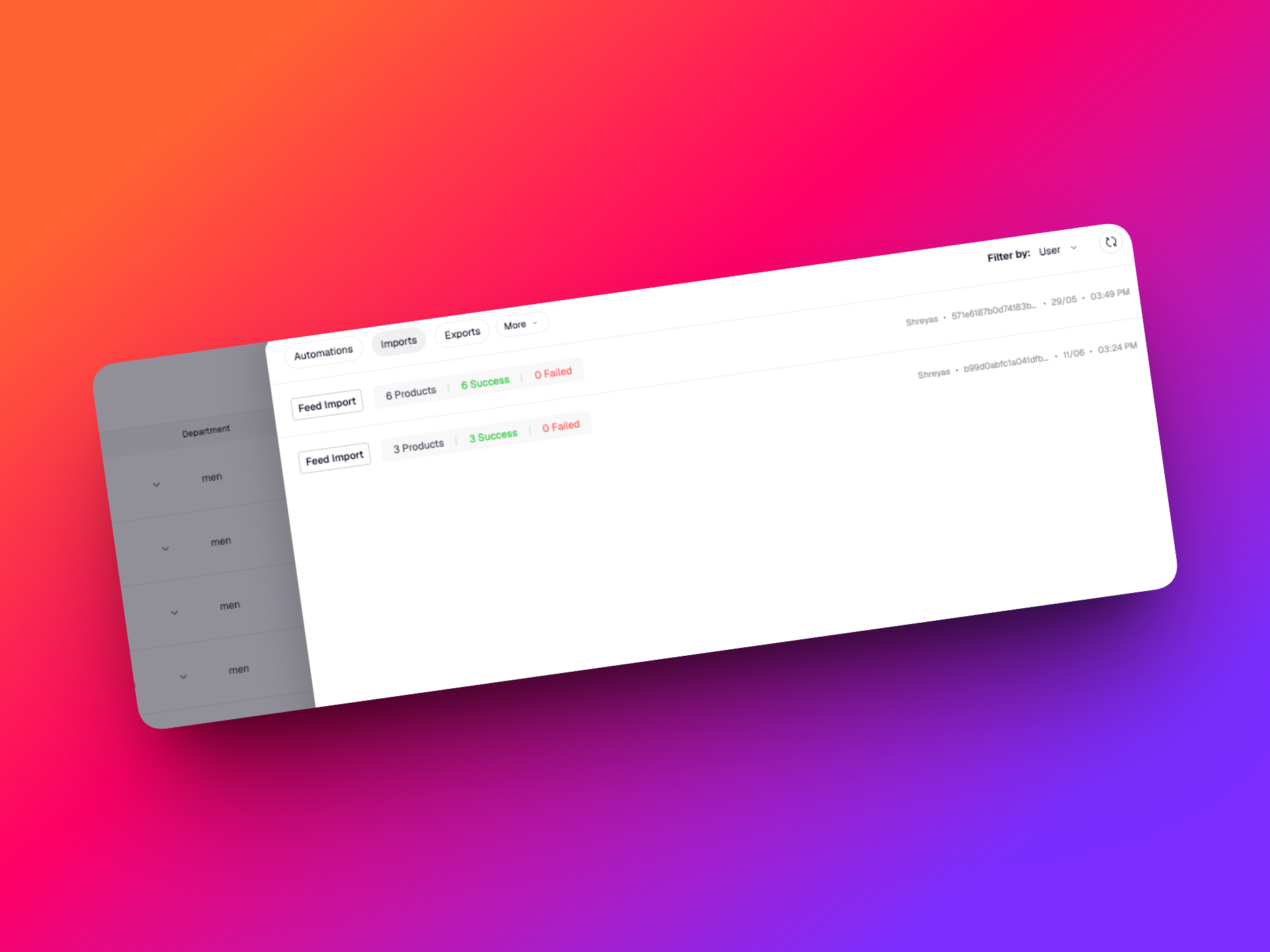
Every import is automatically logged, including:
- New product ingestion
- Product updates
Each activity entry includes:
- Import type
- User who initiated the import
- Timestamp
- Processing status
- Error file (if any)
📈 Detailed Import Metrics
Import activities now provide much richer reporting.
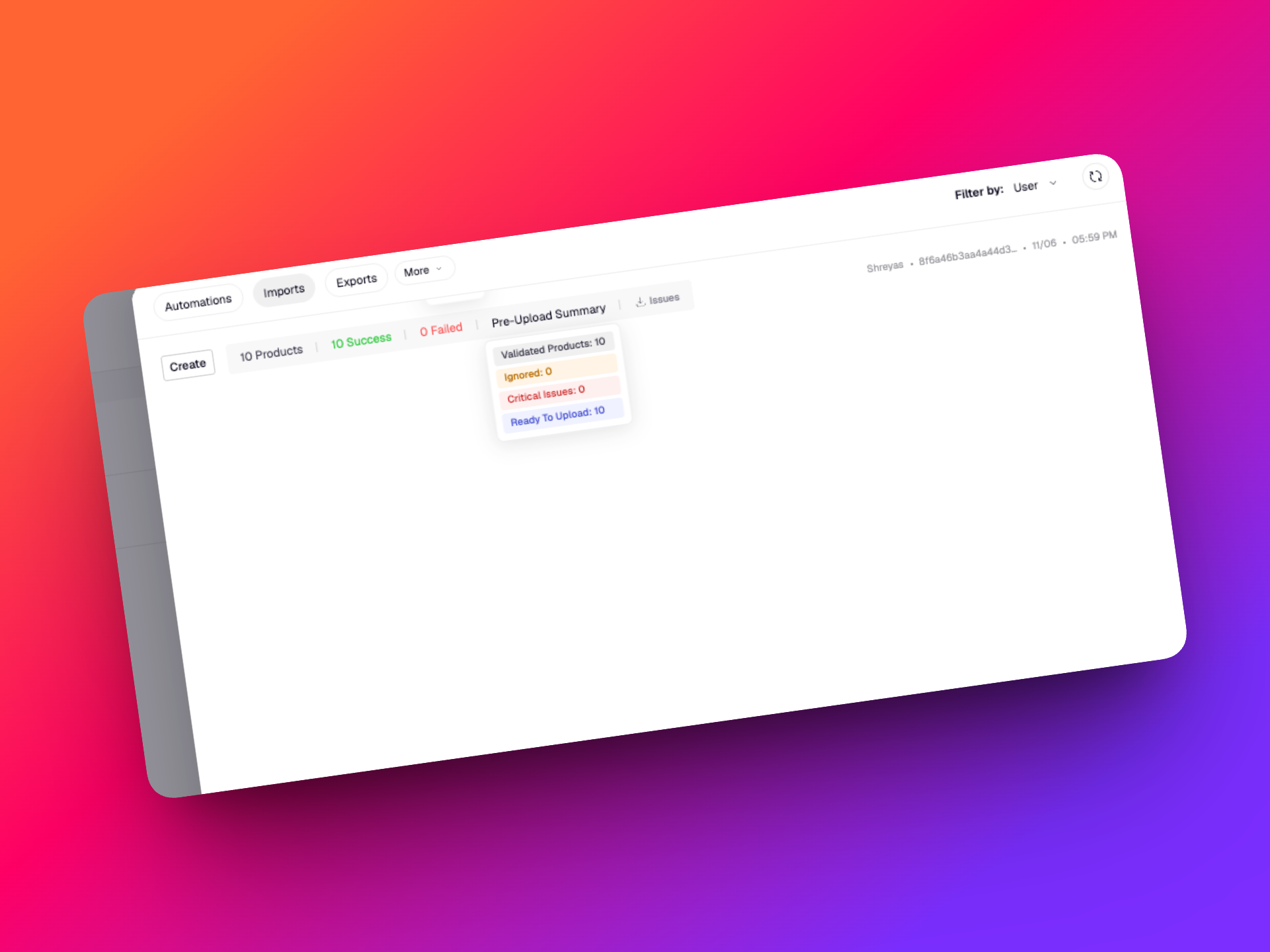
You can view:
- Total records processed
- Successful records
- Skipped records
- Failed records
For updates:
- Fields updated via Replace mode
- Fields populated via Write mode
📄 Downloadable Import Reports
Need to investigate a failed upload?
Every import now includes access to a detailed downloadable report containing:
- SKU-level status
- Success and failure information
- Validation failures
- Style code mismatches
- Missing records
- Processing errors
This helps teams identify and resolve issues much faster.
🗂️ Store Activity Redesign
Store Activity has been reorganized to make navigation simpler and reduce clutter.
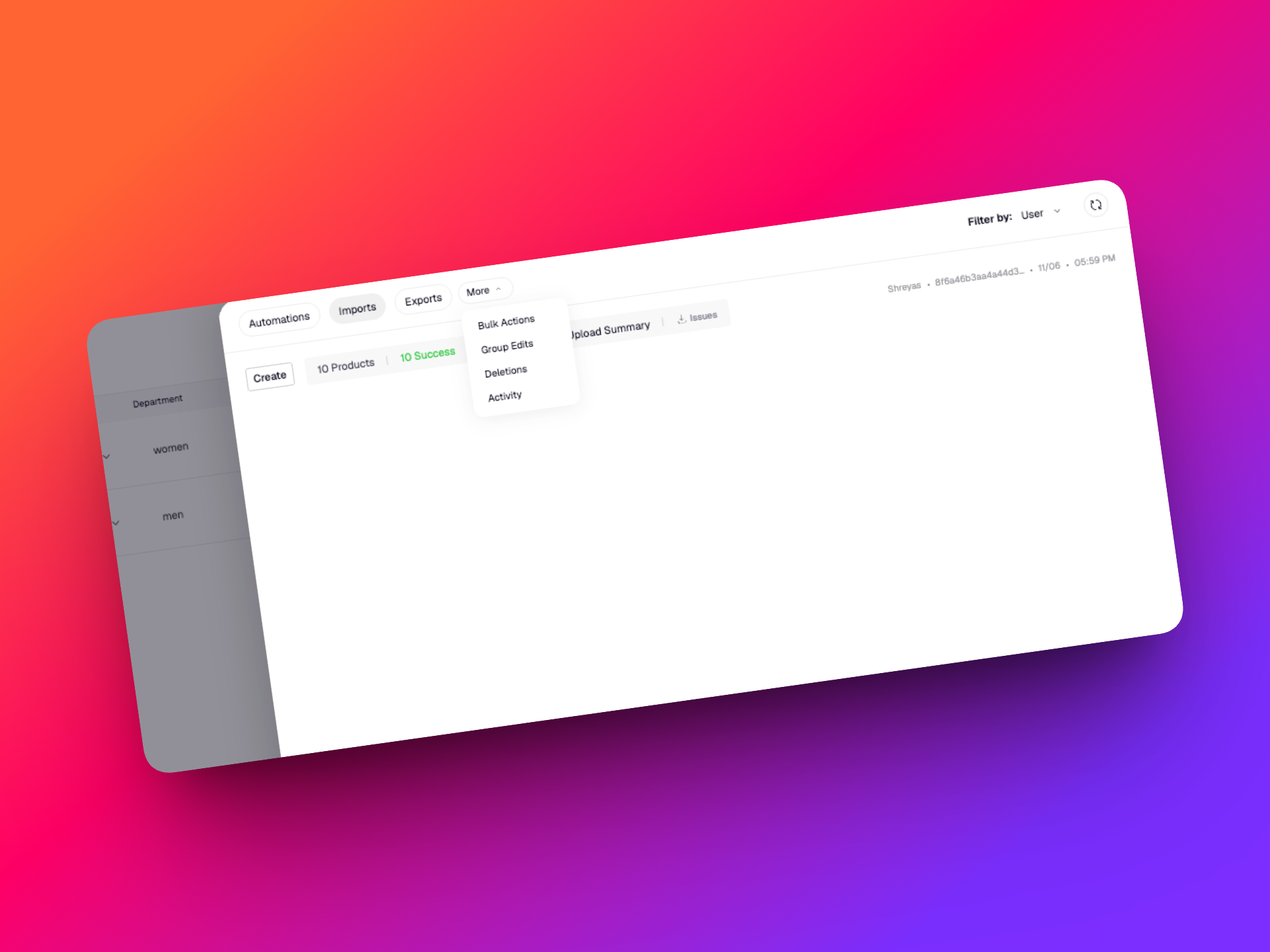
New Activity Structure
Primary tabs now include:
- Automations
- Imports
- Exports
Secondary activities have been moved into a dedicated More section.
Improved Navigation
Activity views now feature:
- Consistent sorting
- Latest activities first
- Independent pagination per section
- Cleaner activity summaries
This makes it easier to find the information you're looking for without scrolling through unrelated events.
⚠️ Human-Friendly Error Messages
We've introduced a new error handling framework across Catalogix.
Previously, users could encounter technical messages containing system details, codes, or backend terminology.
Errors are now presented in a consistent, user-friendly format.
Every error clearly explains:
What happened
A simple description of the issue.
Why it happened
The most likely cause, when available.
What you can do
Recommended next steps to resolve the issue.
🎯 Why This Matters
These updates are designed to make Catalogix safer, more transparent, and easier to operate at scale.
With stronger validations, richer activity tracking, better reporting, and clearer error messaging, teams can now:
- Import data with greater confidence
- Prevent catalog issues before they happen
- Track changes more effectively
- Troubleshoot problems faster
- Reduce dependency on support and technical teams
Together, these improvements create a more reliable and predictable data management experience across Catalogix.
See you in the next update!
Happy Cataloging!
v0.28.0
8 May 2026
CXO v28 is here!
Read on to explore what’s new, what’s improved, and the latest features now live across the platform!
Brand Taxonomy Support ✨ - Your taxonomy now runs Catalogix (beta)
We’ve introduced support for Brand Taxonomies as Store Defaults in Catalogix.
This update allows stores to operate using their own pre-configured brand taxonomy instead of relying solely on the standard Catalogix taxonomy. The selected taxonomy now flows consistently across imports, product views, automations, exports, and activity tracking.
This is a foundational update designed to make Catalogix more adaptable to brand-specific workflows and data structures.
🚀 What’s New
🧩 Brand Taxonomy as Store Default
Catalogix now supports Brand Taxonomies as Store Defaults.
Stores can now choose between:
- Catalogix Taxonomy
- Pre-configured Brand Taxonomy
during store setup.
Once selected and confirmed, the chosen taxonomy becomes the default structure used across the entire store. To maintain consistency and prevent conflicts, taxonomy selection is locked after confirmation and ingestion begins.
This allows brands to work within their own taxonomy structure instead of adapting workflows to fit a generic taxonomy model.
📥 Taxonomy-Aware Imports & Mapping
Imports now automatically align with the selected store taxonomy.
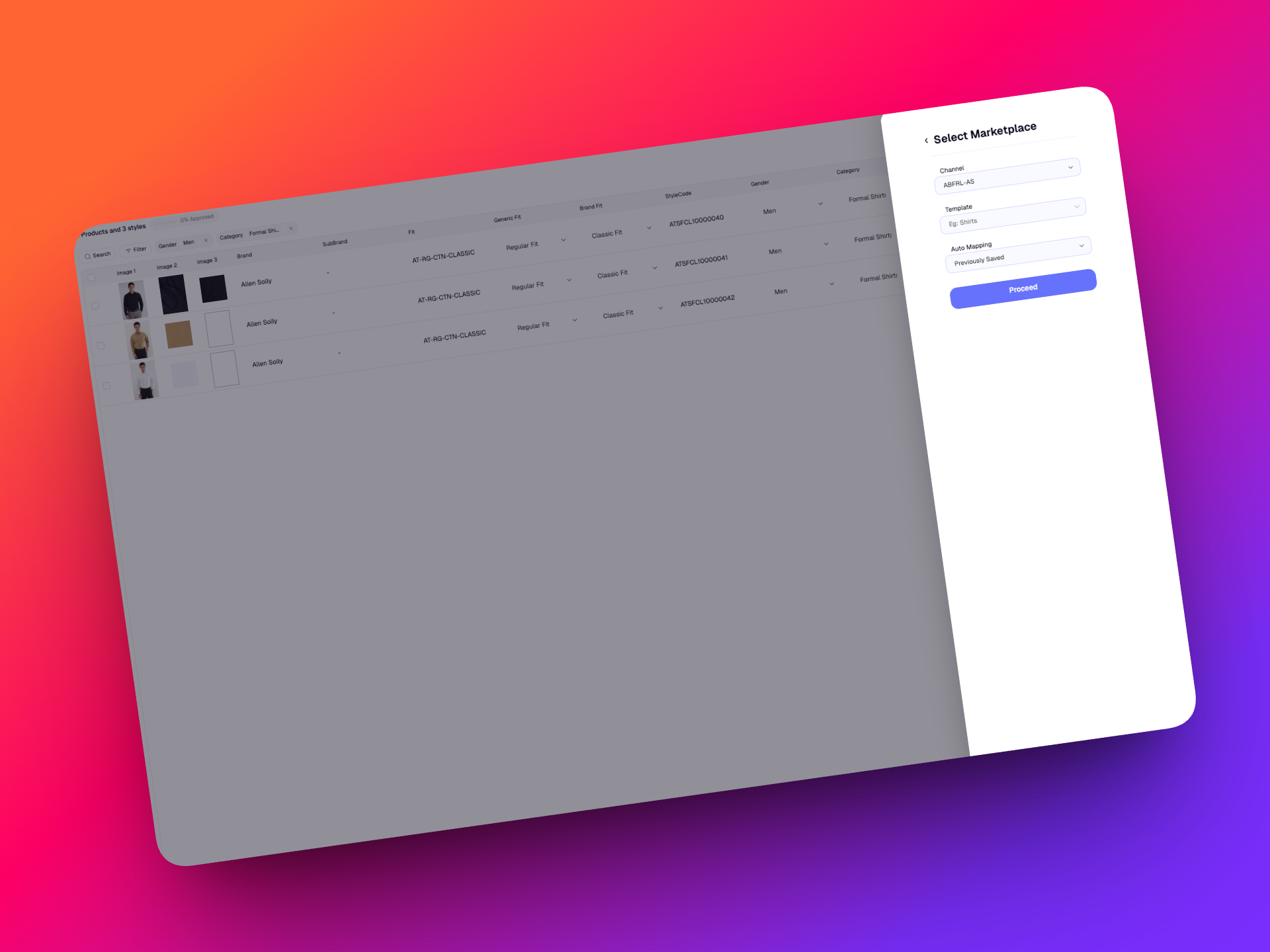
This means you can now import data using your own taxonomy structure, eliminating confusion during mapping and setup. After all, you know your taxonomy best.
This includes:
- Product CSV & Excel imports
- Attribute mapping
- Value mapping
- Asset ingestion workflows
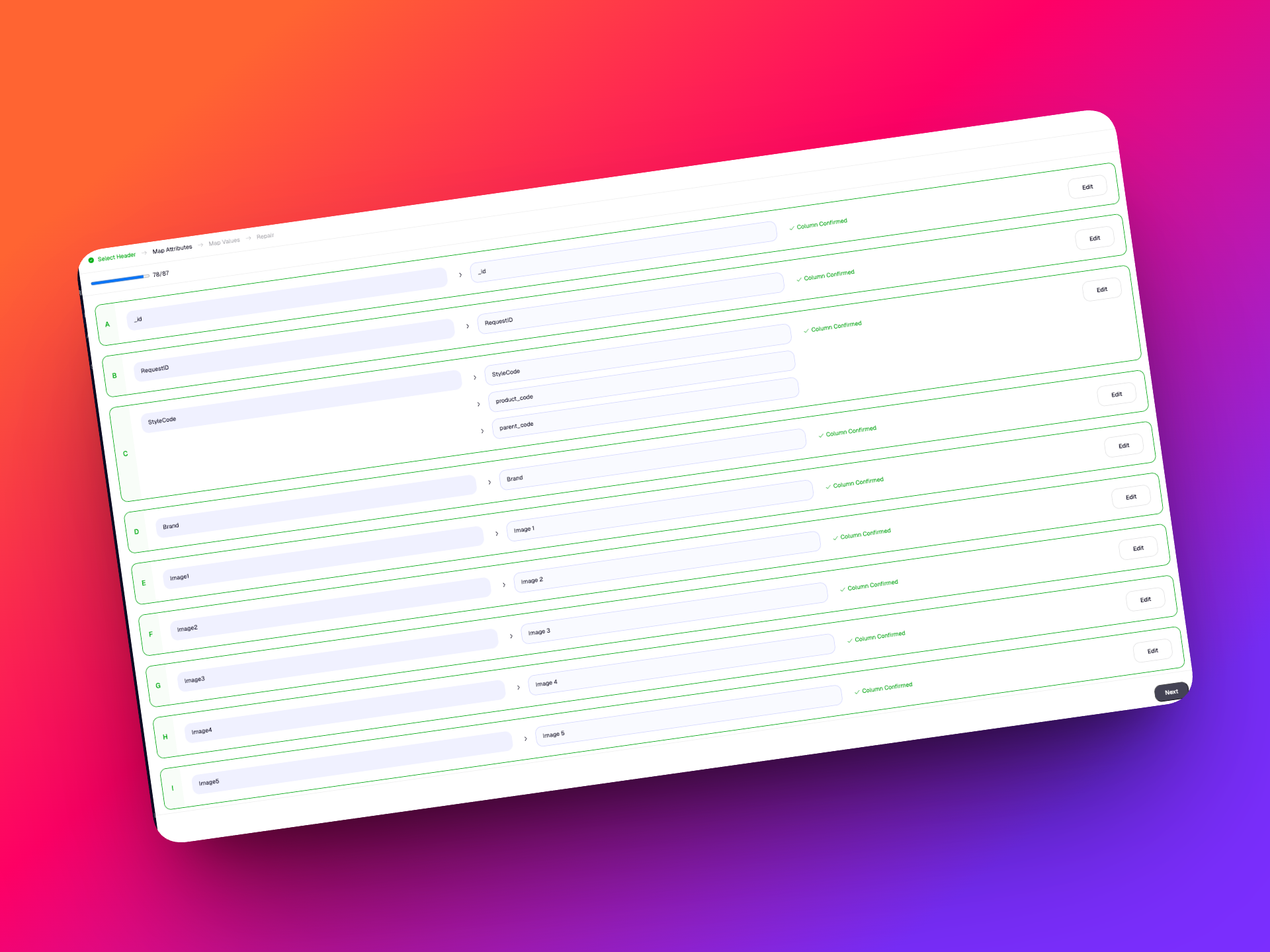
By aligning imports with your taxonomy from the start, onboarding and enrichment become significantly cleaner and faster.
📦 Product Listing & Views
The selected taxonomy now drives how products are organized and displayed across the platform.
.png)
Product Listing Page (PLP)
The following now reflect your selected taxonomy structure:
- Product counts
- Category counts
- Filters
- Columns
Views
- Build custom views using taxonomy-specific fields
- Saved filters and configurations remain taxonomy-aware
This ensures teams can work with familiar structures and naming conventions throughout the platform.
⚙️ Taxonomy-Aware Automations
Automations now operate directly against your selected taxonomy structure.
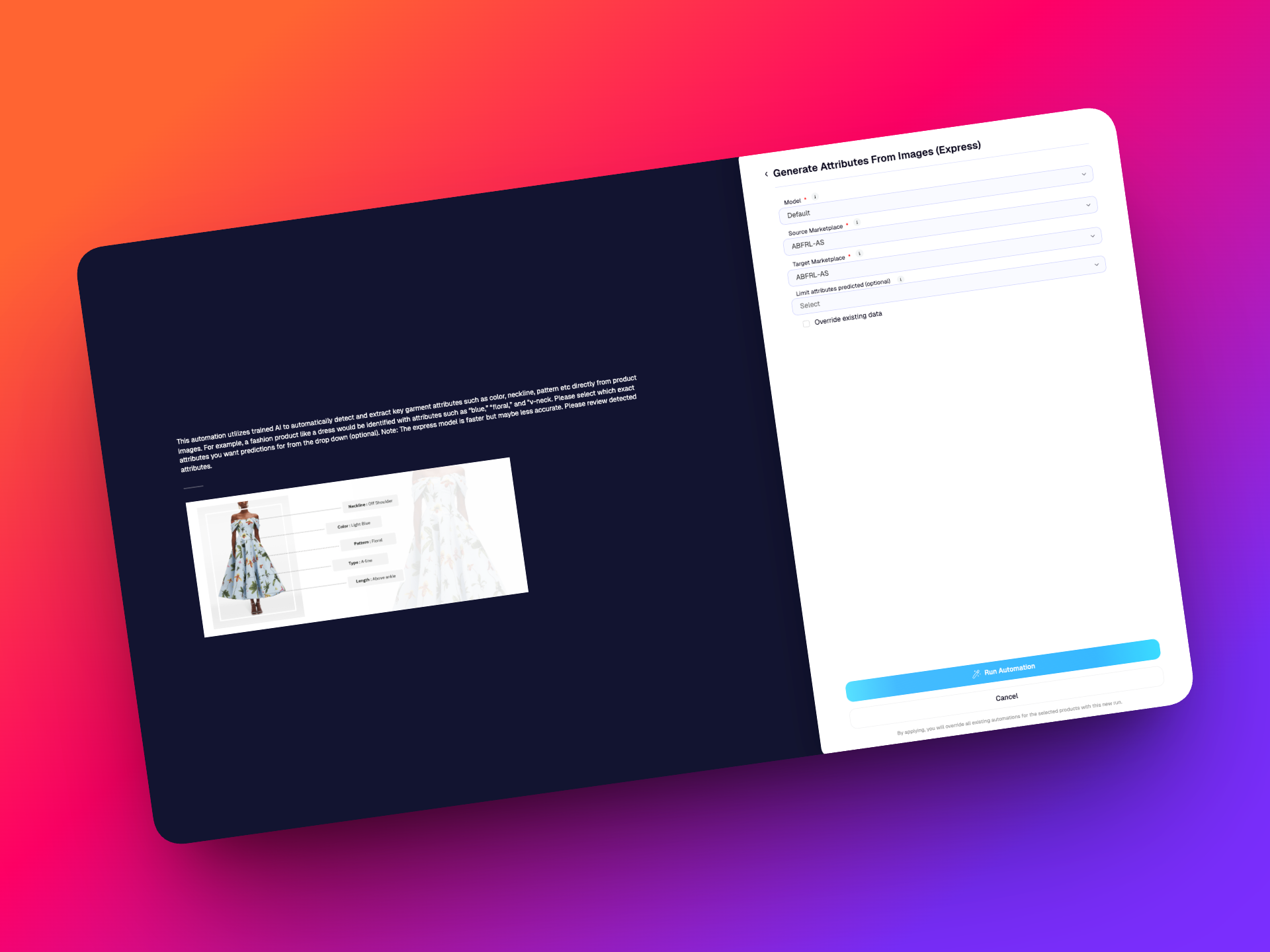
For example:
- Image classifiers can now predict values based on categories and attributes defined by your taxonomy
- Attribute translation automations can translate and structure outputs according to your taxonomy templates
This allows automations to produce outputs that are far more aligned with your internal workflows and downstream systems.
📤 Exports
Exports now respect the selected store taxonomy wherever applicable.
Exports will continue to apply required custom rules & mappings on top of the store taxonomy. However, translation from your brand taxonomy to a Marketplace like Amazon is not yet supported.
📊 Improved Activity Tracking
Store Activity is now taxonomy-aware as well.
Activities such as:
- Imports, Curation, Automations, Exports, Updates
will now display counts, references, and workflows based on the selected taxonomy.
This provides much better visibility into how data and workflows are operating across the store.
🛡️ Validation & Safeguards
To prevent mixed-taxonomy conflicts, mixed taxonomy usage within the same store is restricted!
🎯 Why This Matters
This update makes Catalogix significantly more flexible for brands with established taxonomy structures.
- Instead of adapting workflows to fit the Catalogix taxonomy, stores can now operate using their own taxonomy across the platform. This results in
- Better consistency
- Cleaner workflows
- More accurate automations
🧪 Beta Release
This is currently a beta release and is not yet fully operational across all workflows.
To access this feature, please reach out to the support team.
We’re actively working toward making this fully production-ready in upcoming releases.
v0.27.0
24 April 2026
CXO v27 is here!
Platform-wide: this shipped across Streamoid CXO, so it appears on the Artifax, Photogenix and Catalogix changelogs alike.
We’re closing out April with a strong set of updates across all our apps + we've got some exciting new launches!
Read on to find out what's new!
Introducing CXO Agents!
We’re introducing CXO Agents a new yet familiar way to run and manage workflows across all our apps, directly from chat.
Instead of navigating across tools, you can now trigger, monitor, and manage workflows in one place. This release brings automation, visibility, and control together — making it easier to handle complex tasks like marketplace uploads and rule debugging without breaking your flow.
This is just the beginning. More agents, skills, and workflows will continue to be added.
🧠 Manage Marketplace Uploads via Chat
You can now use CXO Agents to handle marketplace template uploads end-to-end — directly from chat.

Currently supported marketplaces:
- Amazon
- Flipkart
- Myntra
- Ajio
Each marketplace has its own upload process, validation steps, and QC timelines all of which are now handled by the agent.
⚙️ How It Works
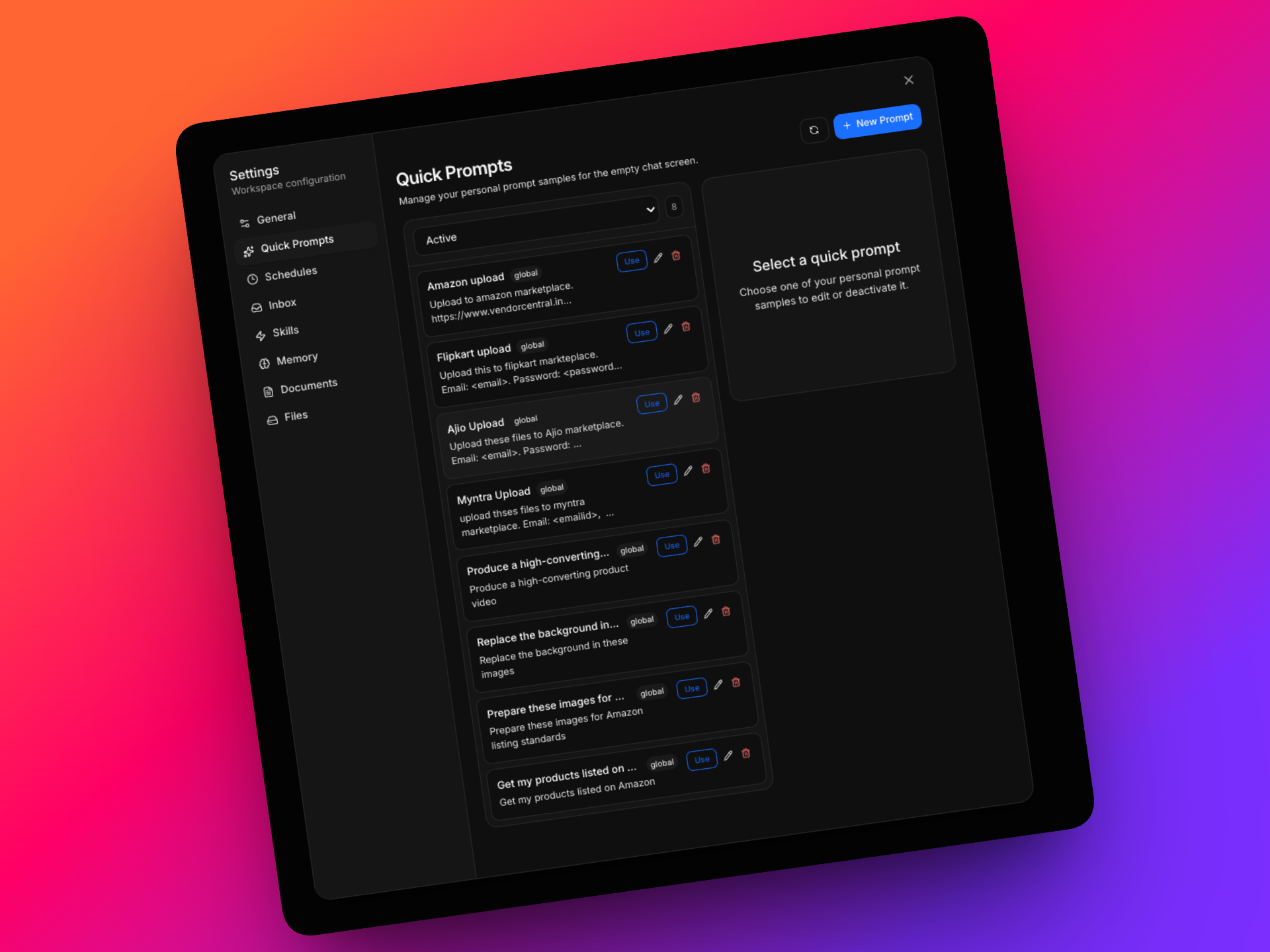
- Trigger uploads using quick prompts or simply 'upload this file to 'xyz' marketplace
- Upload multiple files (3–5 per batch) within the same chat
- Provide credentials when prompted, or use saved configurations
The agent will guide you through the process and proactively ask for inputs wherever required.
🔄 End-to-End Workflow Handling
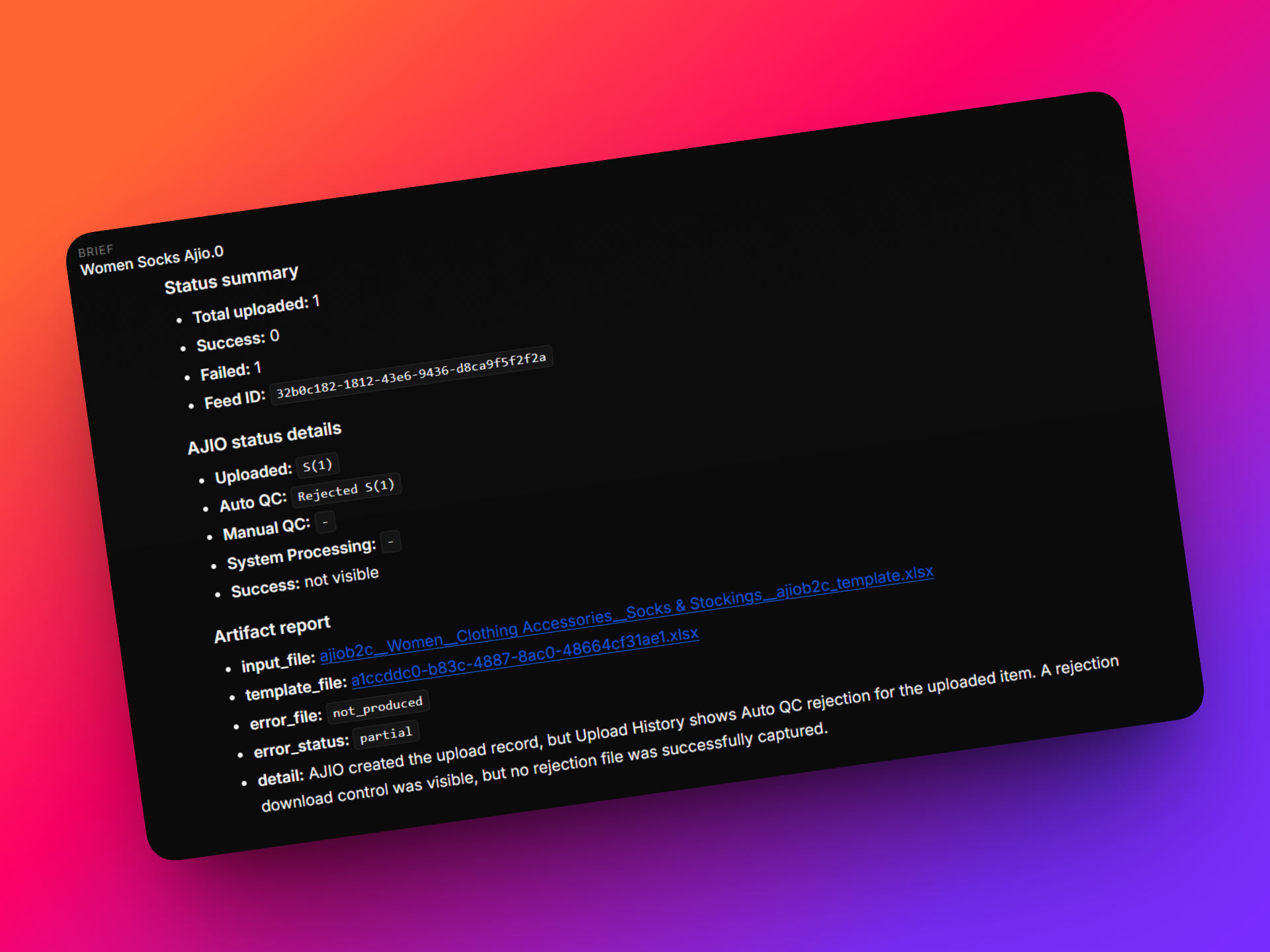
Once initiated, the agent:
- Handles marketplace-specific steps such as:
- Executes exact human like browsing, navigation and file uploads
- Waits for marketplace-side QC processes to complete
- Fetches and displays:
🧑💻 Human-in-the-Loop Control
You remain in control throughout the process:
- The agent asks for input when needed
- You can nudge or intervene at any step
- Yu can take control of the browser if required
🔜 What’s Next
In upcoming updates, the agent will also:
- Automatically fix errors and reprocess uploads
- Fix errors inline in the chat
- Check Job status
🛠️ Rules Debug Agent – Now Live
We’ve also introduced a dedicated Rules Debug Agent to help you understand and troubleshoot issues related to Custom Rules more effectively.
This agent gives you full visibility into how rules behave against Catalogix outputs — helping you identify issues, validate logic, and take action without relying on technical teams.
✨ Key Capabilities
🧩 Intelligent Discrepancy Segregation
Issues are automatically categorized into:
- Data issues (Vendor input / SMP / marketplace mappings)
- Rule configuration gaps
- Manual overrides
- Genuine technical issues
This helps you quickly identify the root cause of discrepancies.
🚫 Missing Value Detection
- Identify cases where rules exist but Catalogix outputs are blank
- Guided validation to check:
Escalations are triggered only when all validations are complete.
⚖️ Output Difference Analysis
- Detect mismatches between Catalogix outputs and Custom Rule outputs
- Identify:
Helps prevent unnecessary escalations by clearly highlighting the issue source.
✅ Matching Output Confirmation
- Instantly confirm when outputs are aligned
- Validate rule accuracy
- Highlight stable, correctly functioning scenarios
✏️ Editable Output Layer
- Make direct corrections to outputs from the dashboard
- Re-trigger rules instantly
- Treat corrections as improvements to rule logic, not system failures
🎯 Why It Matters
- Reduces dependency on technical teams
- Speeds up issue identification and resolution
- Improves rule accuracy and data quality
- Enables more confident, structured decision-making
🔜 What’s Next
In upcoming updates, the agent will also:
- Guide users to the custom rules dashboard
- Fix errors inline in the chat
- Check Job status
We’ve introduced a set of improvements to the Assets section in Catalogix, focused on helping you manage large asset libraries more efficiently and take actions at scale with greater control.
These updates are designed to reduce manual effort, improve visibility, and make everyday workflows faster and more intuitive.
🚀 What’s New?
📂 Assets Activity
You can now access a dedicated Assets Activity view that captures all asset-related actions in one place.
This includes updates, edits, and changes made across assets — giving you better visibility into what’s happening without needing to track changes manually or switch between sections.
🔎 Category Filters (SMP)
Filtering capabilities have been expanded with SMP category-based filtering.
This allows you to:
- Narrow down assets more precisely
- Quickly locate relevant media within large libraries
- Organize and review assets based on category-specific requirements
⚙️ Enhanced Group Editing
Editing assets across groups is now more flexible.
You are no longer restricted to working within a single group. You can:
- Select individual assets across multiple groups
- Apply actions across mixed selections
This makes it easier to manage assets that span across different collections or groupings.
⚡ Bulk Selection Improvements
Working with large volumes of assets is now significantly faster.
You can now:
- Select an entire page of assets and apply actions instantly
- Select all assets across your library and perform bulk operations
This eliminates repetitive manual selection and enables faster execution of large-scale changes.
📤 Add to All Products (Enhanced)
The Add to All Products functionality has been expanded.
You can now:
- Add an asset to every style code within a selected marketplace
This is especially useful when:
- Applying common assets (e.g., brand images, logos, banners)
- Rolling out updates across an entire catalog
- Ensuring consistency across all products in a marketplace
🎯 Why This Matters
Together, these updates make it much easier to:
- Manage and organize large asset libraries
- Perform bulk operations with precision
- Maintain consistency across products and marketplaces
- Reduce manual effort in day-to-day asset workflows
v0.25.1
4 March 2026
Catalogix continues to evolve as a unified platform for managing product data, assets, and marketplace-ready content.
Exporting and managing assets are core workflows in Catalogix, especially when preparing product content for different marketplaces.
Until now, exports happened in the background with limited visibility, and asset downloads offered fewer configuration options. This release introduces improvements that address both areas.
You’ll now have better visibility into export operations and more flexibility when exporting assets. We’ve also enhanced asset filtering and bulk media controls to make managing large asset libraries easier.
Here's a deeper dive:
🚀 What’s New?
📤 Exports Revamped
Exports in Catalogix just got a major upgrade!
Previously, once an export was triggered, it ran in the background with limited visibility into its progress or outcome. Users couldn’t easily tell whether all products were exported successfully or if something had failed. Export statuses were also fairly generic, typically showing only In Progress, Completed, or Failed, without much additional context.
With this release, exports are now fully visible within the Store Activity section. Whenever an export is triggered, Catalogix automatically logs the operation so you can monitor its progress and outcome in real time.
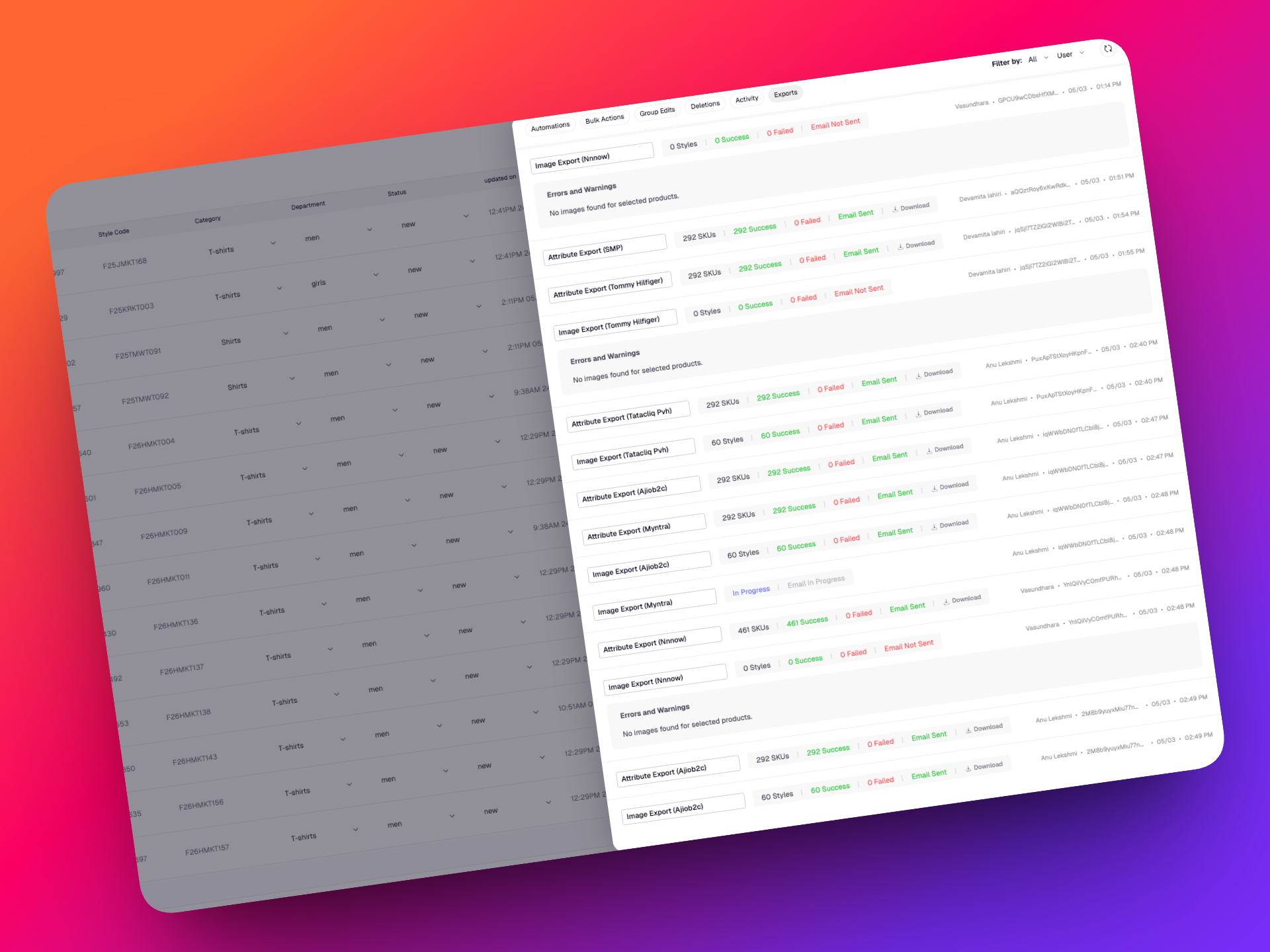
Each export entry now displays:
- Export status (In Progress, Completed, Failed)
- Marketplace selected
- Product count included in the export
- Timestamp of export initiation and completion
- Export / Job ID
- Option to download the exported files
- Email delivery status (exports are also sent via email)
Export statuses update dynamically as the export progresses, giving you much clearer insight into what’s happening.
If an export fails, Catalogix will display a clear error message and record the failure in the activity log. The Export / Job ID can also be used by support teams to quickly trace, debug, and investigate export issues.
With these changes, exports are no longer a black box. You now have complete visibility, traceability, and control over every export operation.
📁 More Flexible Export Options in the Assets Section
We’ve also expanded the export capabilities within the Assets section, giving you more control over how image files are delivered.
Catalogix continues to support two export options within Assets:
- Marketplace Folder Export (ZIP file organized by style code)
- Excel Export with Image Links
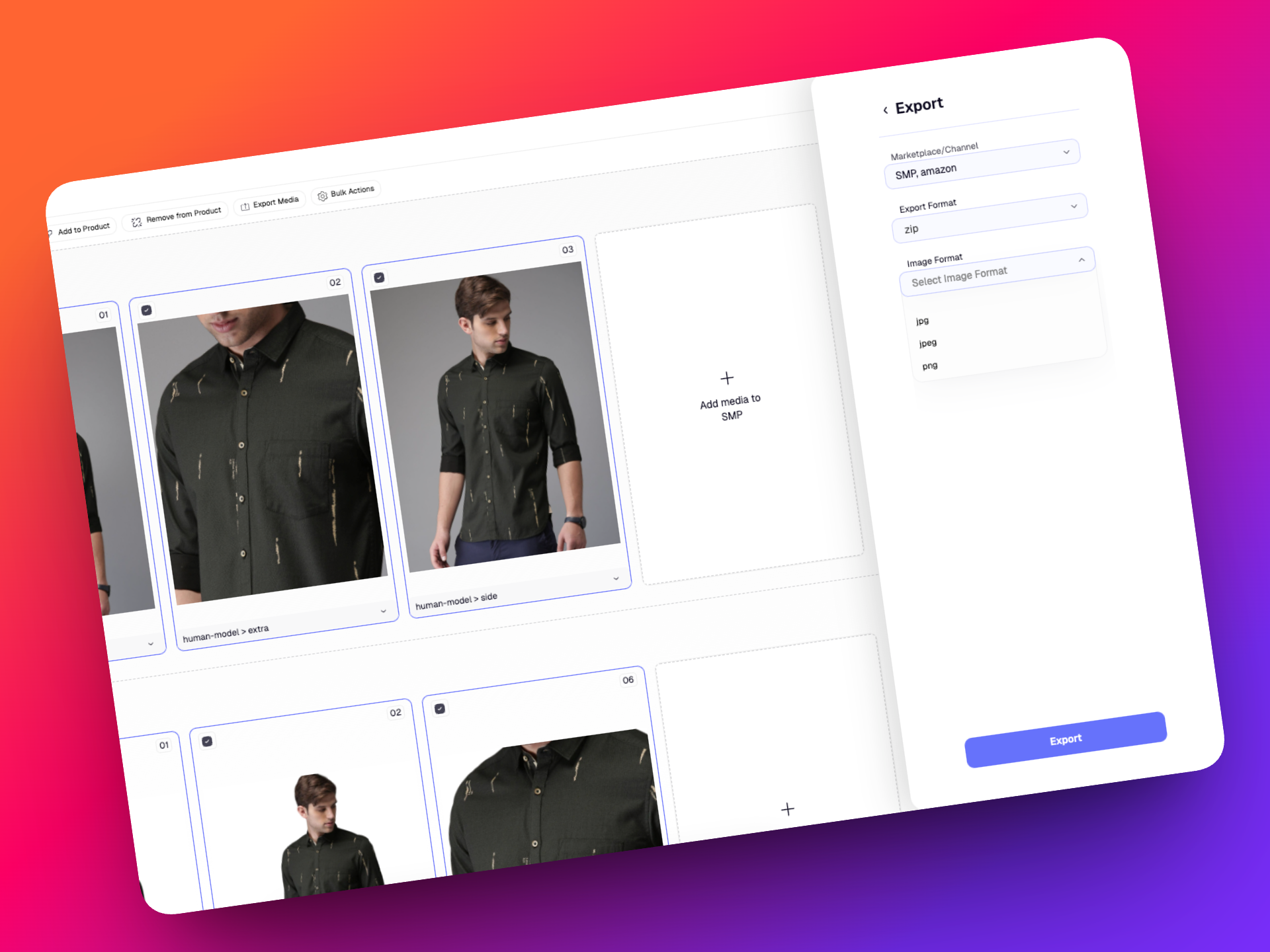
The folder export flows now allow you to choose the image file format before exporting.
Available formats include:
- JPG
- JPEG
- PNG
This functionality applies only to image assets.
Other file types such as PDFs and videos are exported exactly as they are, without conversion.
These updates make it easier to prepare assets for specific marketplace requirements or downstream systems without needing manual file conversions.
✨ Improvements
🔎 Enhanced Filtering in the Assets Section
Filtering capabilities in the Assets section have been significantly improved.
You can now more easily filter assets using multiple Style codes & Marketplaces!
These improvements make navigating large asset libraries faster and help you locate the right media much more efficiently.
⚡ Improved Bulk Actions for Multimedia Visibility (incoming tonight!)
Bulk asset management has also been improved.
Previously, changing multimedia visibility would toggle visibility for all selected assets at once.
Now you can refine your selection before applying the action by choosing:
- Image position (1, 2, 3, etc.)
- Pose type
Once selected, you can toggle visibility on or off specifically for those assets. This gives teams much more precise control when managing product media across multiple styles and marketplaces.
These updates are designed to make asset exports more transparent, media management more flexible, and everyday workflows in Catalogix faster and easier.
Happy Cataloguing!
v0.23.0
28 November 2025
Introducing the New Assets Section in Catalogix!
A powerful new way to manage all your product assets across marketplaces
We’re excited to announce one of the most significant expansions to Catalogix: the launch of the Assets module; a dedicated space for managing, reviewing, linking, editing, and exporting all your product assets in one place.
The new Assets section has been designed from the ground up to eliminate fragmented image workflows, reduce manual processing, and give you a complete, centralized view of your product imagery across marketplaces.
From uploading assets in bulk to a market palace, reviewing quality, linking them to products, running bulk actions, or export for external workflows - everything now happens seamlessly inside Catalogix.
✨ What is the Assets Section?
The Assets section is a comprehensive asset hub that lets you:
- Upload product assets in bulk
- Automatically associate them with style codes + marketplaces
- Review and manage linked and unlinked assets
- Edit, tag, reorder, or update the attributes of each asset
- Run bulk actions such turning visibility on/off, re-ordering based on poses etc.
- Export assets in a csv or folder
- Stay fully in sync with the Products section
In short: it’s a streamlined way for teams to handle large volumes of product imagery with speed and accuracy.
🚀 What’s New?
1. Bulk ZIP Uploads With Marketplace Mapping
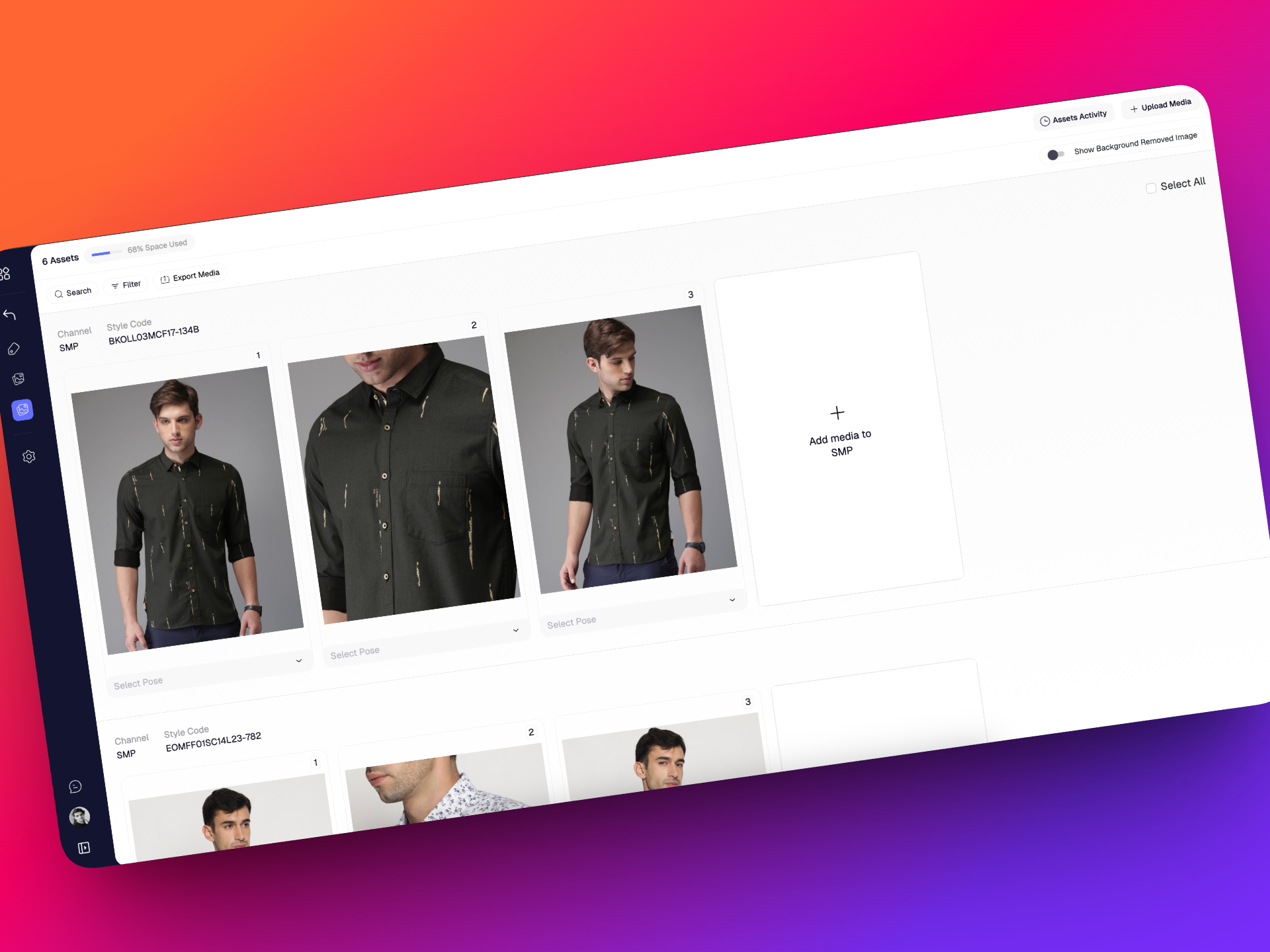
Upload all your images, videos, 3D files, and PDFs in a structured .zip and automatically map them to the correct Style Code + Marketplace combination.
2. Linked & Unlinked Asset Management
Every asset is categorized into:
- Linked asset(s) — attached/linked to a Style Code + Marketplace
- Unlinked asset(s) — uploaded but not associated/linked yet
You can link and unlink assets anytime
3. Familiar Listing Page
The new listing page gives you full control of your asset library with:
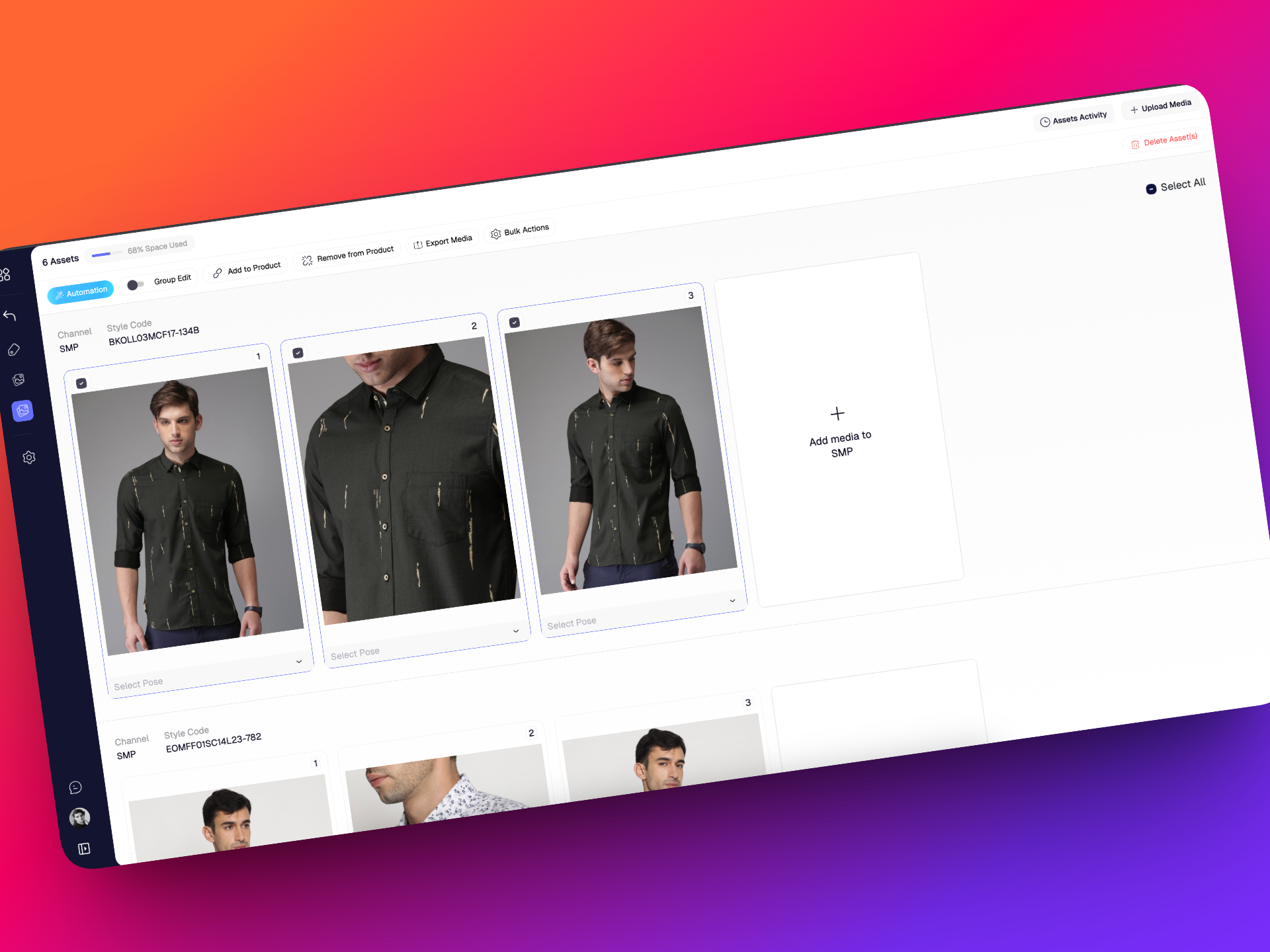
- Pagination (Upto 50 linked sets per page)
- Background removal toggle
- Filters: style code, MP, pose type, visibility (will be expanded later)
- Powerful search by keyword or style code
- Select assets individually or page-wise for bulk actions & much more!
4. Asset Display Page (ADP)
A detailed view for each individual asset.
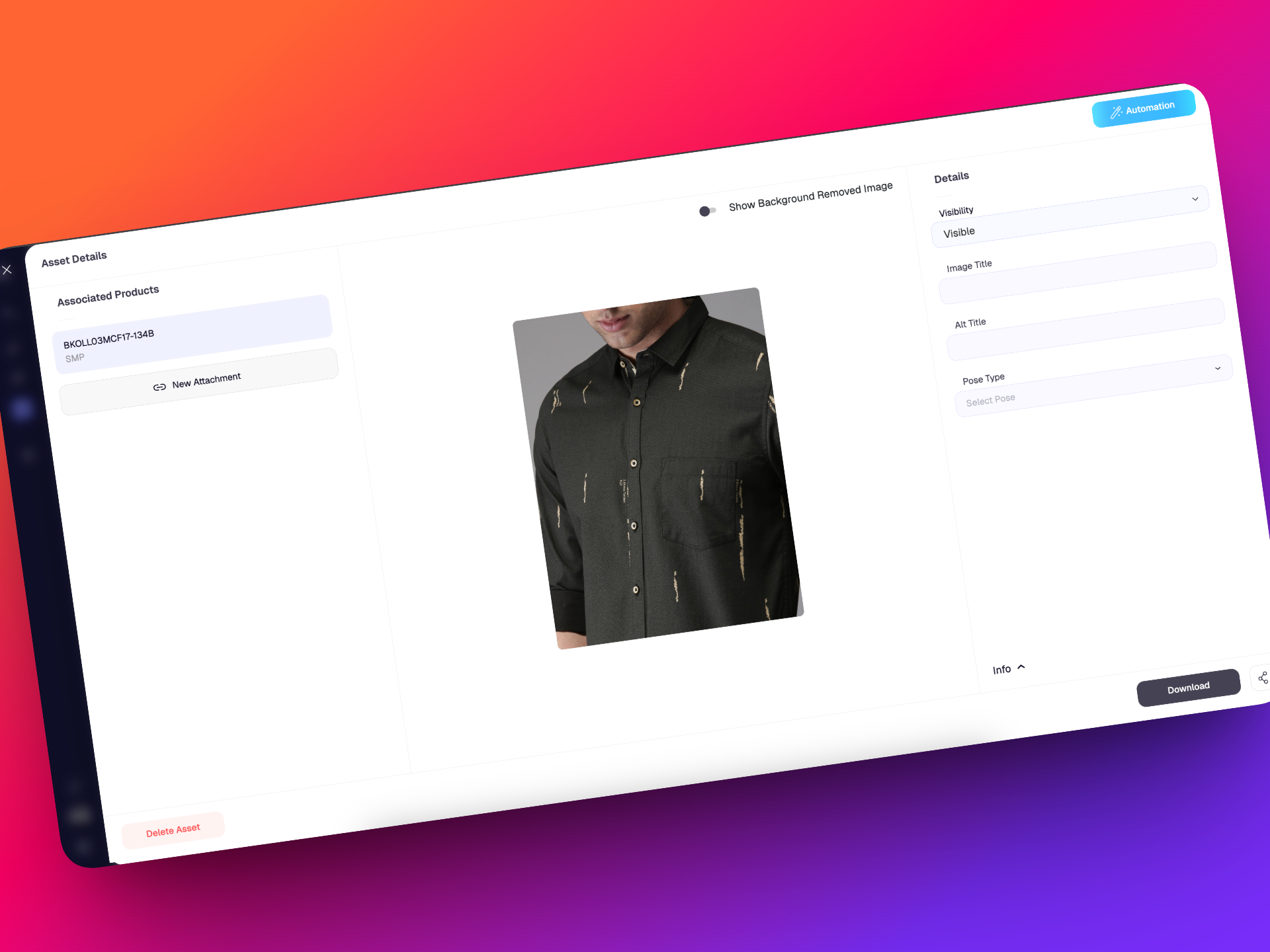
- See all marketplaces & style codes the asset is linked to
- View original and BG-removed versions of the asset
- Edit metadata (title, alt-title, pose type, visibility, status)
- View uneditable info (uploaded by, timestamp, dimensions, size, format)
- Expand, download, or share the asset
- Link, unlink, or delete assets directly from ADP
5. Bulk Actions
Save hours of manual work with one-click bulk operations:
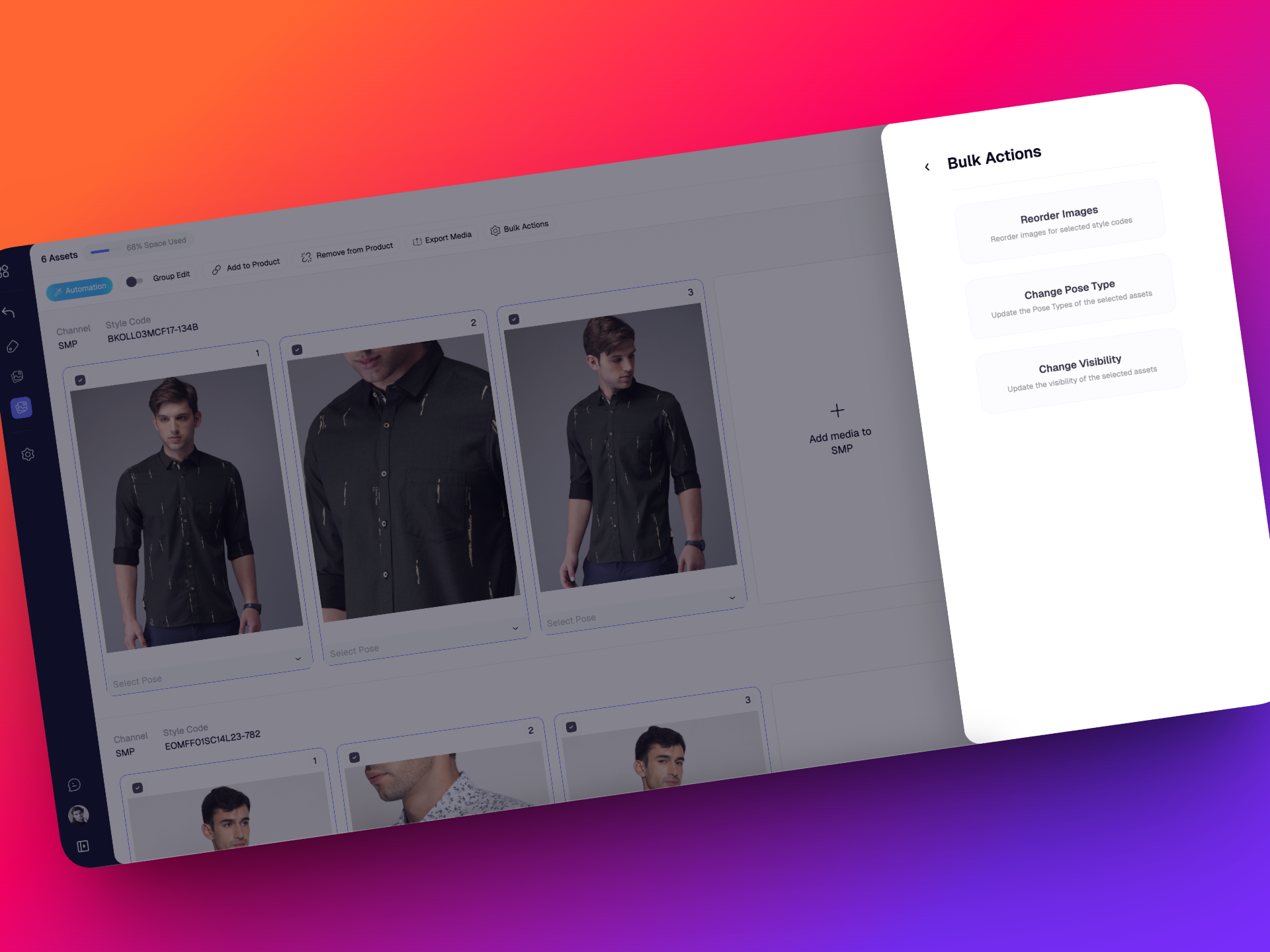
- Reorder images (e.g., move position 1 → position 5 across all selected styles)
- Change visibility (show/hide specific assets across styles)
- Update pose types in bulk (front → back, side → front, etc.)
6. Asset Exports
Export assets in two flexible formats:
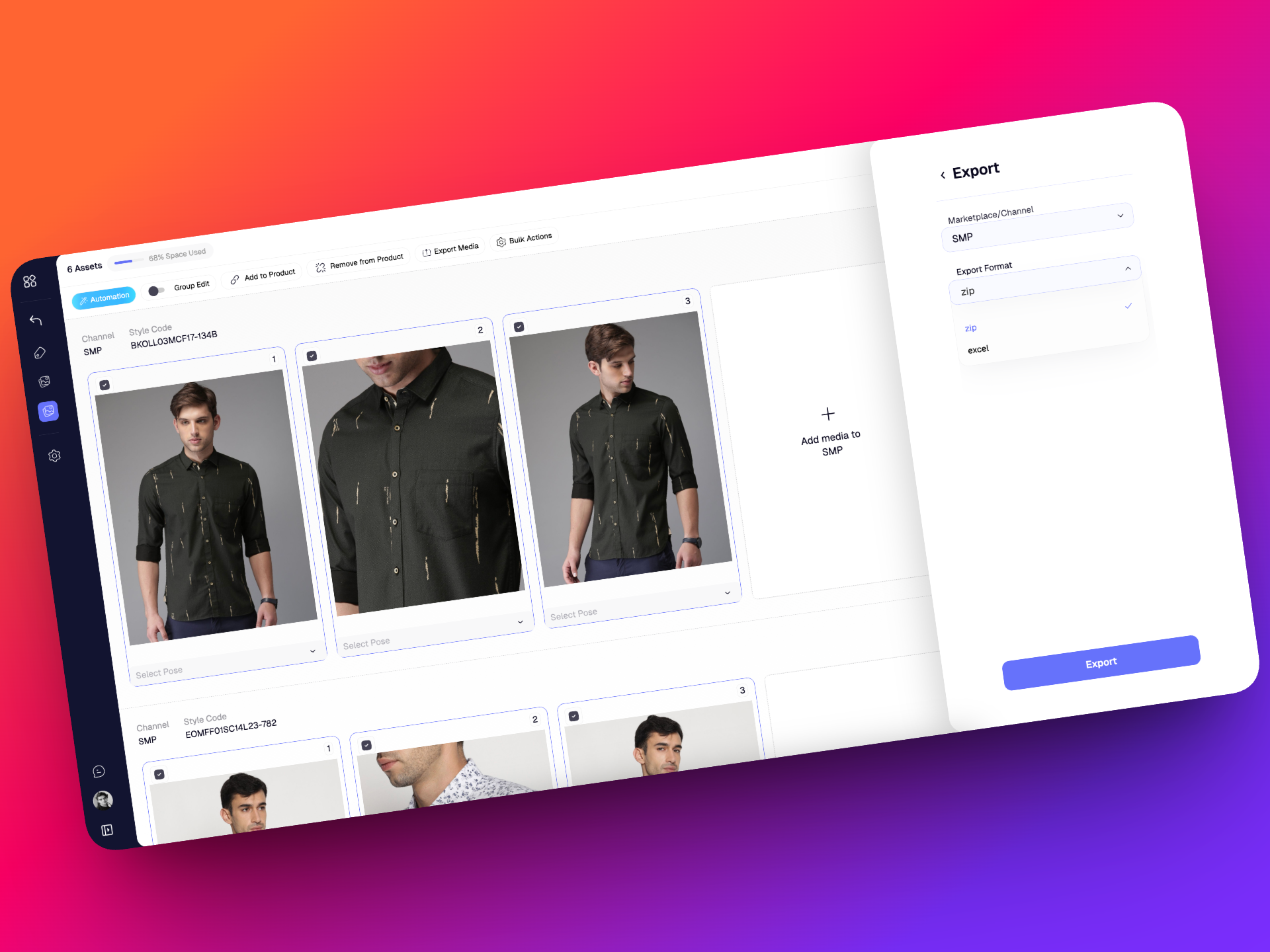
- Folders
- Excel with links
8. Seamless Sync Between Products & Assets
Any change made to assets in either the Products section or the Assets section automatically syncs to the other.
This includes: Uploads, Automations (BG removal, pose detection, OCR, classifiers, translations…), Edits (visibility, pose, titles, alt titles), Reordering, Deletions
Both sections now function as a single unified system.
🔮 What’s Coming in Phase 2?
We’re just getting started.
In the next phase, the Assets module will include:
- Complete Activity Log - every upload, edit, automation, export, or bulk action in one timeline
- Advanced filters - category, assignee, custom tags, hidden/unhidden, and more
- More automation actions & group edits
Stay tuned, more power and control are on the way!
🎉 A Better Way to Manage Your Product Media
The new Assets section was designed to make your daily workflows faster, cleaner, and far more scalable. Whether you’re part of a brand team, operations, imaging, or content, this module helps you move from manual tasks to organised, structured, and automated processes.
Welcome to the new era of asset management in Catalogix
Stay tuned for more!
v0.22.2
18 November 2025
We’re back with updates across Catalogix and Photogenix aimed at making your daily workflows smoother and more intuitive. From simpler navigation to powerful new creative tools, this release is all about helping you move faster and create better
🚀 What’s New?
🔁 Store Activity Revamped
We’ve reorganized the Store Activity section to make it easier to track and manage actions.
- Automations is now the default tab, so you can jump straight into what matters most.
- Activity has been moved to the last tab for better clarity.
- Pagination has been added across all tabs, making it easier to navigate large stores with extensive data.
✏️ Edits Renamed to Group Edits
To improve clarity, Edits are now labeled as Group Edits, reflecting how bulk changes work across multiple products.
⚙️ Store Creation Enhancements
Setting up a new store just got easier:
- The “Connect Your Website” option is now tucked under Advanced Settings for a cleaner setup experience.
- Country now defaults to India.
- Business Type now defaults to Marketplace.
📦 Product Imports
A few smart defaults and contextual updates to make importing easier:
- SMP is now the default channel.
- The Template option is now contextual, showing only what’s relevant to your selected channel.
With v0.22.2, Catalogix becomes simpler, cleaner, and easier to navigate, especially for teams handling large stores.
Stay tuned for more!
v0.21.1
17 September 2025
🚀 Streamoid CXO v0.21.1 is out now!
We’re excited to share the latest updates for Photogenix and Catalogix. This release makes it easier to work with new file types, improves image handling, and gives you more flexibility in billing and store management.
🚀 What’s New?
🏷️ Style Code Counts in Store Listings
As part of our ongoing UI refresh, you can now instantly see the number of style codes in each store right from the store listing page. No more clicking in just to check if a store has products; the info is available upfront.
And this is only the beginning; expect more visibility improvements in the coming releases.
🛍️ Myntra Files as Input
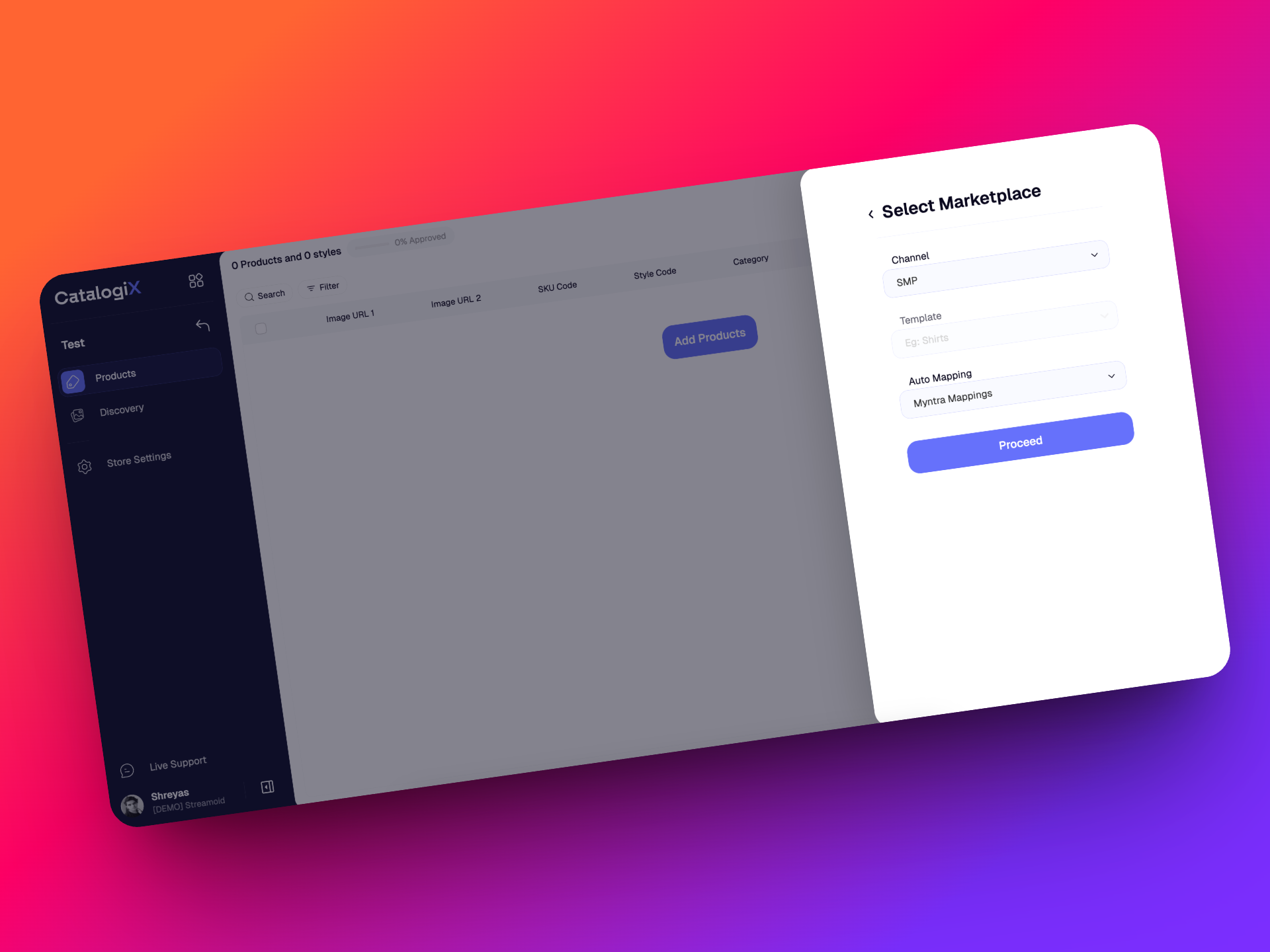
Working with Myntra files is now much easier. Instead of spending time on heavy manual mapping, our new Myntra Mappings option automatically handles 70–80% of the work. This gives you faster setup, better accuracy, and a smoother workflow with Myntra taxonomy built in.
💳 Custom Billing Plans
We now support fully customized billing plans alongside standard ones. Whether it’s credit requirements or payment preferences, we can tailor it to your organization. You’ll also have better visibility with tools to track credit usage and download invoices whenever you need them.
v0.21.0
4 September 2025
✨ Streamoid CXO v0.21.0 is here!
We’re rolling out smarter workflows, sharper images, and cleaner experiences across Scout, Photogenix, and Catalogix. Here’s what’s new across all apps:
🚀 What’s New?
🗂️ Smarter mapping when you import files
Importing files just got easier. Instead of wading through a long list of mapping models, you’ll now see a shorter, cleaner list with the most relevant options. This makes it quicker to set up your imports without second-guessing which mapping to choose.
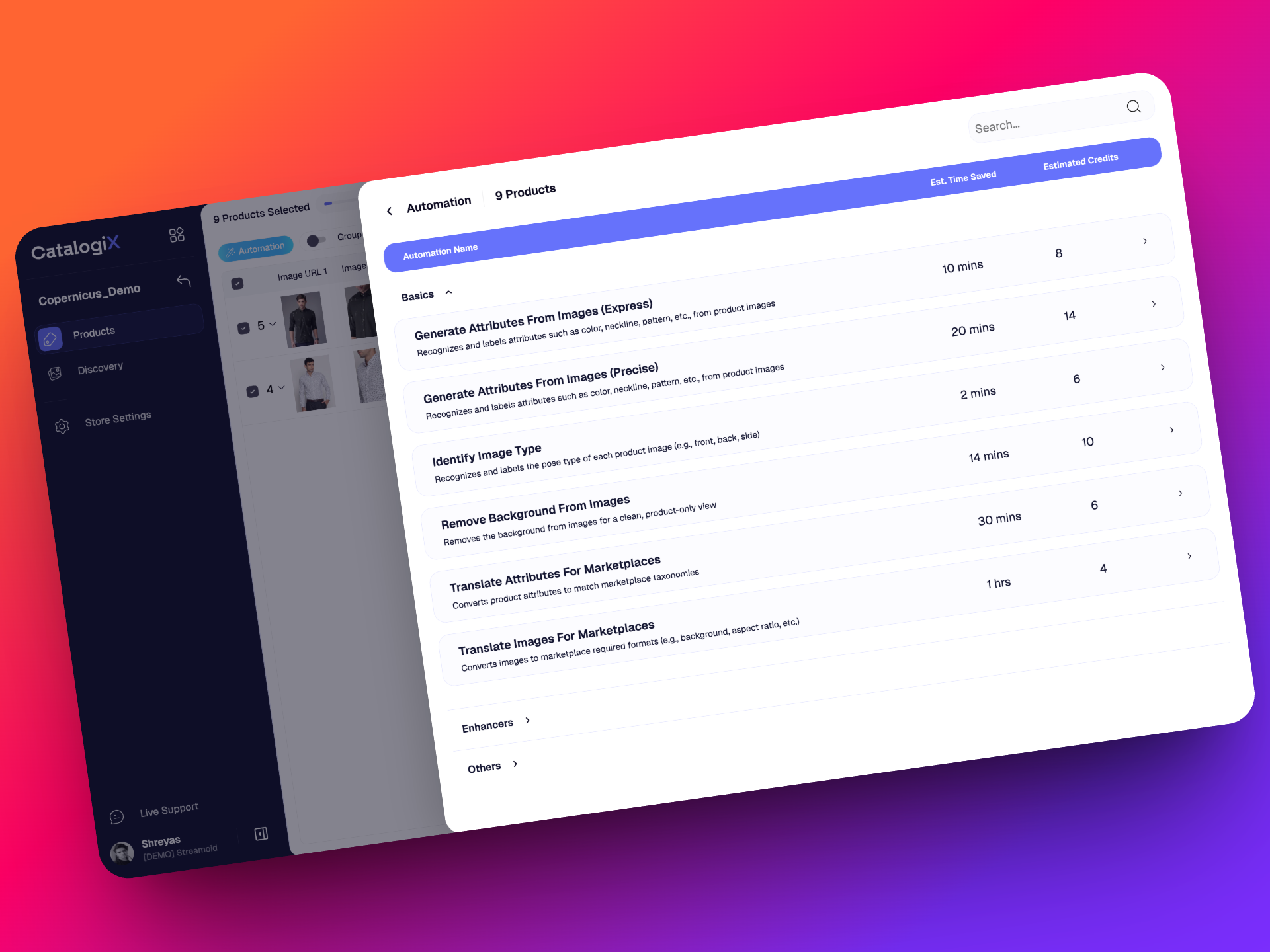
⚙️ Automations, now grouped for clarity
No more endless scrolling through one big automation list. We’ve reorganized automations into two neat categories: Basics, which cover everything you need for a smooth, standard workflow, and Enhancers, which give your data that extra boost when you want to go further. This makes it easier to pick the right automations for your task without confusion.
Technical Update
We have optimized costs on the feed-processing GKE cluster. Resource analysis showed that worker nodes were over-provisioned with 4 vCPUs each compared to actual utilization. The configuration has now been updated to 2 vCPUs per node, with scope for further reduction depending on future usage. This change is expected to save approximately $350without impacting performance.
v0.20.1
28 August 2025
🚀 CXO v0.20.1 Updates
Just a week after our last release, we’re back with v0.20.1 — bringing smart Catalogix enhancements and fresh updates to Scout. Let’s dive in!
🚀 What’s New?
🔝 Selected attributes appear first
In any automation that uses a dropdown, the attributes/options you’ve already selected will now appear at the top. This makes it much faster to review, add, or remove selections without needing to scroll through the full list.
🖼️ Smarter front-pose generation in automation
We’ve upgraded the Generate Image automation. Front-pose generation now detects the product category first and applies cropping and adjustments accordingly. Previously, it was just a plain crop regardless of category — now your images look much more relevant and precise
Bugs Squashed
- Attribute Translations bug suqashed - you now can see which marketplace you ran translations like before
v0.20.0
21 August 2025
Our first ever update for the Streamoid CXO Platform! ✨
Platform-wide: this shipped across Streamoid CXO, so it appears on the Artifax, Photogenix and Catalogix changelogs alike.
We’re thrilled to bring you Streamoid CXO v0.20.0 — a release packed with improvements and new features across Artifax, Photogenix, and Catalogix.
🌟 Highlights
- Artifax: More brands to explore, with new rules for free plan users.
- Photogenix: Big upgrades to on-model editing, background changes, and solid colour outputs.
- Catalogix: Smarter automation management, clearer marketplace version updates, and key fixes.
Check out the full details below!
🚀 What’s New?
🔔 Marketplace version updates made clear
Marketplace and Catalogix Taxonomy versions update frequently. To make sure you’re always on the latest version, you’ll now see a pop-up notification when an update is required. The pop-up will clearly state which marketplaces need to be updated.
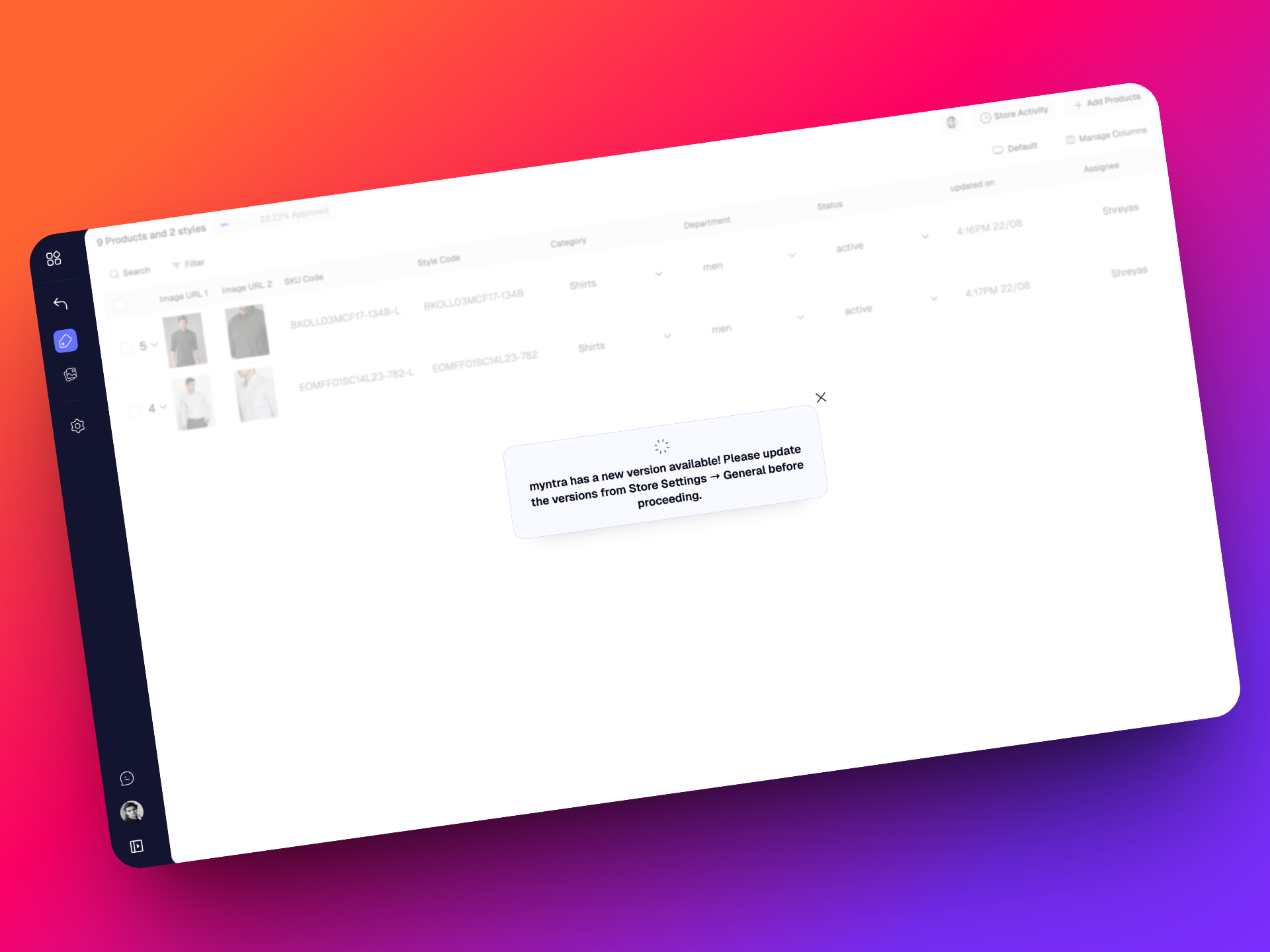
As before, to update versions, simply head to your store settings and trigger the update.
⚙️ Control over default automation order
We’ve added more flexibility to default automation management. Default automation orders can now be customized to suit different workflows. At the moment, this is configured by us, but we’re working toward making this fully user-controlled in the near future.
🗂️ Automation Selections remembered per workspace
Automation selections you make are now saved at the workspace level. This means you can set up different automation preferences for Workspace A and Workspace B without them overlapping.
🛠️ Fixes & Improvements
- Fixed a bug where bulk “Find & Replace” actions showed false error messages despite succeeding.
- Credits usage now appears in whole numbers only (no decimals).
- Resolved a major billing issue where free to use features such as image upload and market place exports failed if workspaces had negative credits.
That's all for v.20.0!
v0.19.0
6 August 2025
Platform-wide: this shipped across Streamoid CXO, so it appears on the Artifax, Photogenix and Catalogix changelogs alike.
👋 Say Hello to Streamoid CXO!
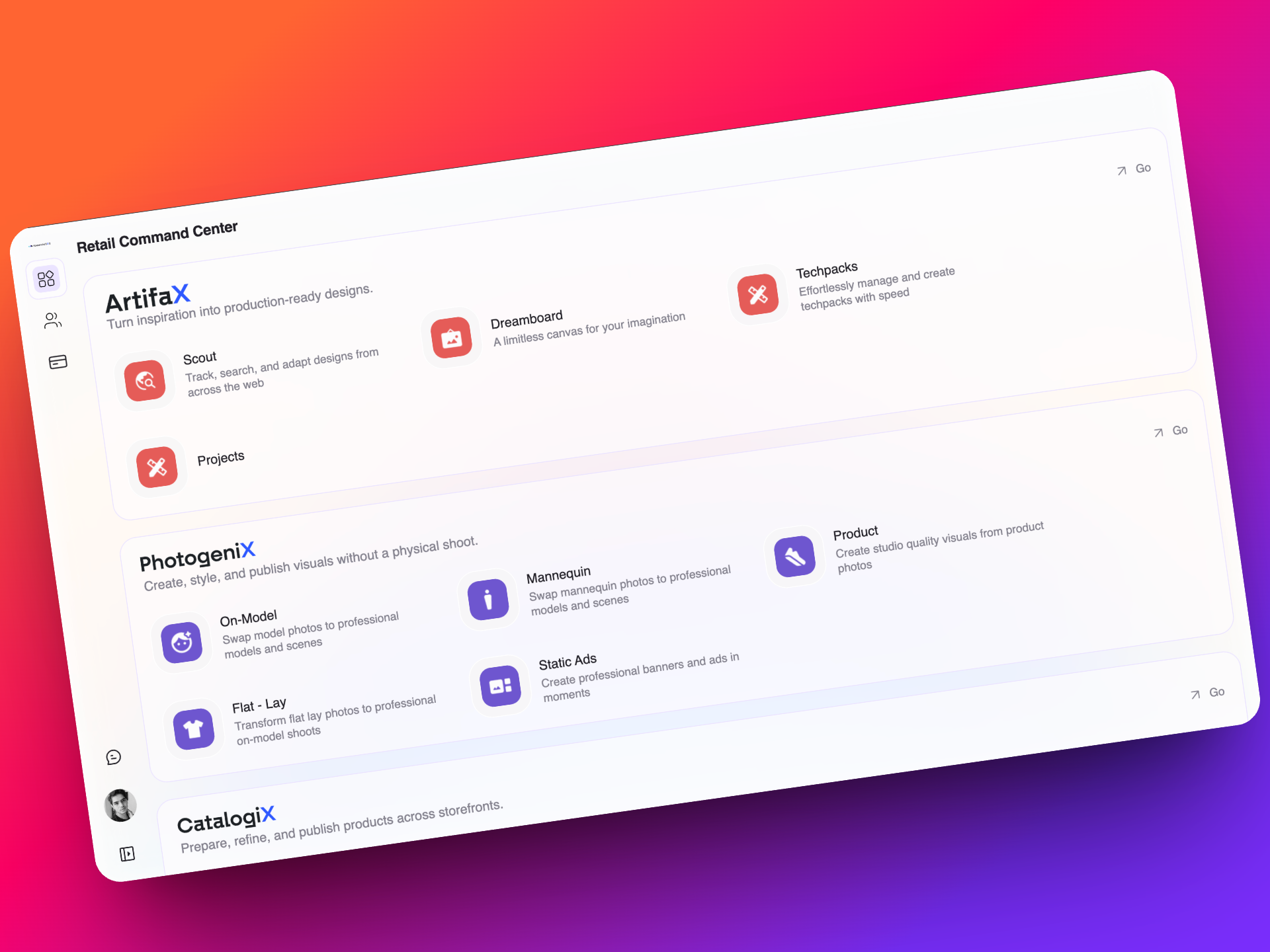
This is our biggest release yet. With version 0.19.0, we’re bringing everything you love into one powerful, unified platform: Streamoid CXO, your new retail command centre.
To kick things off, Brand Eye has been renamed to Artifax!
🔄 One Streamlined Platform for All Fashion Workflows
Artifax, Photogenix, Catalogix, Prelogix, and Catalist are now part of a single, unified platform -Streamoid CXO. No more multiple tools or logins. Just one place to design, shoot, and list your products.
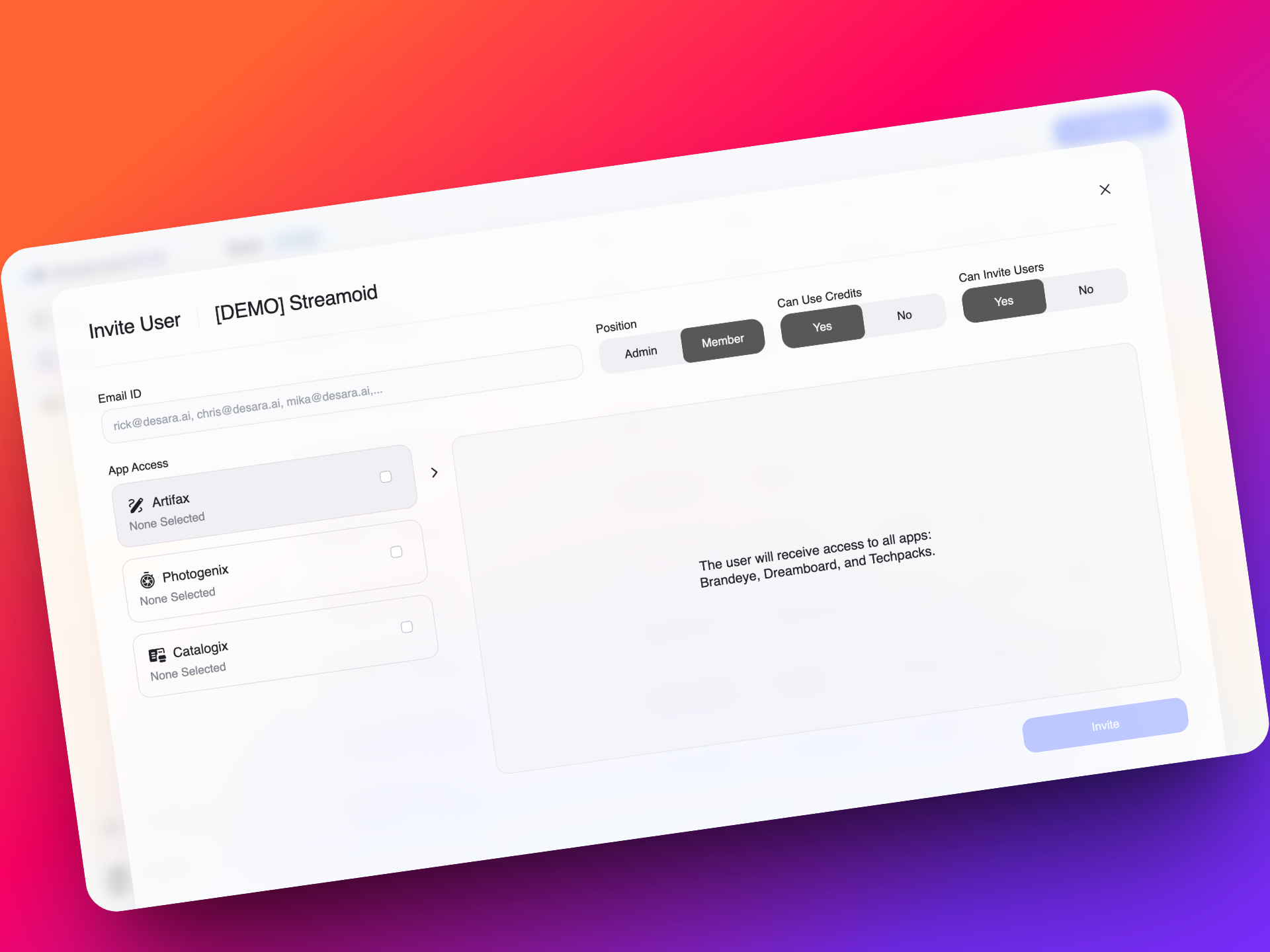
🔐 Advanced Team Access and Permissions Management
You now have fine-grained control over who on your team can access which apps, purchase credits, or invite new members. Build better governance across workflows without micromanaging each tool.
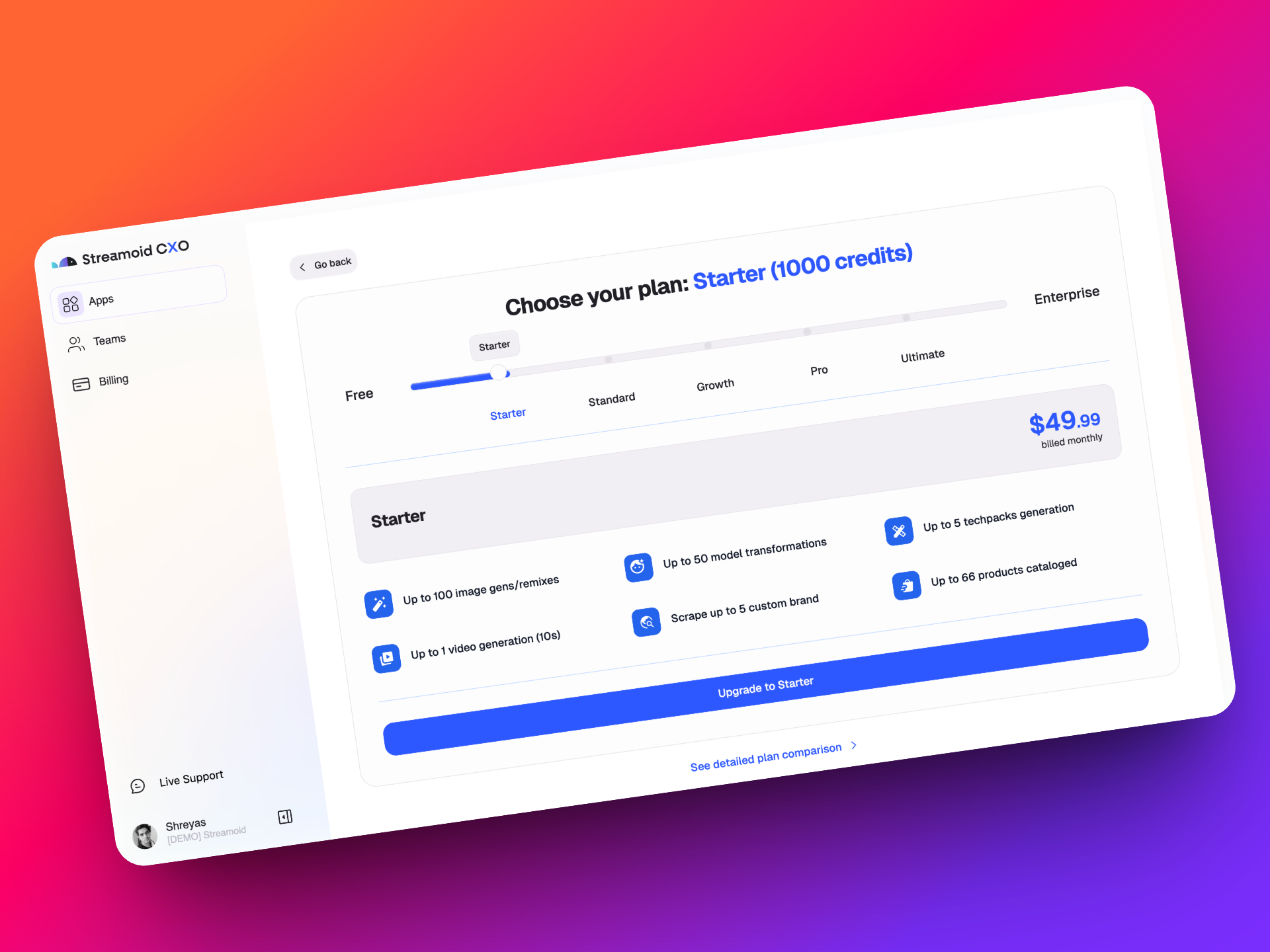
💳 A Smarter, Unified Billing System with Free Credits to Start
Every new signup gets 300 free credits, usable across any app in CXO. Only pay for what you need, when you need it and choose from flexible plans:
Starter, Standard, Growth, Pro, or Ultimate. Need something custom? We’ve got you covered.
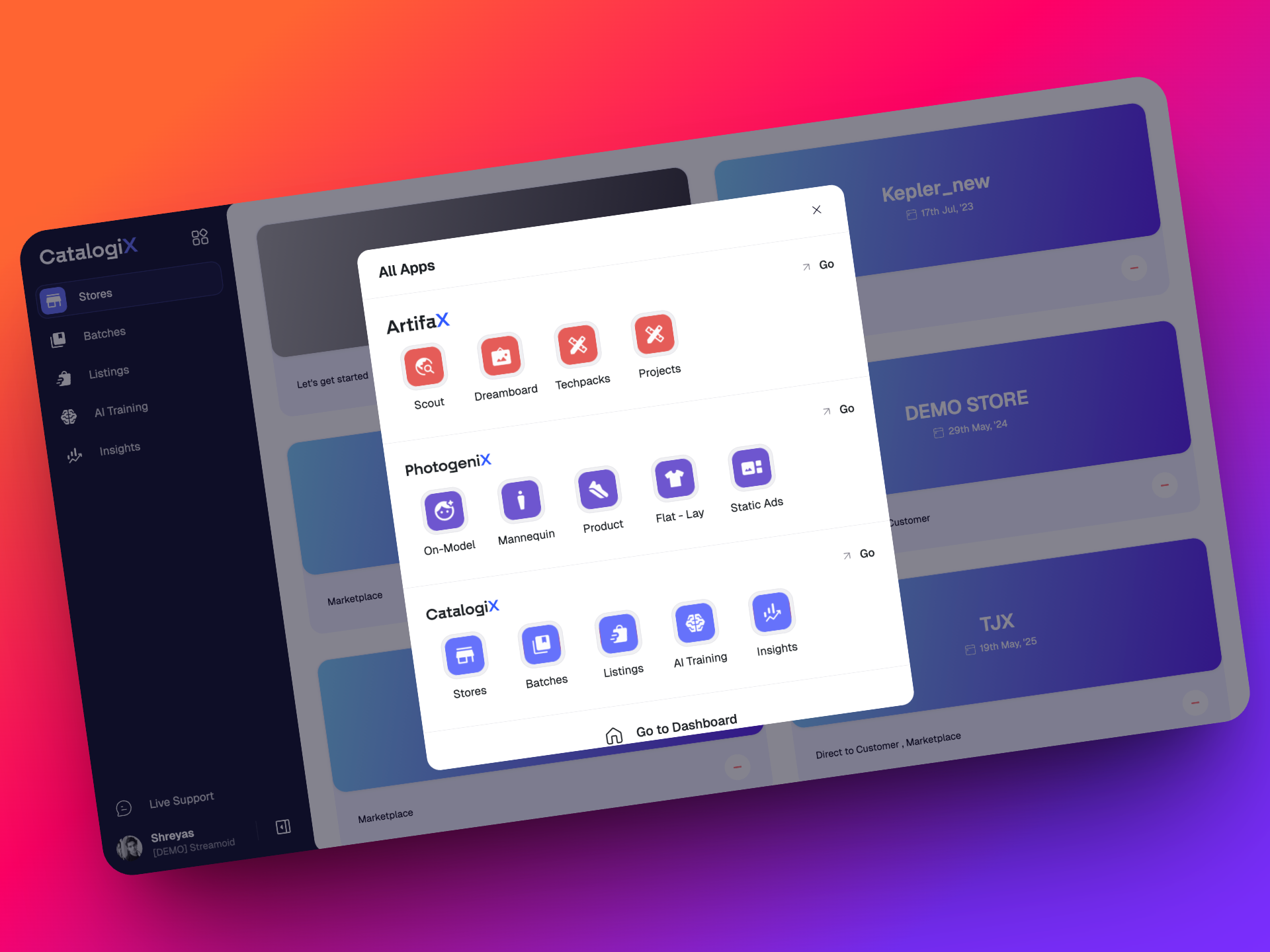
👥 Workspaces with Built-in Access to Every Streamoid App
Every workspace now automatically comes with access to Artifax, Photogenix, and the Catalogix Suite. No setup required. Just log in and start working across all our tools instantly
🔁 Effortless Navigation Between Design, Photo, and Catalog Tools
Switch between apps in a click without logging in again or juggling browser tabs.
CXO is built to keep your momentum going, no matter where you are in the fashion workflow.
v0.18.3
29 July 2025
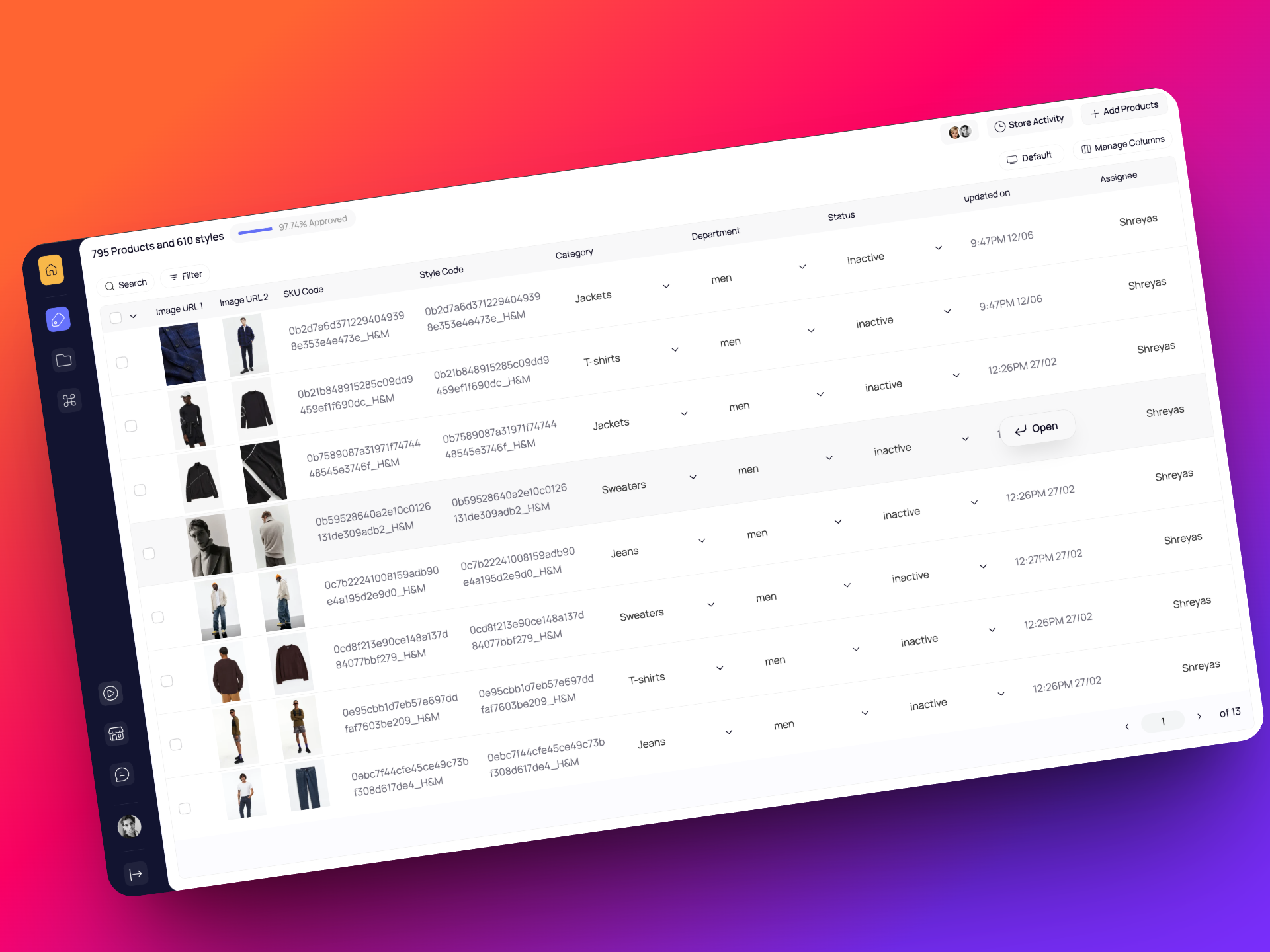
🧭 Cleaner, more useful default view
We’ve updated the default PLP view to show key attributes like Category, Department, and Style Code upfront. You get the info you actually need, without extra clicks.
🧹 Less clutter, more clarity
We’ve removed confusing fields like SMP Completion and SMP Status from the default view. If you still need them, you can always add them back with just a click.
v0.18.2
8 July 2025
Image translations made simpler
We’ve redesigned the image translations automation to be much easier to use. Previously, you had to juggle multiple dropdowns for background, dimensions, and more, which could get confusing.
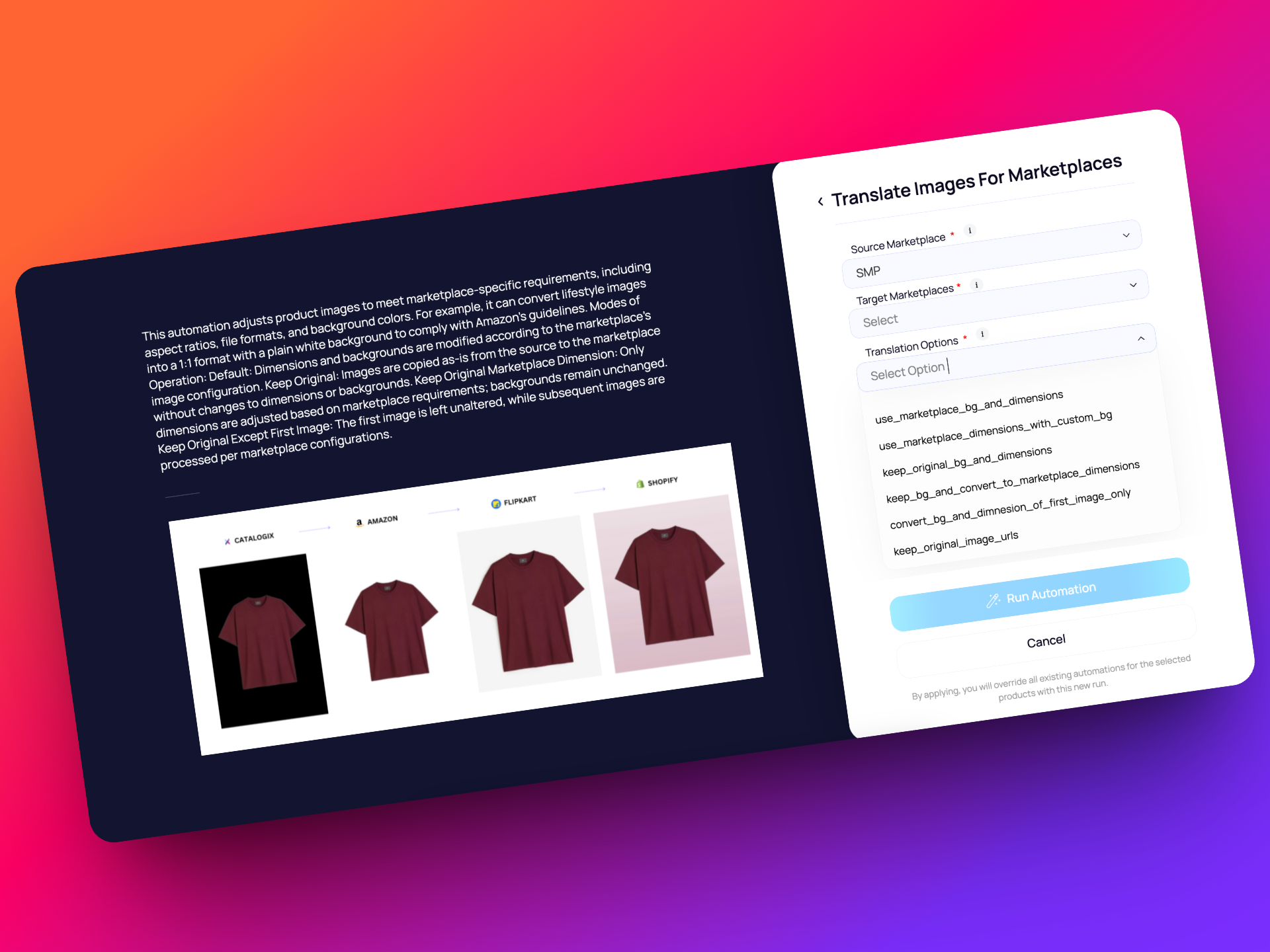
Now, everything is neatly organized under a single dynamic "translation options" dropdown. It’s cleaner, more intuitive, and helps you get the job done faster.
Gen AI image expansion for tricky crops
Ever had a resize cut off a model’s head, feet, or an important prop? Now, when original images don’t fit marketplace dimensions, Catalogix uses Gen AI to intelligently fill in the missing areas. Your visuals stay complete and marketplace-ready, without awkward cuts or extra manual work.
v0.18.1
20 June 2025
Smarter classifiers on marketplace taxonomies!
Classifier performance now gets better with your help. Whenever you manually curate or correct attributes for a specific channel, Catalogix learns from it. You can then re-train the classifiers so future predictions are more accurate and tailored to your marketplace needs.
v0.18.0
10 June 2025
🧩 Simplified Code, Smarter Backend (node layer)
We’ve completely refactored how our backend services talk to each other. This may not be visible to you, but it means things are now much more organized behind the scenes. Fewer bugs, faster updates, and easier maintenance for our FE devs.
Key takeaways:
- More consistent performance across services
- Better logging and error handling
- Easier and faster for us to add new features in the future
- Less downtime and fewer surprises during deployments
This makes our backend node system more stable and flexible; working away silently in the background.
📦 Automated Release Versioning & Smoother Deployments
We’ve moved to tag-based deployments and automated versioning; meaning every Catalogix release now has a clear, predictable version number (like this one: v0.18.0, next will be v0.19.0). If there are fixes to the release during QA time the patch version will change. So 0.19.0 can change to 0.19.1 or 0.19.2
- It’s easier to track what features/fixes are part of which release
- Deployments are faster, safer, and less error-prone
- Teams can clearly tag their tasks to the right release version
Bonus: We’ve already started this for the backend and we’ll soon extend this to frontend too!
⚡ OCR Automation, Now Faster
We’ve improved how our OCR service reads images by switching to a faster, more efficient method. Instead of sending full image files, we now pass image URLs directly to the model. This should speed things up noticeably!
🧵 View Filters Just Got Smarter
We’ve added auto-filters to our pre-defined views (SMP) in the PLP!
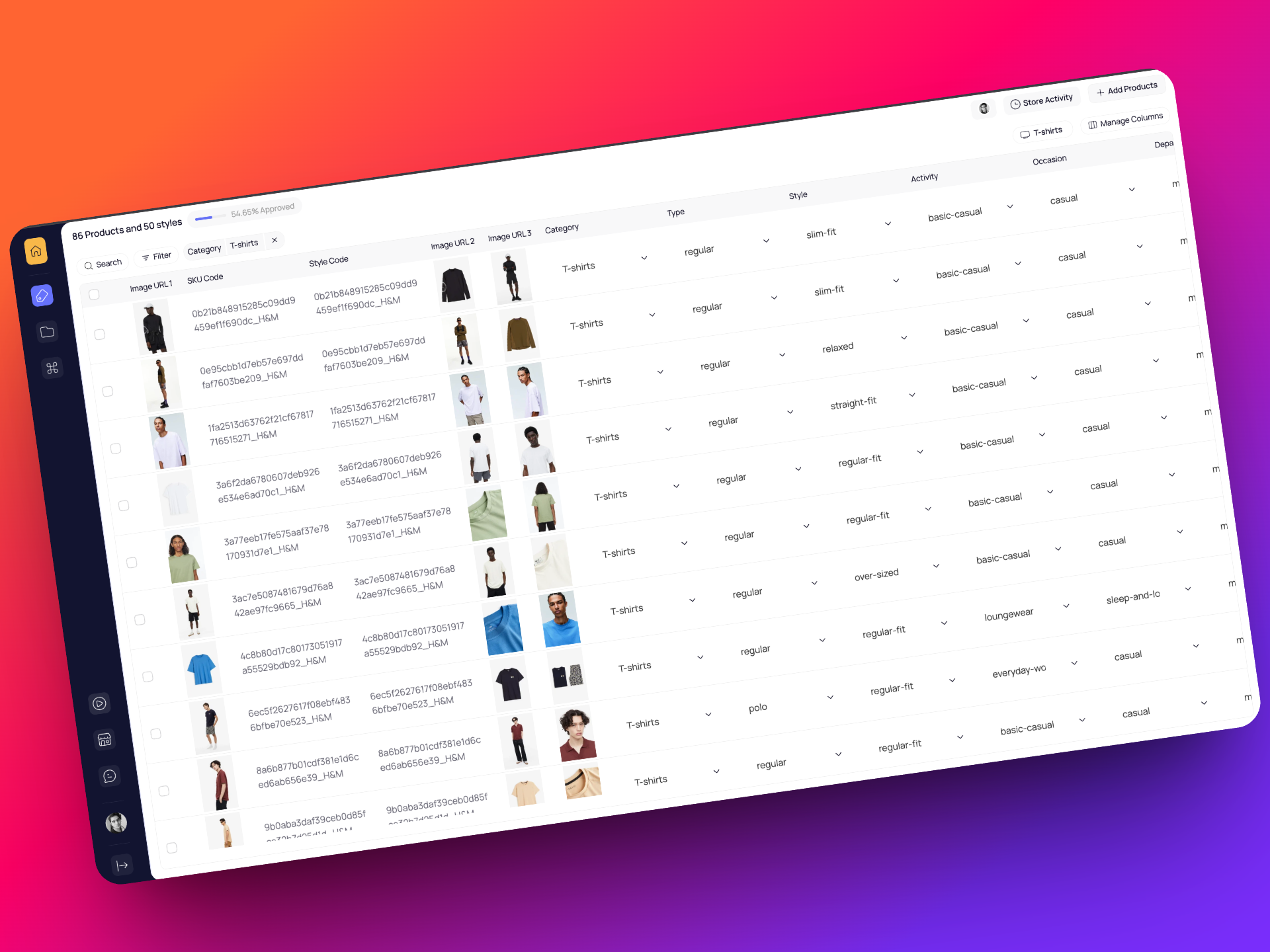
Now, when you switch from the Default view to something like “Shirts (SMP)”, we’ll automatically apply the right filters too — so you don’t have to manually re-select categories. Less confusion, more clarity.
v0.17.0
13 May 2025
🧠 Smarter Classifiers with Workspace based Re-Training
Classifier performance now improves based on your corrections! Every time you manually curate or correct attributes in a workspace, Catalogix learns from it and allows you to re-train the classifiers linked to that specific workspace
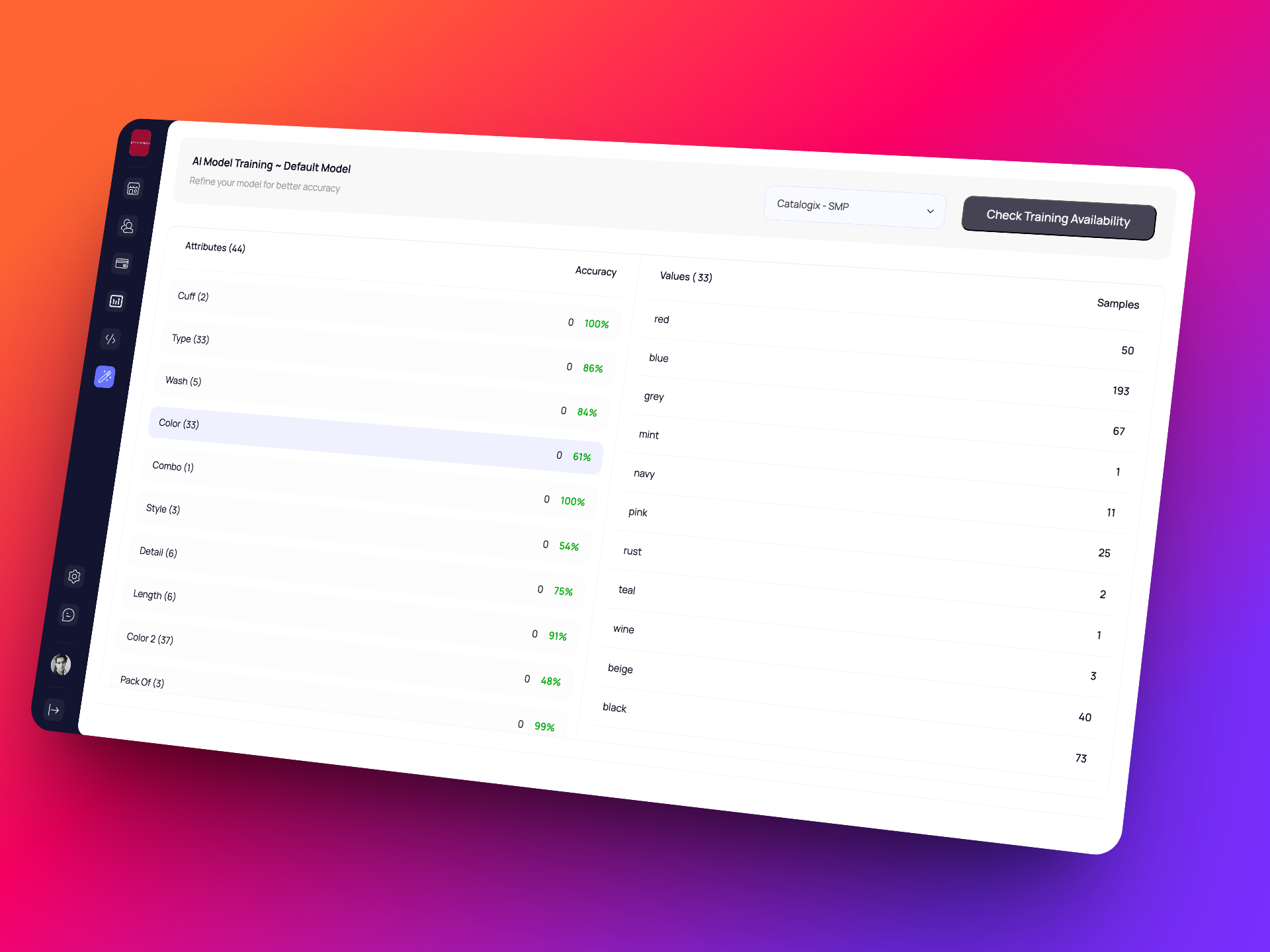
Over time, this means less manual curation and better accuracy; tuned to your match your workspace needs! Further you can also track accuracy of attributes and vales - this gives you more control and confidence in AI predictions
🤖 Better Gen AI with LangChain & Pydantic
We’ve given our content generation pipeline a behind the scenes makeover! With LangChain and Pydantic under the hood, the Gen AI experience is now more structured, consistent, and adaptable. Product titles & descriptions should now be cleaner and better-structured.
Fewer inconsistencies. More relevant output. Smarter generation.
👀 Your Views, Sorted Just for You
Your PLP just got more personal. The views section on the PLP will now show your personal recent views at the top — sorted by recency, just for you. Even in shared stores with multiple users, you’ll always see your own views first, so you can get back to what you were doing, faster.
Before this, we sorted views alphabetically or by last used across users.
🔧 Improvements & Fixes
- Consistency Across Environments
Normalized key services between test and prod for smoother deployments
- Swatch Generation
Fixed a bug where swatch creation failed for certain image regions
- Image Edit/Masking
Restored expected behavior for image masking and corrections
- Current View Export bug fixed
Exported CSVs now follow the same column order as the PLP — no surprises in your downloaded files.
v0.16.0
29 April 2025
🎬 New Automation! Generate Product Videos with Gen AI
Say hello to the next level of content automation! You can now create short, AI-generated product videos from a single product image on Catalogix — powered by Generative AI.
The automation uses Gen AI to animate your static image, producing a video that looks like the garment is being showcased on a moving model. It's perfect for enhancing product detail pages, social media, or even internal previews.
🔧 Improvements & Fixes
- 📏 Smarter Size Chart Tagging
When creating a size chart via automation, the generated image is now auto-tagged as graphic > size chart — no manual tagging required.
- 🖼️ Direct Image Upload – Fixed & Flowing
Fixed a bug where directly uploading images to the Multimedia section triggered a recurring automation was getting triggered and required a page refresh. Uploads now work smoothly and show up instantly.
- 🔁 Image Replacement Fix
Replacing a product’s images now correctly updates the images — no more failed or partial replacements.
v0.15.0
21 April 2025
🛍️ Marketplace Template Views – Now on Catalogix!
A long-standing request (especially from our internal teams) is finally here: View marketplace templates directly within Catalogix. No more switching between tools or guessing how your data will look on the final template.
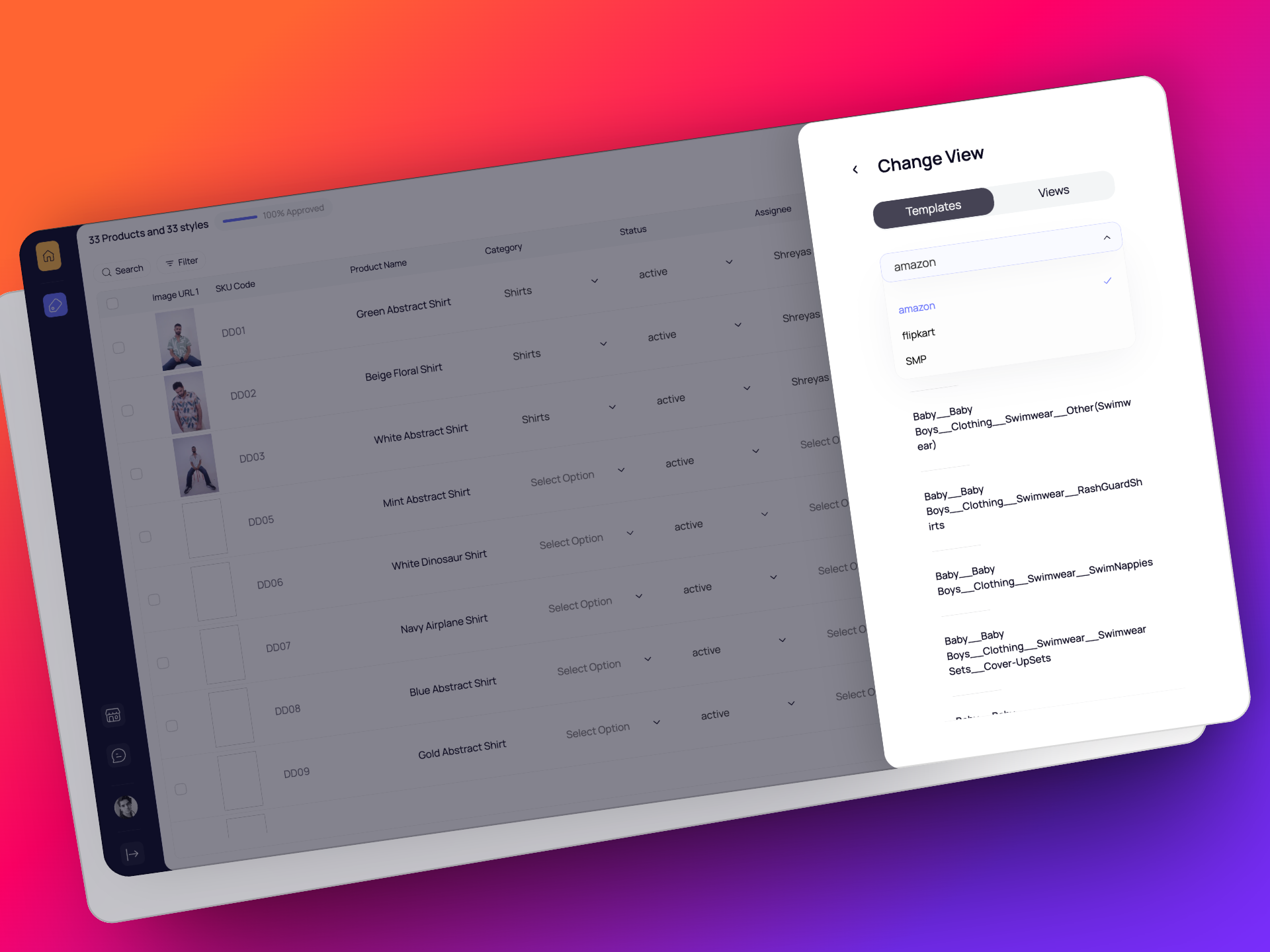
Whether you're QC-ing translated data, doing a final review, or just need to double-check — it’s all visible right where you're already working.
✅ See translated product info in the actual template format
✅ Need bulk edit and market place field? Do it directly on the template and export!
✅ Save time, reduce errors, and catch issues early
🤖 xAI Joins the Title & Description Game
We’ve added xAI to our lineup of supported Gen AI models for title and description generation!
Just like before, you can choose which model you want Catalogix to use for your content — and now xAI is one of those choices.
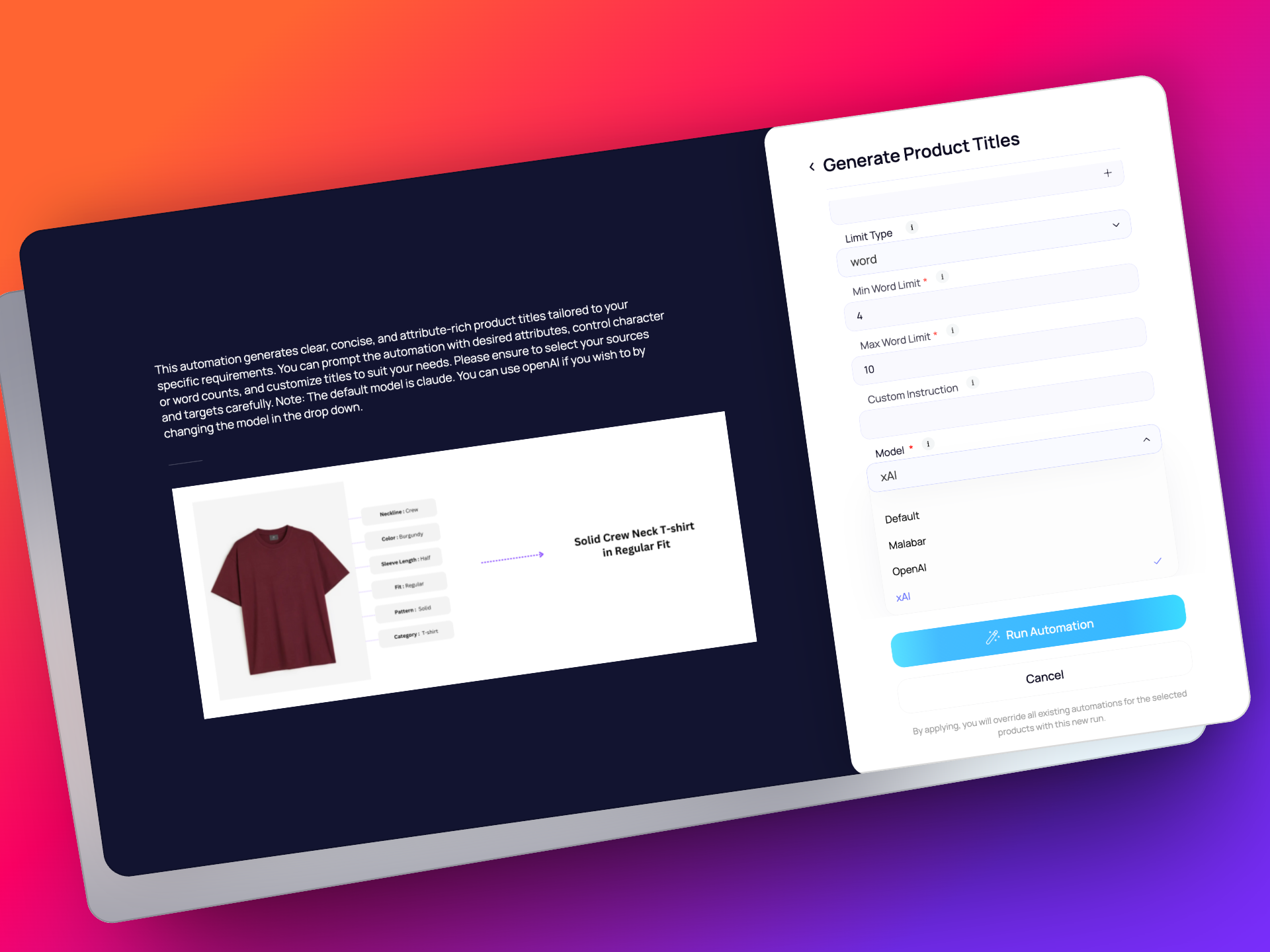
As always - Whether you're after a specific tone, speed, or style — pick the model that works best for your use case.
🔧 Improvements & Fixes
- 🖼️ Image Reordering Bug Squashed:
Fixed an issue where reordering images (especially dragging the last image to the first position) wasn’t working as expected.
- 🏗️ Curation Attribute Display Fix:
When creating a new store, configurable attribute values were being shown as deselected. This is now fixed.
v0.14.0
10 April 2025
🧠 Smarter Attribute Predictions
Predictions for linked attributes like Number of Pockets, Pocket Type, and Placement are now cross-checked using human-defined rules. For example: If a product has 1 pocket, it can’t have “No Pocket” as a type or “N/A” as placement.
Fewer mismatches. Less manual fixing. More trust in auto-filled data.
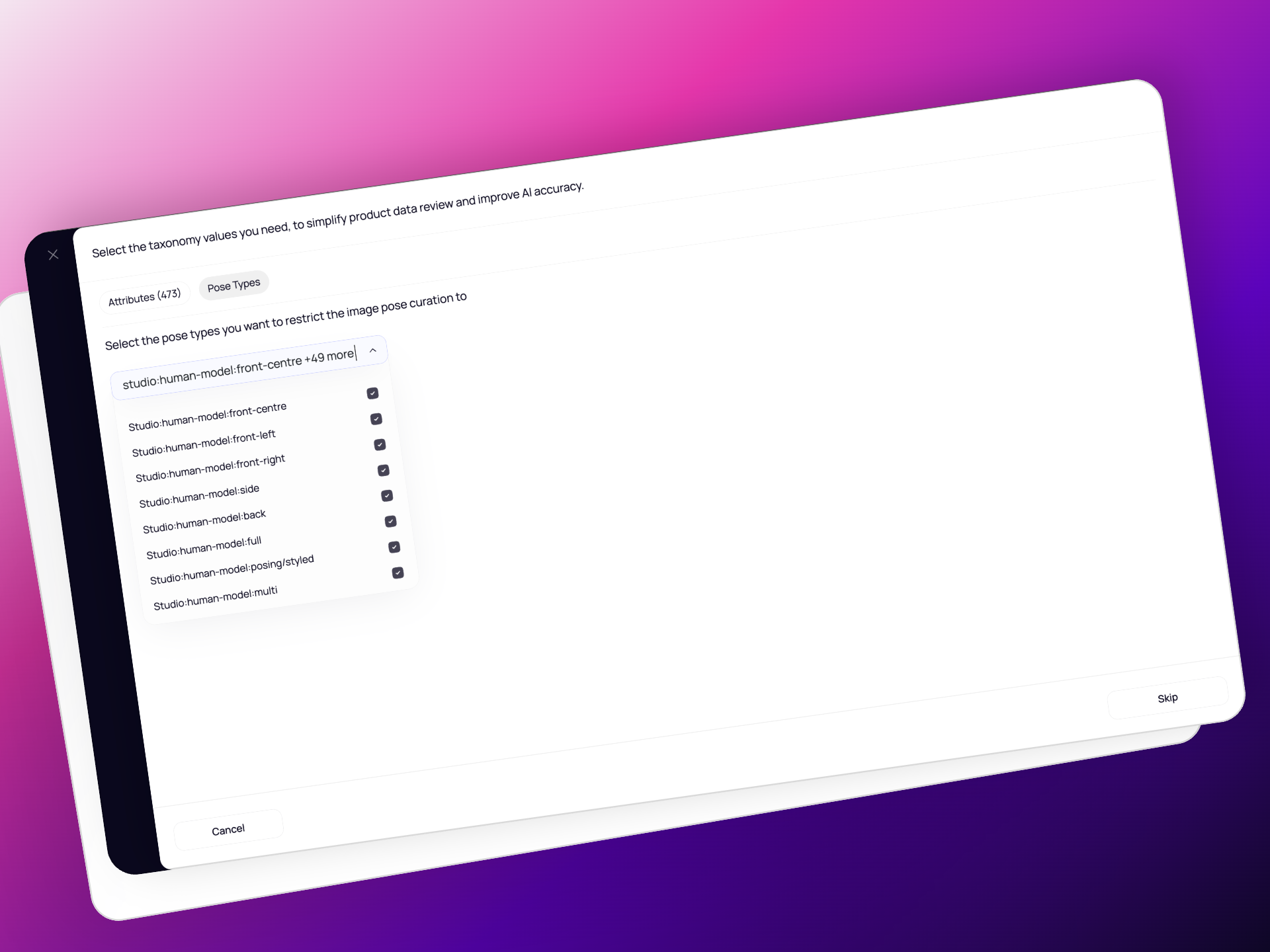
🧍♀️ Pose Types, Your Way
Choose the pose types you want during store setup or anytime via Store Settings. Classifiers will now only predict from your selected pose types — keeping things relevant and tailored.
🔧 Improvements & Fixes
- Clearer Error Messages for bulk action - Restore Source Data
When restoring multiple attributes, if one of them has an issue (like a missing channel), we’ll still restore the rest — and clearly tell you what didn’t work.
- Unset Data? No Problem
You can now unset values for an attribute and still restore them later to a specific channel. Flexible data handling, just how it should be.
v0.13.3
3 April 2025
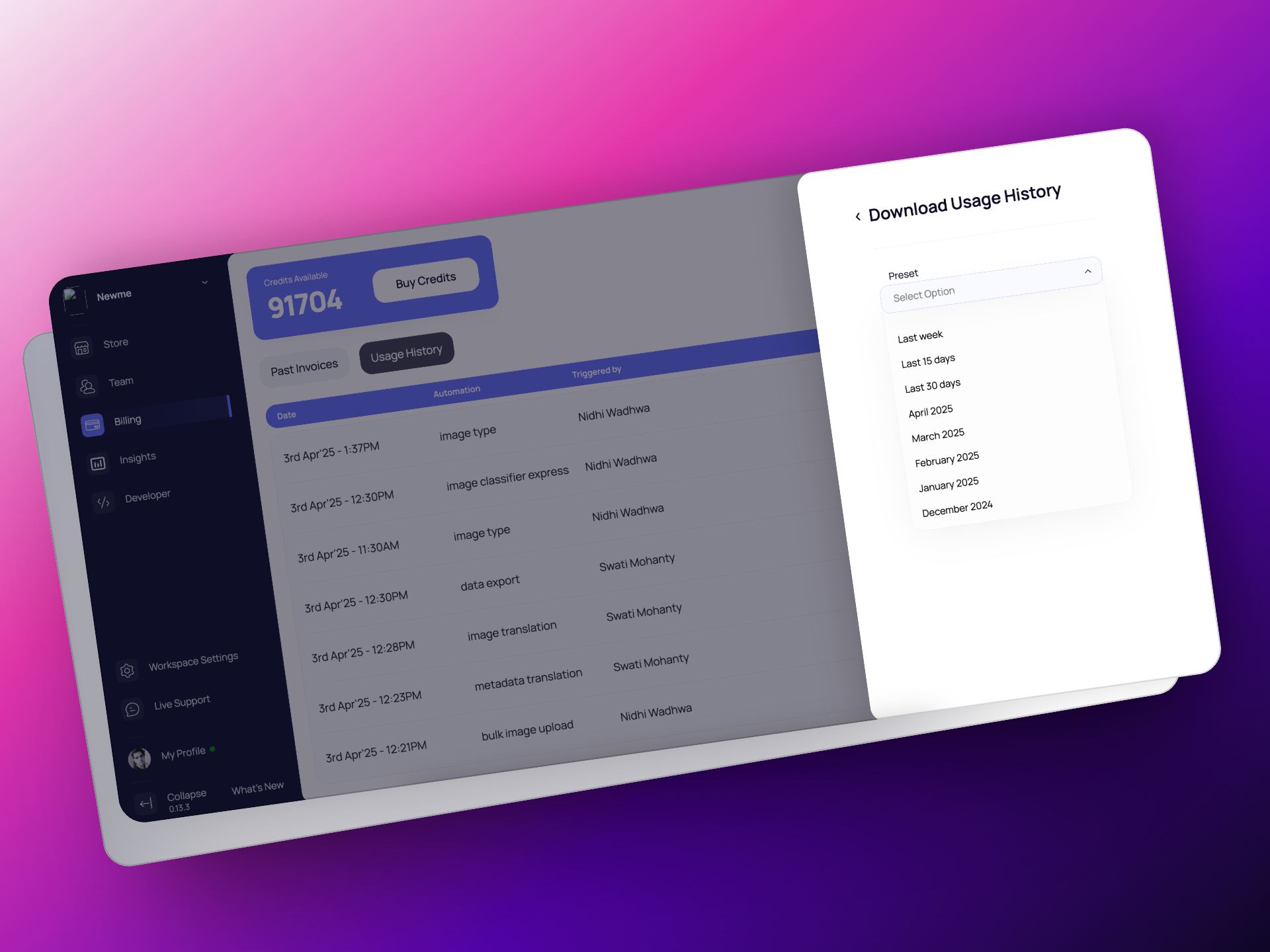
📊 Credit Usage History – Now Downloadable!
You asked, we delivered! You can now download your credit usage history anytime you like. Whether you want to review the last week, last 15 days, last 30 days, or a specific month — it’s all in the billing section of your workspace!
🔧 Improvements & Fixes
- Group Edit Across Pages
Bulk editing just got better — you can now apply group edits to products selected across multiple pages, not just the current one.
- SKU-Based Image Uploads
You can now upload product images using SKU codes as identifiers for a marketplace!
v0.13.2
27 March 2025
Public Preview
- Added the ability for users to define what values are important to them in store settings
- Implemented a referral program
- Increased the granularity of image types that can be identified for an image (creative, studio, graphic)
- Added a Developers section in the sidebar where users can create and scope API tokens.
- Improved the accuracy of the automation “Generate attributes from images” with a completely new AI pipeline.
Improvements and Fixes
- Removed the error notification of “No products found” when opening an empty store.