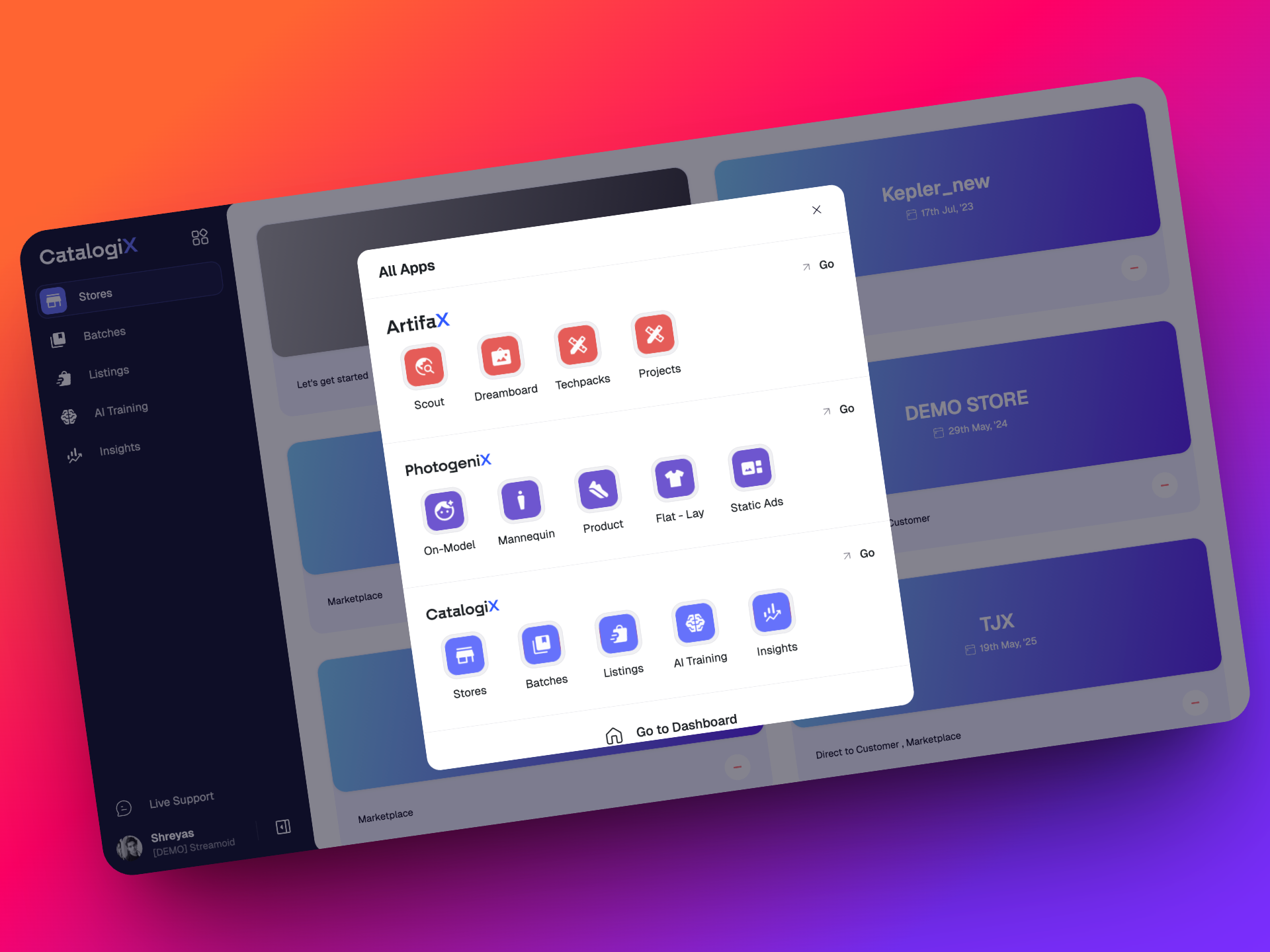
v0.26.0
20 March 2026
CXO v26 - We're going strong with the updates!
We are going strong in March with updates all around. This release packs a punch since we have some big updates to both Photogenix and Artifax!
Read below to find out what's new!
🚀 What’s New?
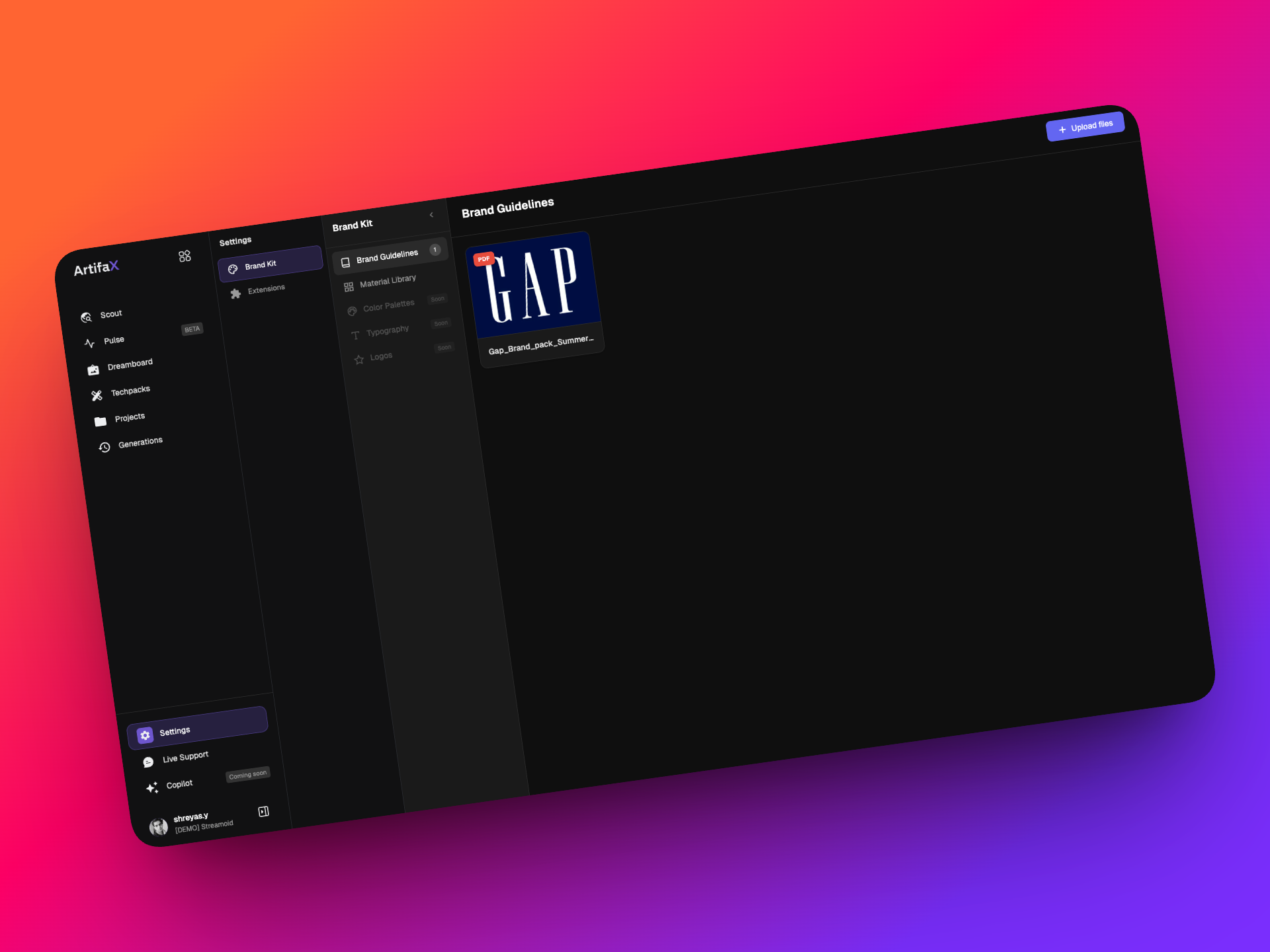
⚙️ New Settings Section
A new Settings section has been introduced to give you more control and customisation across Artifax.
Brand Kit
You can now upload your brand guidelines (PDFs or PPTs) directly into Dreamboard. Once uploaded, Artifax scans these files and generates a detailed brand profile. The data from this can be used downstream in dreamboard or other plugins (more on this soon!).
Extension Library
- Create and manage your own custom extensions + Control visibility across your workspace
- Browse and install Streamoid-built extensions
This makes Dreamboard more extensible and adaptable to your workflow.
📁 Projects: Knowledge Library
Projects are now more powerful with a fully functional knowledge library.
You can upload and organize different types of knowledge such as:
- Best sellers
- Trends
- Forecasts
- Research
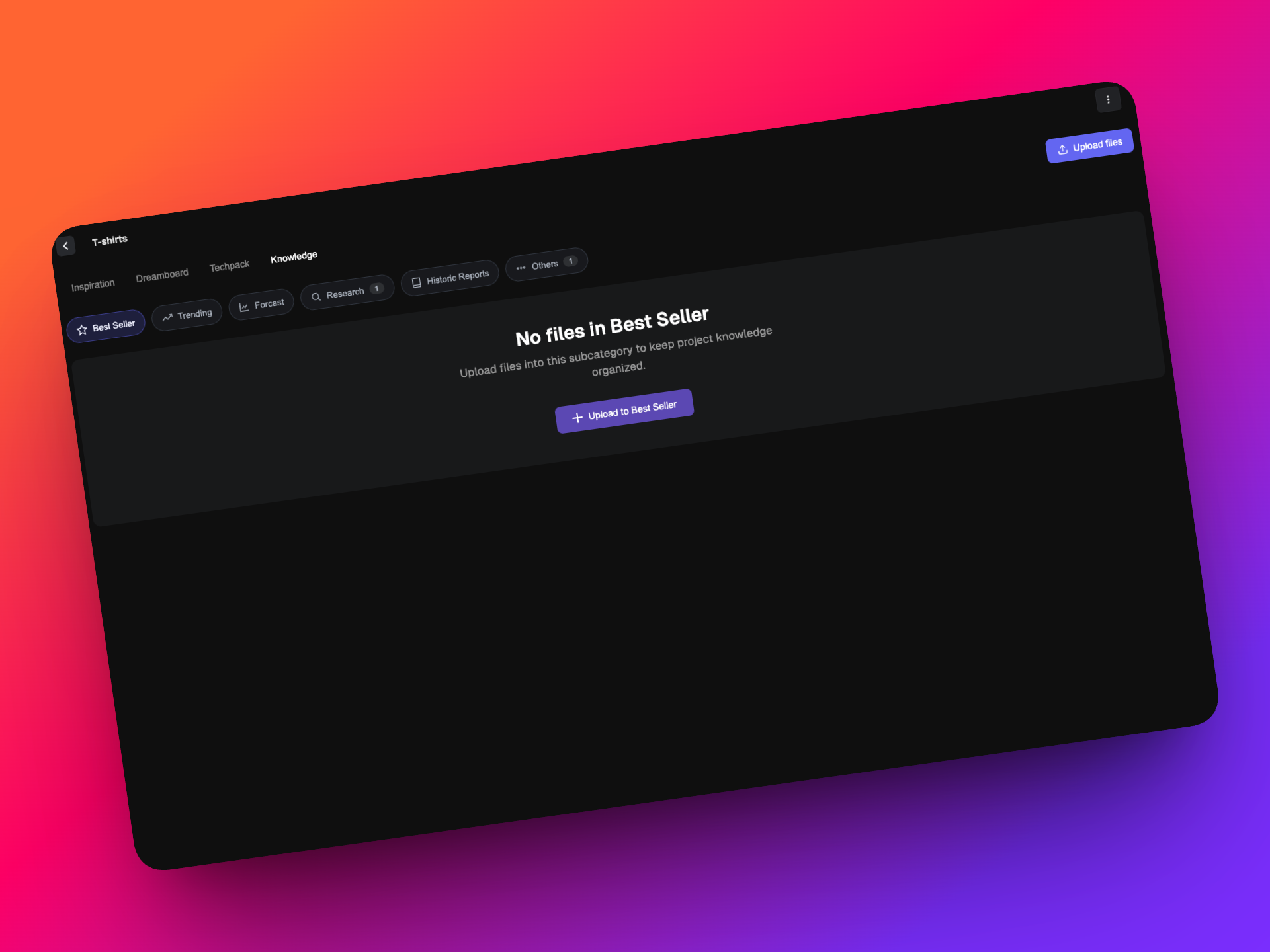
This allows teams to centralize insights and use them as context while creating and iterating inside Dremboard/Project. As of now Bestseller and Forecast uploads will be scanned and detailed data extraction is done to use downstream in plugins.
🧩 New Extensions
We’ve added powerful new extensions to expand what you can do inside Dreamboard.
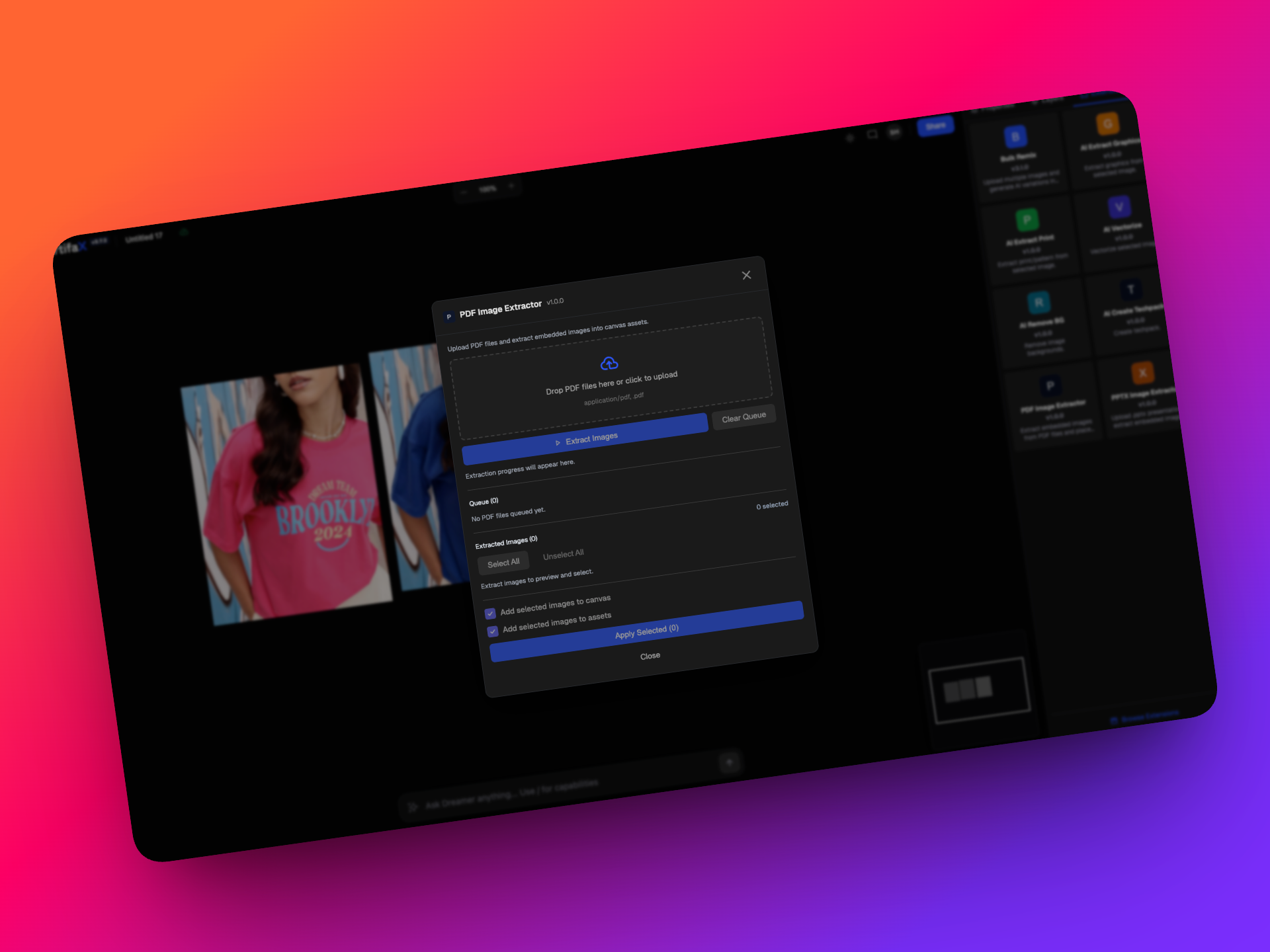
- Extract images from PDFs and PPTs
This makes it easier to bring external content into your workflow and customize your setup. No more manual screens hoting of images from PDFs and Decks.
🖼️ Canvas & Assets
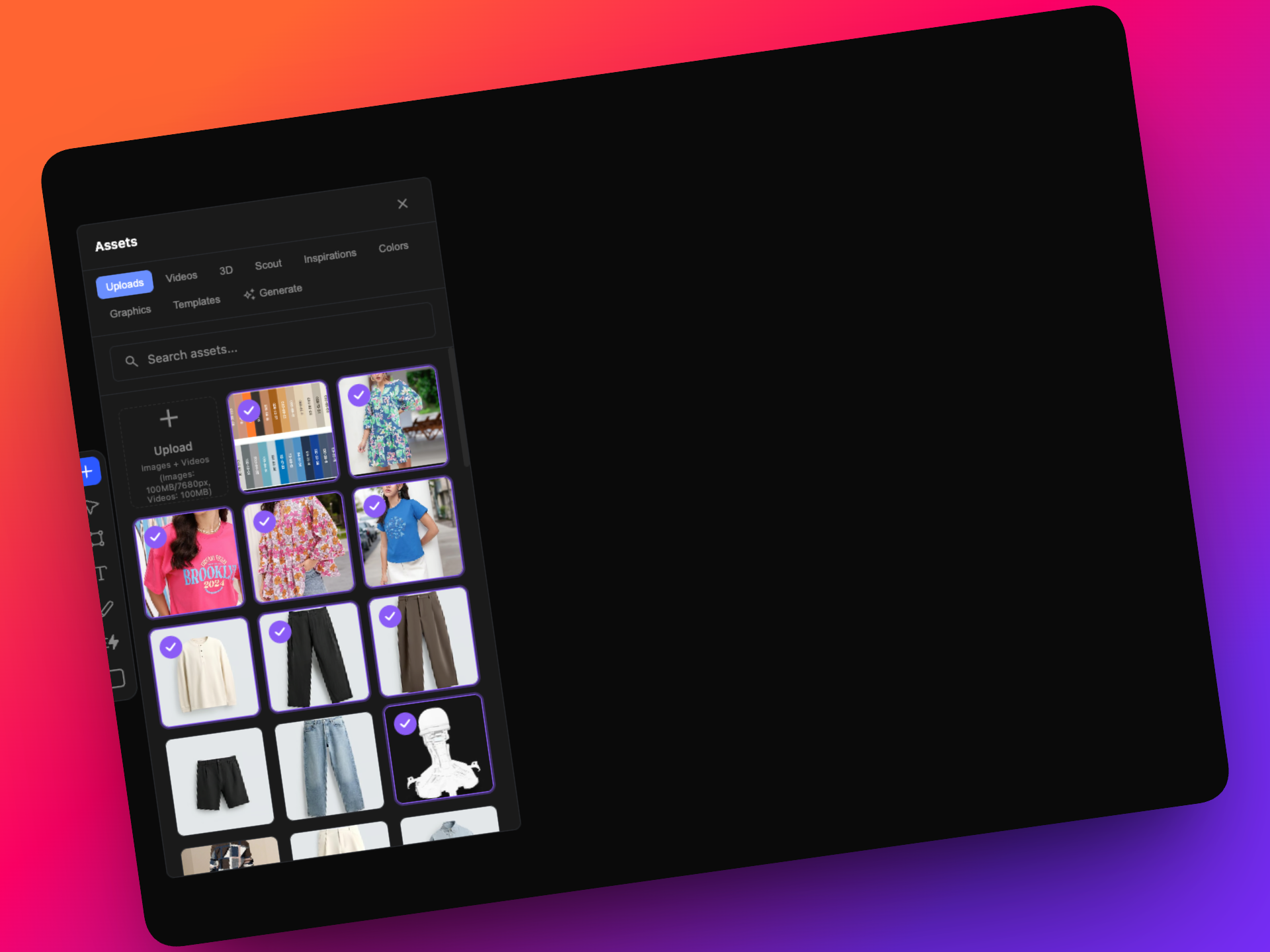
- Multi-select images from Assets and drop them directly onto the canvas
- Improved thumbnail generation on the Dreamboard homepage
- Smoother cropping experience with inline cropping (double-click to crop)
📦 Media & Generation
- Upload videos and 3D files to Dreamboard
- Choose your preferred resolution while generating or remixing images
✨ Improvements to the Dreamboard Experience
- Artboards
- Text
- Pen Tool
- Colors
That's all for this round of updates! As usual we have a lot more that is in the works. Watch this space for more!
v0.25.0
17 February 2026
Dreamboard V3 is Here ✨
We’re excited to introduce a major update to Dreamboard in Artifax.
Dreamboard V3 is a full revamp focused on performance, scale, smarter AI workflows, and smoother collaboration. Whether you’re building a single concept or exploring dozens of variations, this release helps you move faster and stay in flow.
Below is a structured overview of what’s new and what’s improved.
🚀 What’s New?
💬 Meet Dreamer ; Your AI Assistant in Dreamboard
We’re introducing Dreamer, a built-in AI assistant that brings a chat-based interface directly into Dreamboard.
.png)
Instead of navigating through multiple tools manually, you can now simply describe what you want and Dreamer helps you get there.
You can use Dreamer to:
- Ask for tips or guidance on using Dreamboard
- Get help navigating tools and workflows
- Perform actions directly through chat
Dreamer can also complete specific tasks, such as:
- Removing the background from an image
- Arranging images and artboards
- Generating variations of a selected image
- Using a selected image as a reference
Simply select an image on your canvas and tell Dreamer what you’d like to do.
Note: Dreamer is a new feature. For more complex operations, more specific prompts will produce better results.
⚡ A Faster, More Reliable Canvas
Performance has been significantly improved.
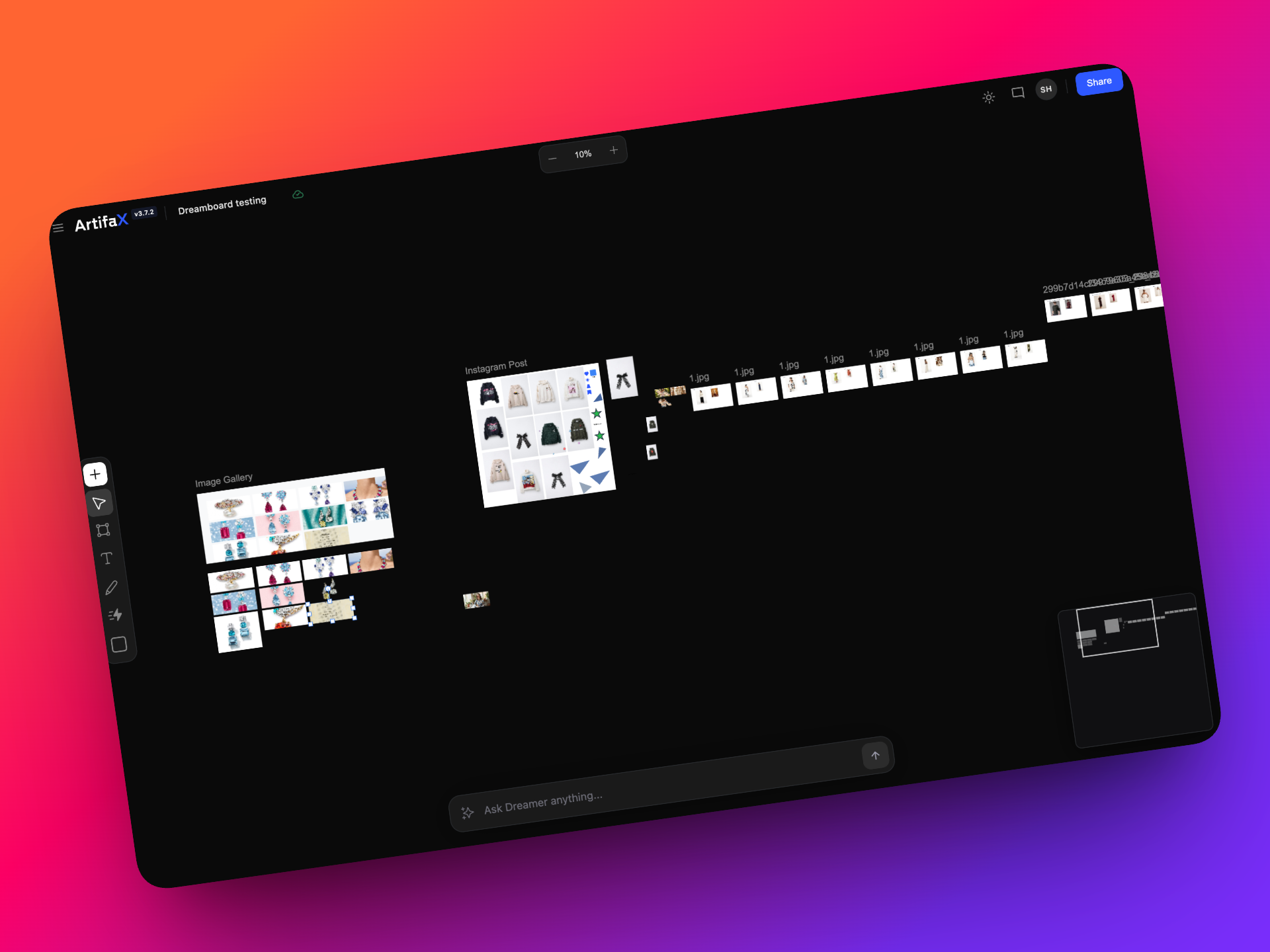
You can now load up to 100 images on a single canvas with smoother behavior and fewer slowdowns. Image imports are more stable, and large boards are far less likely to freeze or lag.
This means you can explore more ideas without technical interruptions.
🖌 Updated Assets Panel
The Assets panel now does much more than store files; it centralizes sourcing, color exploration, graphics, and AI generation in one place.
Colour Palettes & Graphics:
In the assets panel, you can now:
- Create custom color palettes
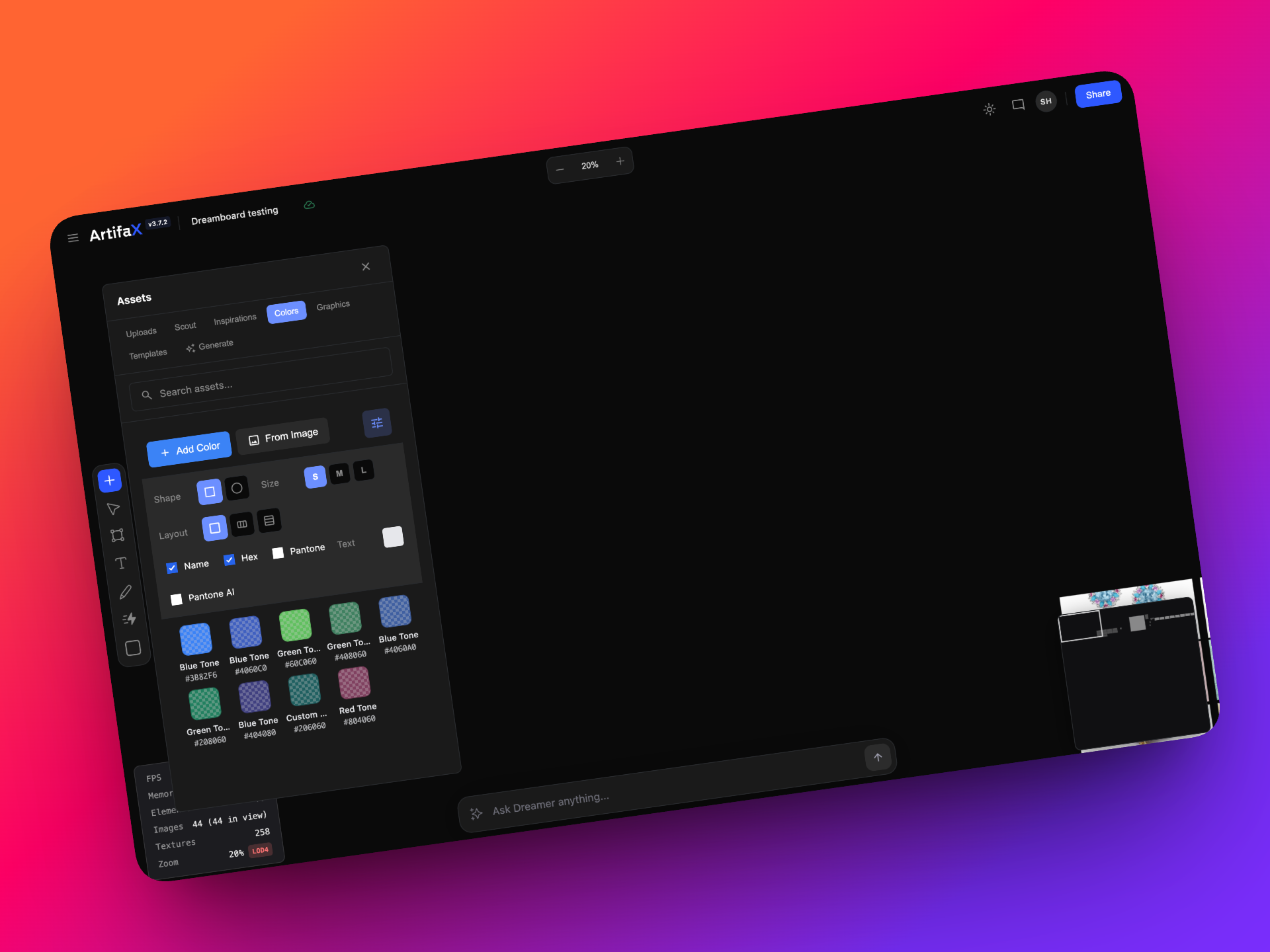
- Generate a color palette from any image
- Upload an image and automatically extract its key colors.
- Add available graphics directly to your canvas or artboards.
This makes it easier to turn inspiration into structured design elements instantly.
Image Generation
You can also generate entirely new images using text prompts.
- Choose how many variations to generate from a single prompt
- Explore multiple creative directions at once
- Track generation progress in real time
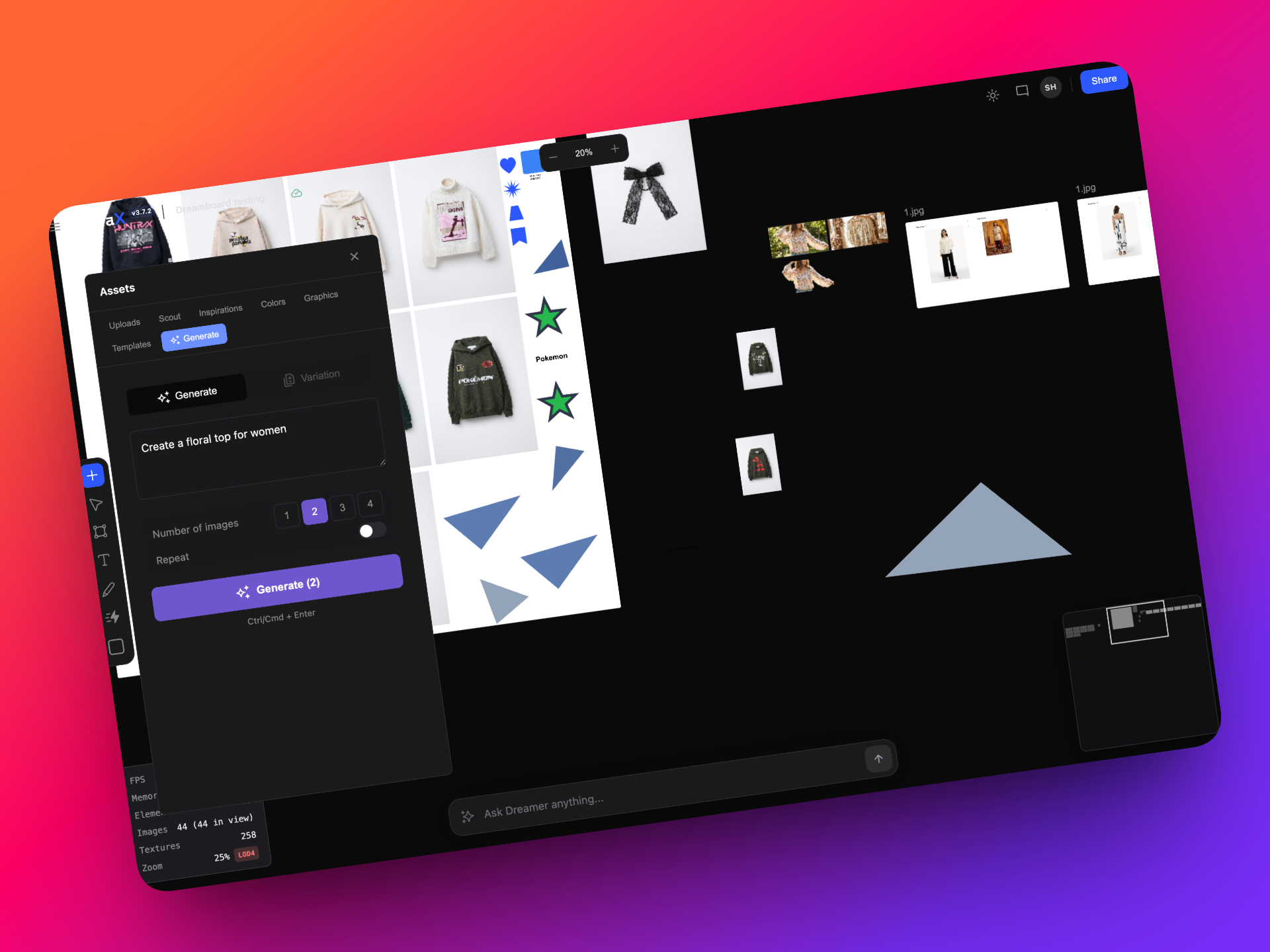
Once images are generated, you can refine them directly within Dreamboard using:
- Background removal
- Vectorization
- Replace-in-place (update an image without disrupting your layout)
The entire experience is designed to keep you in flow — from idea to iteration to refinement.
🧵 Extract Prints
We’ve introduced an Extract Prints option; a powerful new way to turn physical inspiration into usable digital patterns.
You can now upload an image of a printed garment and simply click “Extract Print” from the properties panel. Once triggered, Dreamboard automatically:
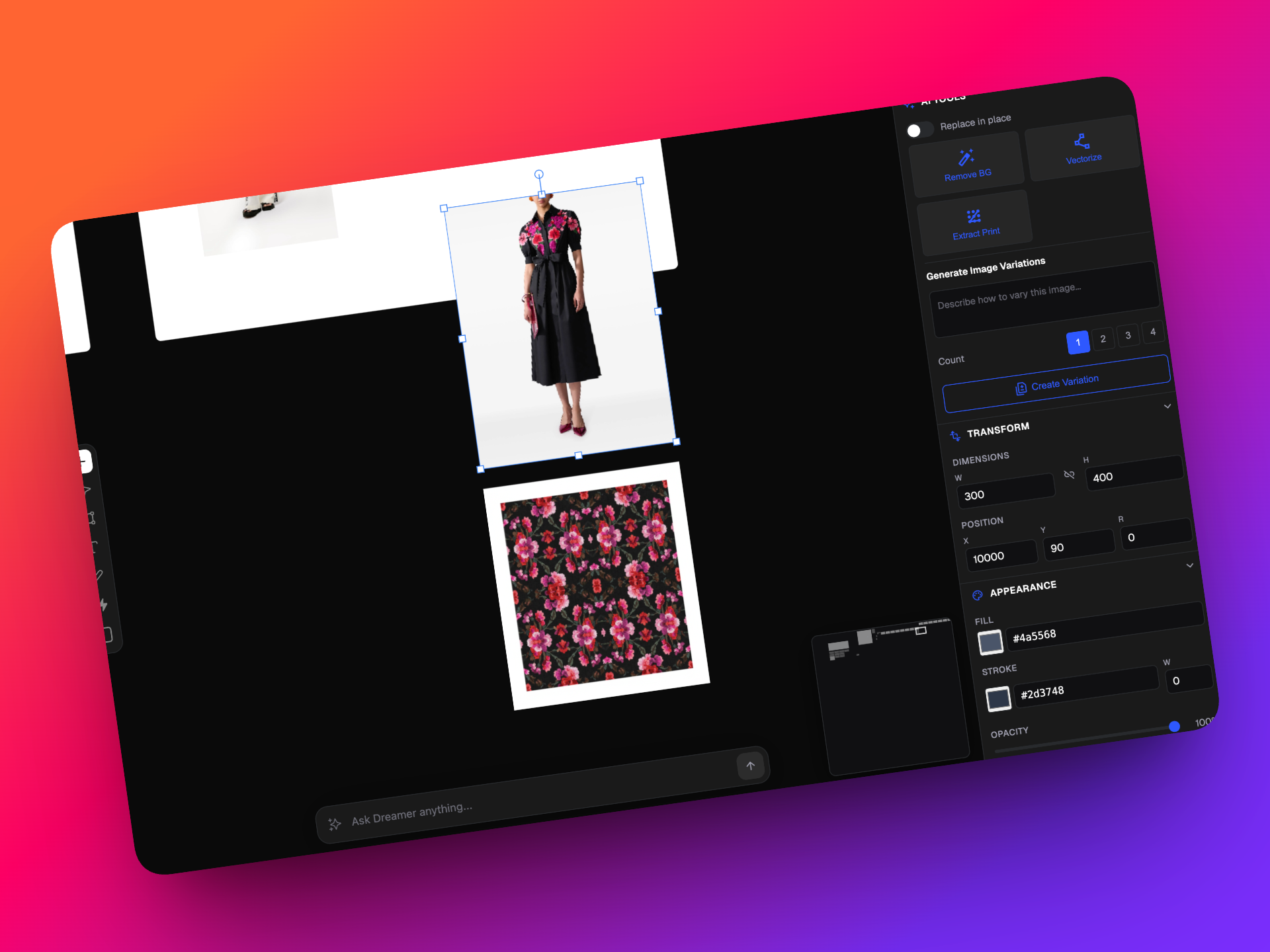
- Detects and isolates the print from the garment
- Generates a seamless repeat pattern
This makes it easy to digitize prints, reuse designs, and accelerate print development without recreating patterns manually.
🔁 Bulk Remix for Scaled Exploration
When working across multiple inputs, iteration needs to be fast and organized.
.png)
Bulk Remix allows you to:
- Upload up to 30 images at once (from Scout or any source)
- Assign a unique prompt to each image
- Generate multiple variations per input
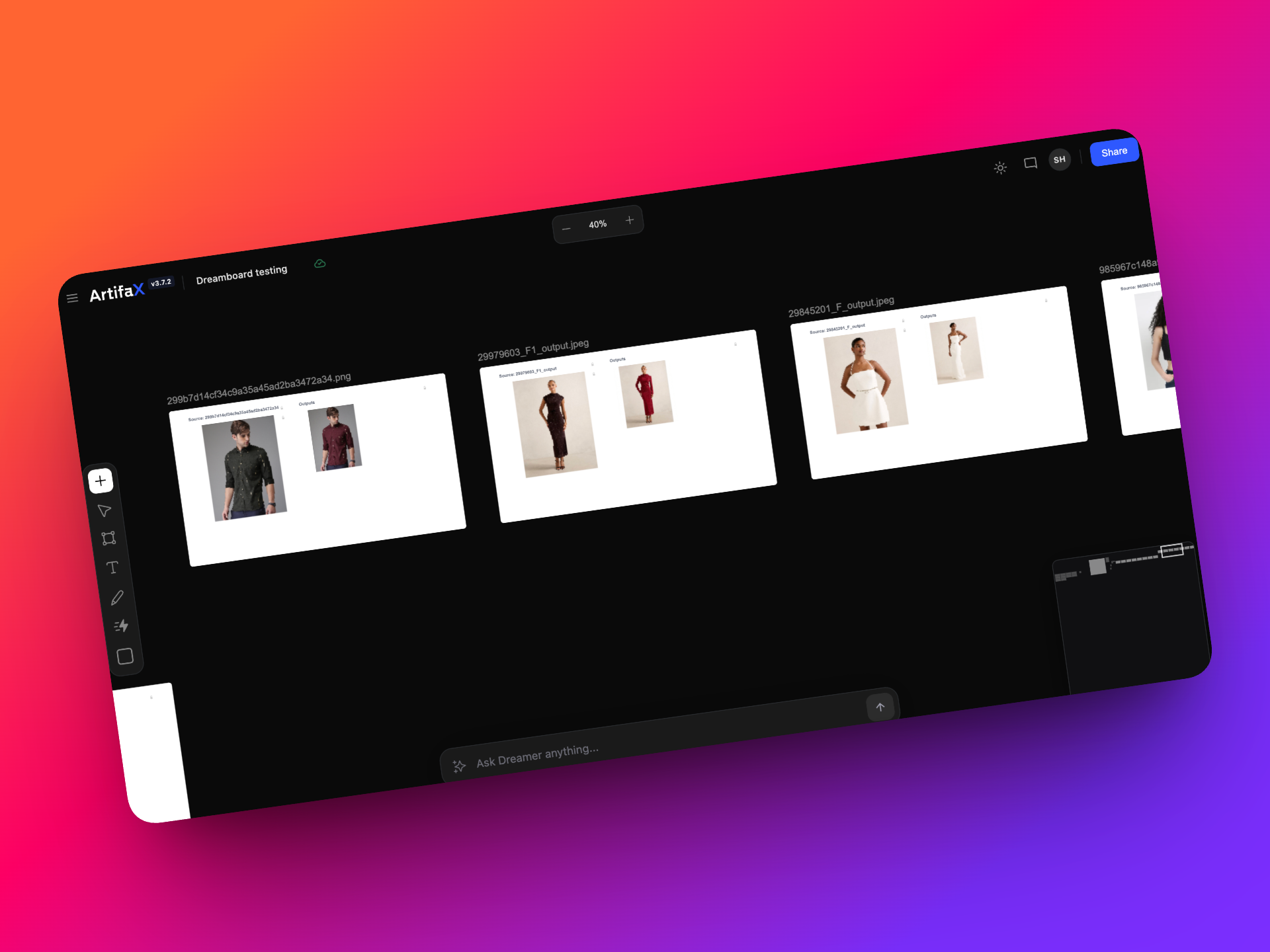
Dreamboard automatically creates structured artboards that display the original image alongside all generated outputs. This makes comparison, review, and decision-making significantly easier.
Bulk Remix helps you move from input to output at scale — clearly and efficiently.
💬 Comments & Collaboration
Collaboration inside Dreamboard is now more seamless.
You can leave comments directly on artboards and assets, keeping feedback tied to the visuals it relates to.
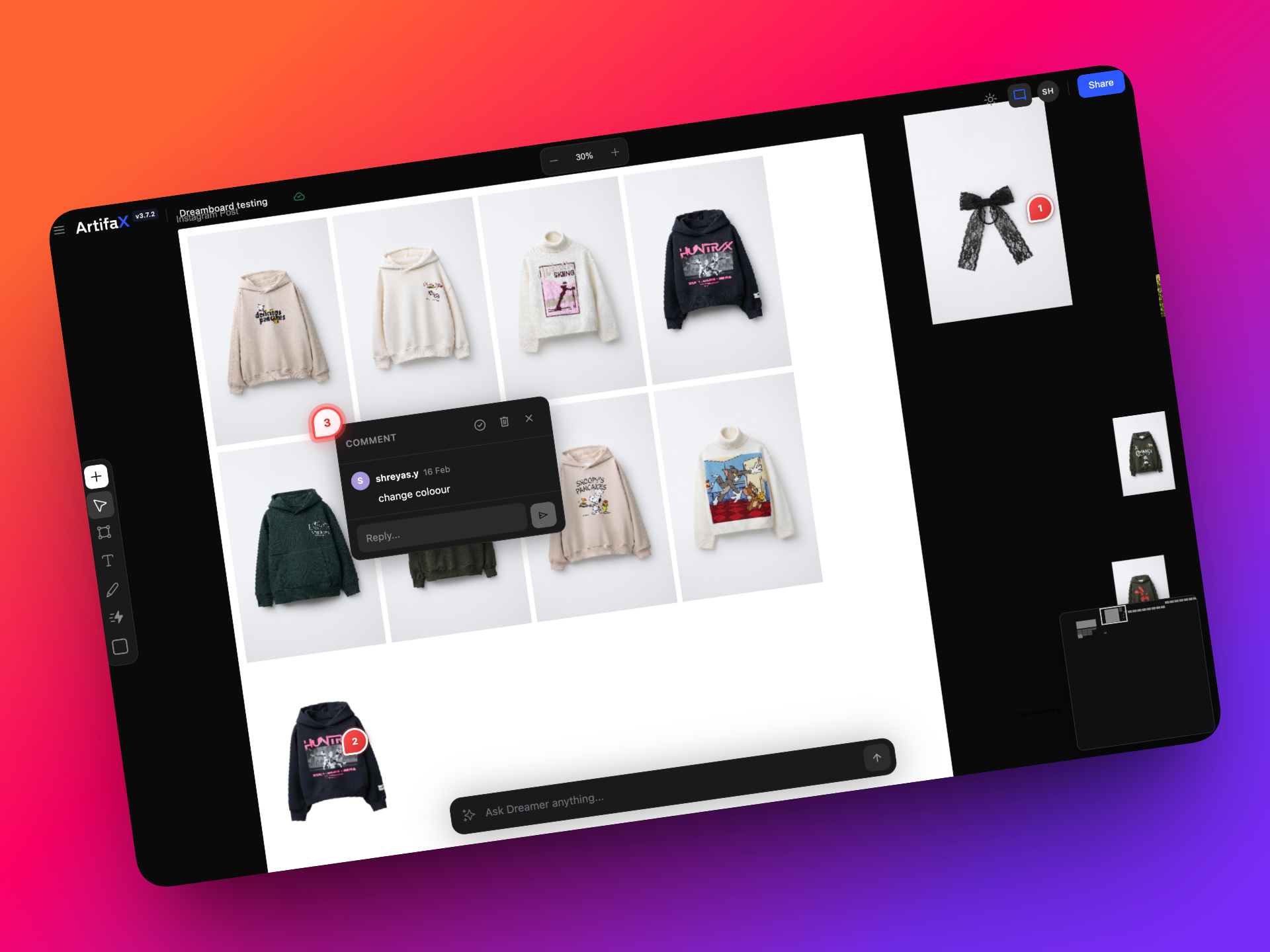
- Add comments to artboards or specific assets
- Delete comments when no longer needed
- Mark comments as resolved
This keeps review cycles organized without moving conversations outside Dreamboard.
✏️ Draw Mode for Quick Annotations
Need to visually highlight something?
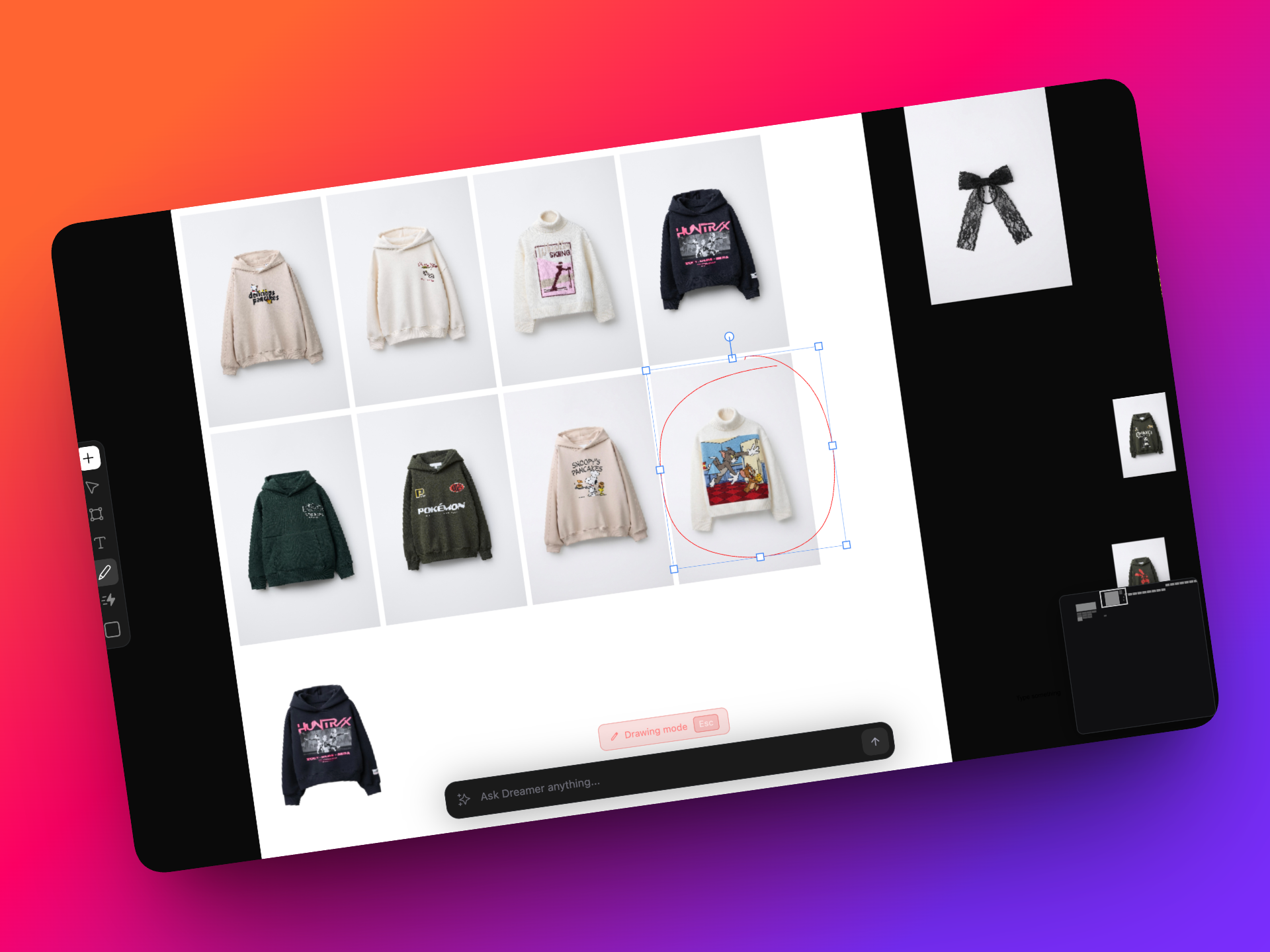
With Draw Mode, you can sketch directly on the canvas or any artboard. It’s perfect for annotations, creative direction, or quick visual feedback — without modifying the original assets.
🔗 Shareable Dreamboard Links
Sharing your work is now easier and more controlled.
You can generate a shareable link to your Dreamboard and send it to anyone. Recipients can view all artboards in Presentation Mode, providing a clean and structured experience.
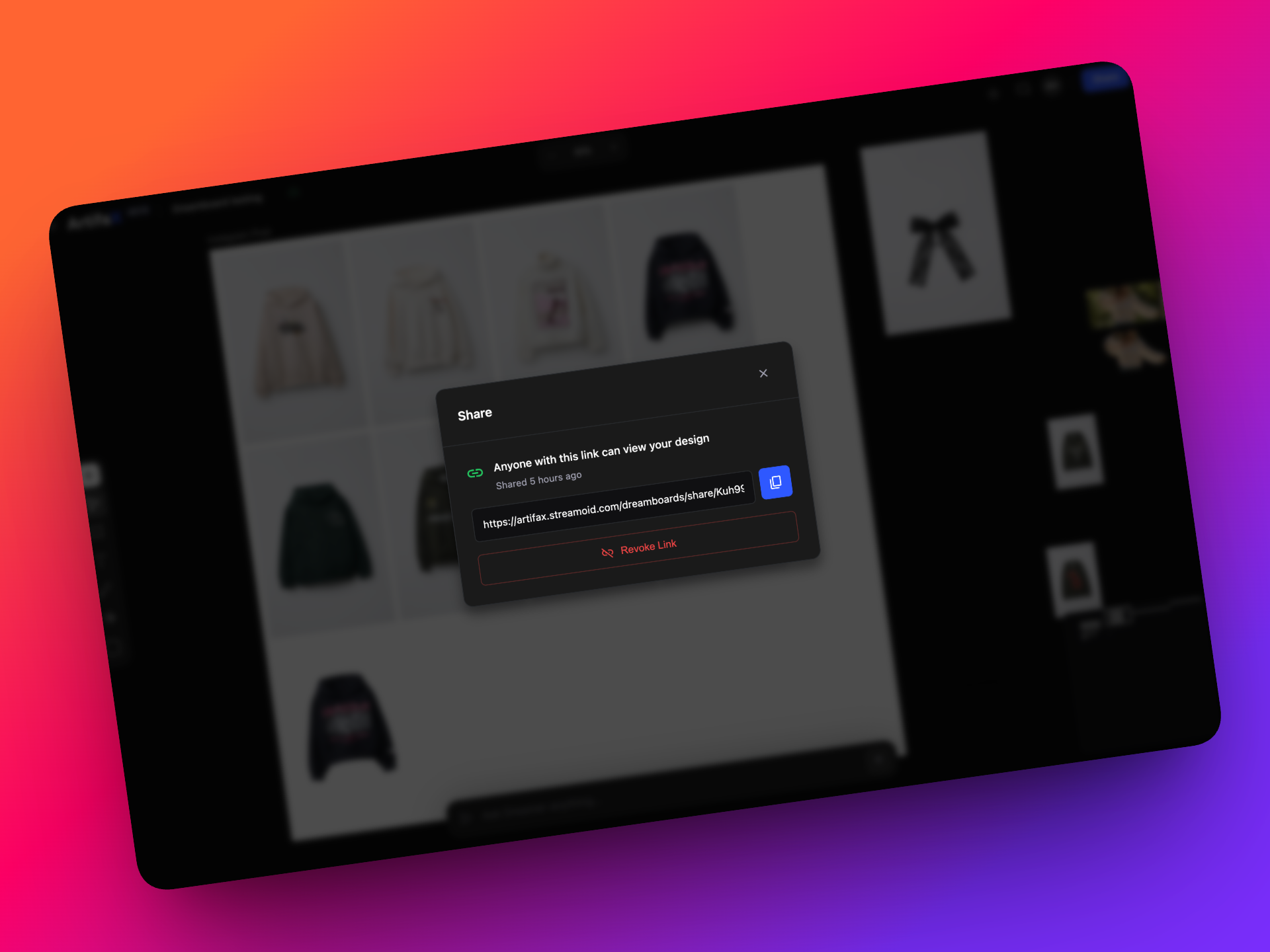
You remain in control:
- Share via link
- Revoke access at any time
This makes it simple to present concepts to stakeholders without requiring them to log in.
🧭 Navigate Large Canvases with Ease
As boards grow, navigation becomes critical.
The new Mini Map provides an overview of your canvas and allows you to quickly jump between sections.
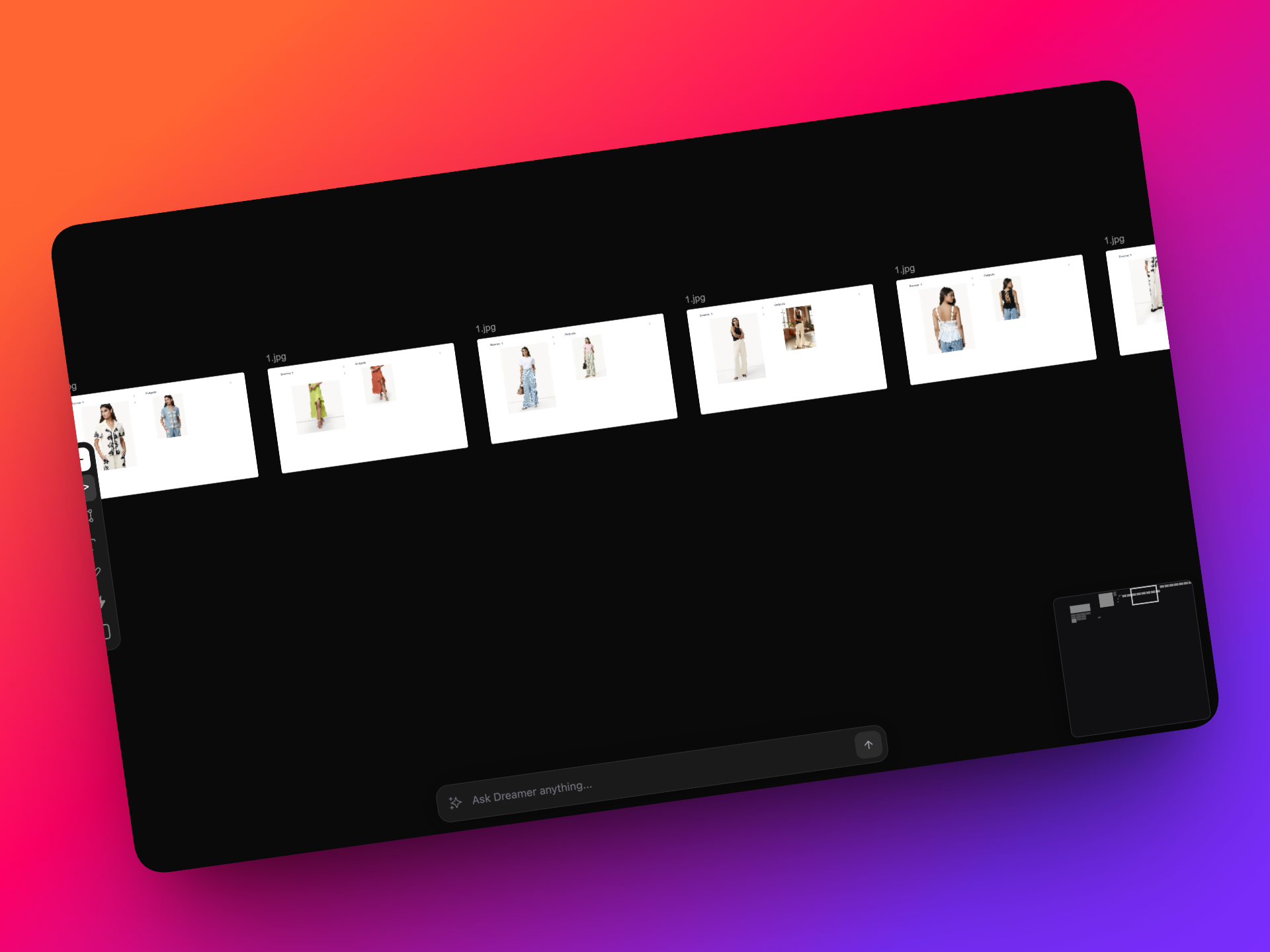
To enable it:
Menu → Views → Mini Map
It’s especially useful when working on complex or detailed layouts.
✨ Everyday Improvements You’ll Notice
We’ve refined several core tools to improve your daily workflow:
- Light & Dark mode toggle
- Presentation mode
- Full-screen mode
- Improved grid and snap-to-grid
- Auto Arrange for faster layout organization
- Enhanced masking and grouping
- Export all artboards as high-resolution PDF, JPG, or PNG
🧪 Coming Soon: Plugins (Beta)
We’ve also introduced early-stage Plugins, currently in beta.
More details will be shared in the next release.
Dreamboard V3 represents a significant step forward, combining performance improvements, AI-powered workflows, and stronger collaboration tools into one cohesive experience.
We’re excited to see what you create next!
v0.22.0
6 October 2025
🎨 Say Hello to Projects on Artifax with v.0.22.0!
We’re thrilled to introduce Projects, a much-needed way to manage your entire creative workflow from start to finish. Collect inspiration, build dreamboards, upload files, and remix products effortlessly.
Whether you’re designing solo or collaborating with your team, Projects keeps everything organised! Check out everything that you can do below!
🚀 What’s New?
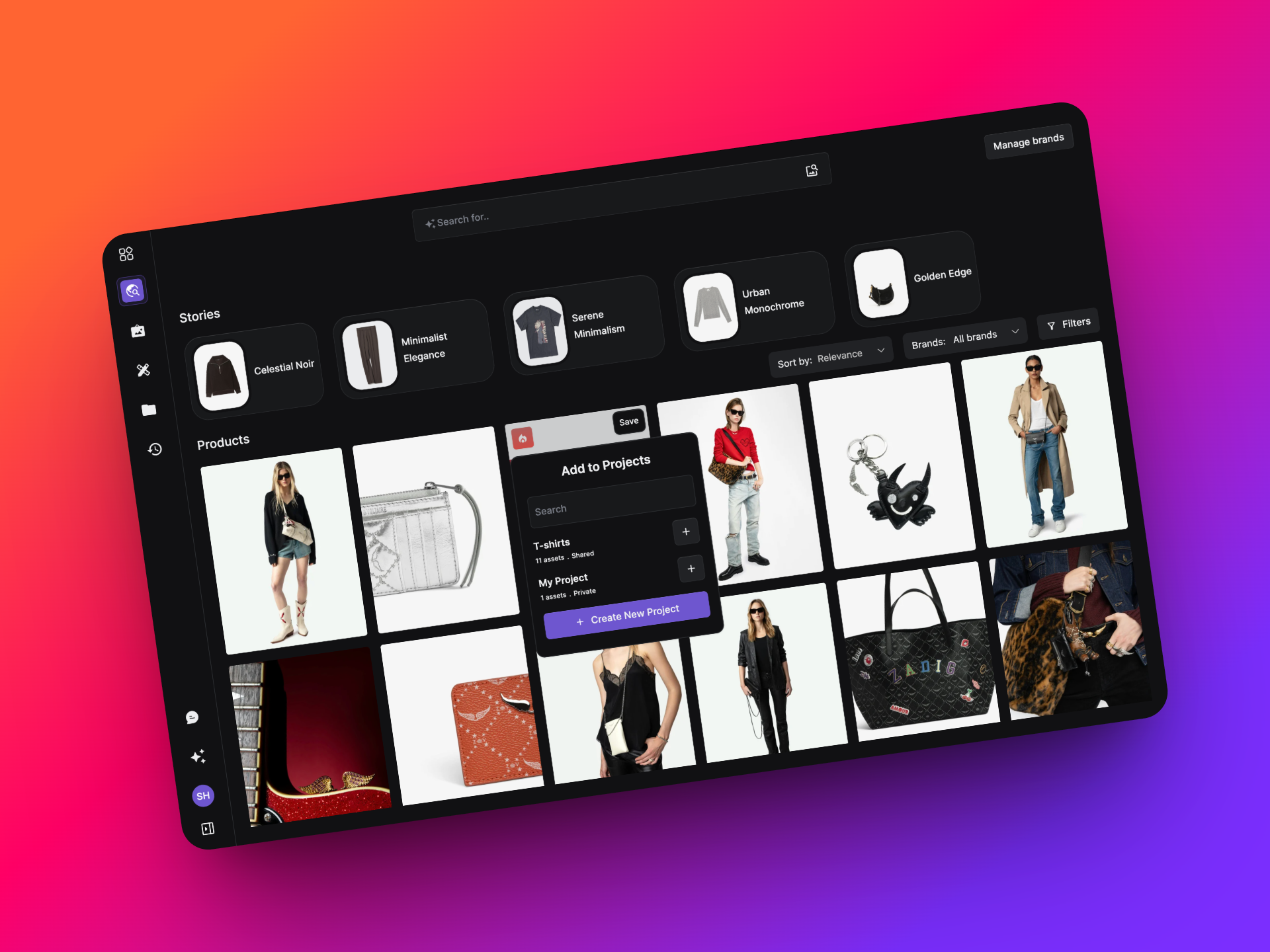
🧵 Add Products from Scout to Projects
You can now send products directly from Scout into your Projects. Just hover over a product and choose to add it to an existing project, your drafts(my project), or create a brand-new one. Moving from product discovery to design is now smooth and organised.
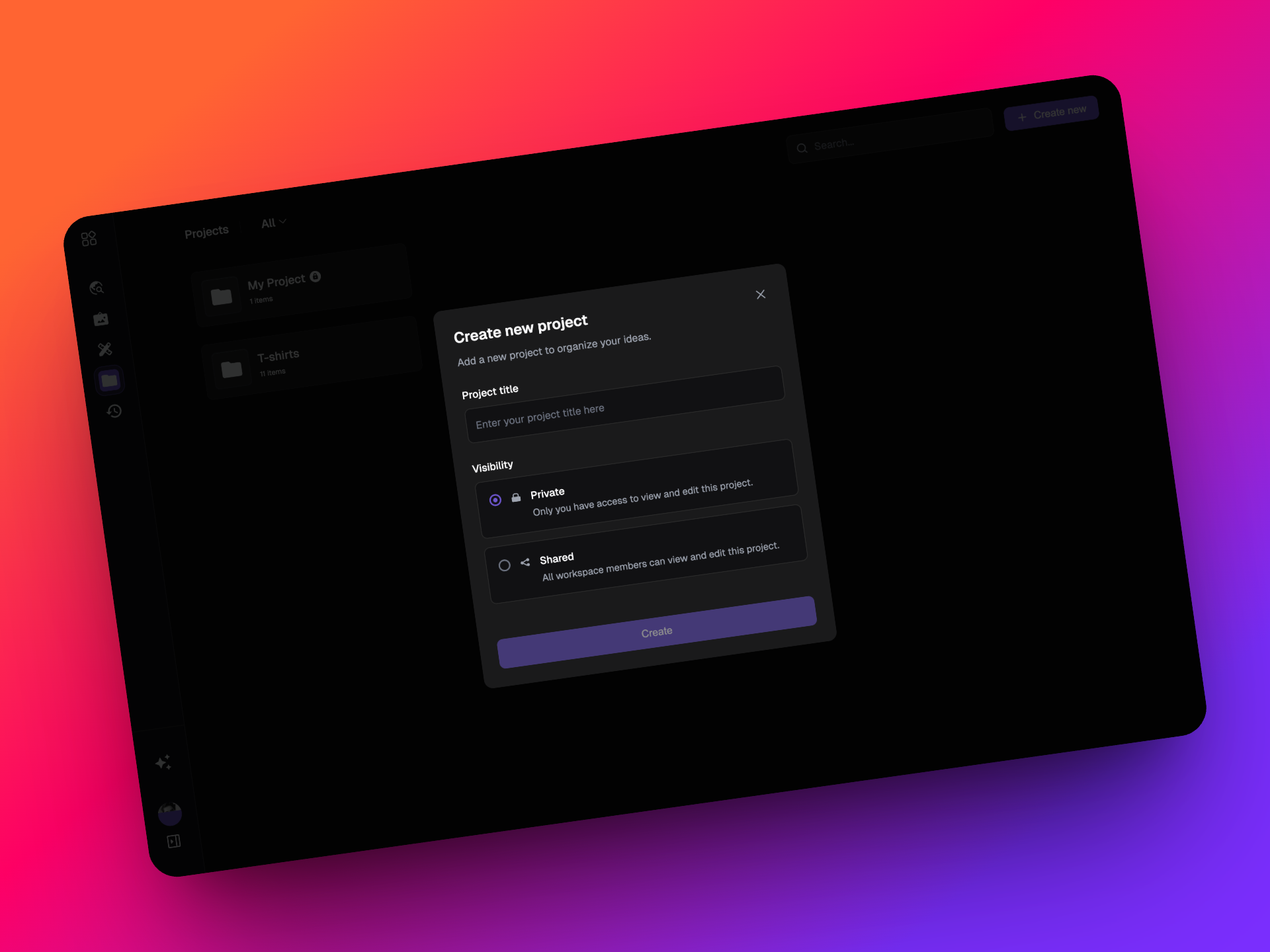
💼 Create and Manage Projects
Create projects with a name and privacy setting, keep them Private or share them with your Workspace. Think of Projects as your creative folders, built to hold everything you need for a collection, campaign, or concept.
📁 Stay Organized Your Way
All your projects now appear under three easy views: All, Shared, and Private, so it’s simple to find and manage what matters most.
🖼️ Add Everything You Need
Each Project comes with four smart tabs — all with clear upload rules:
- Inspiration – Upload or remix images from your computer or Scout
- Dreamboard – Build moodboards and visual directions
- Techpacks – Upload PDF techpacks for production reference - WIP
- Knowledge – Store PDFs, Excel, Word, Google Docs, or PPTs that support your project - WIP
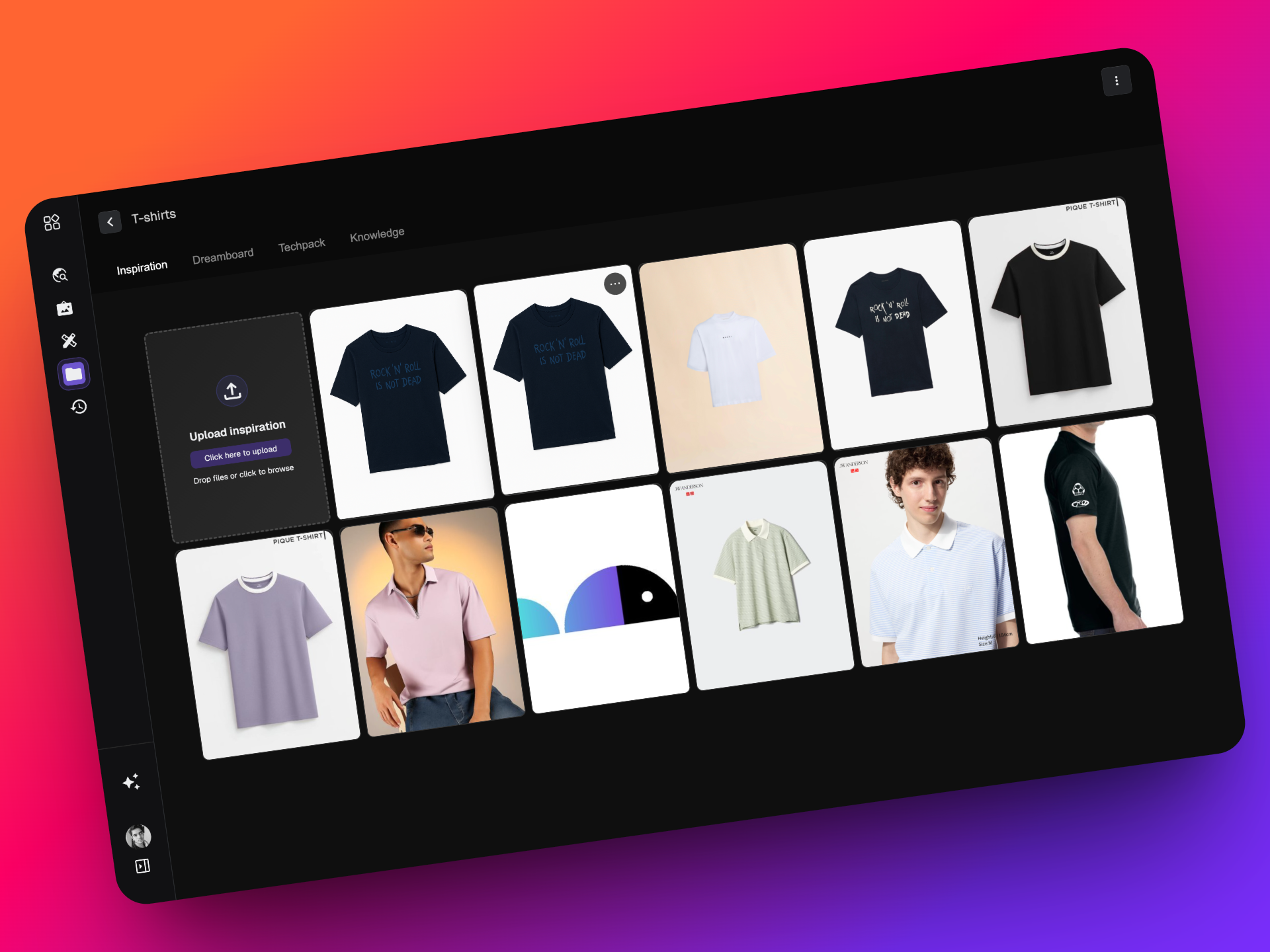
🎨 Remix Inside Projects
Remix Scout products or any image directly inside your Project. When you save a remix, a detailed modal appears showing prompts, tags, and original references, giving you full creative context for every generation.
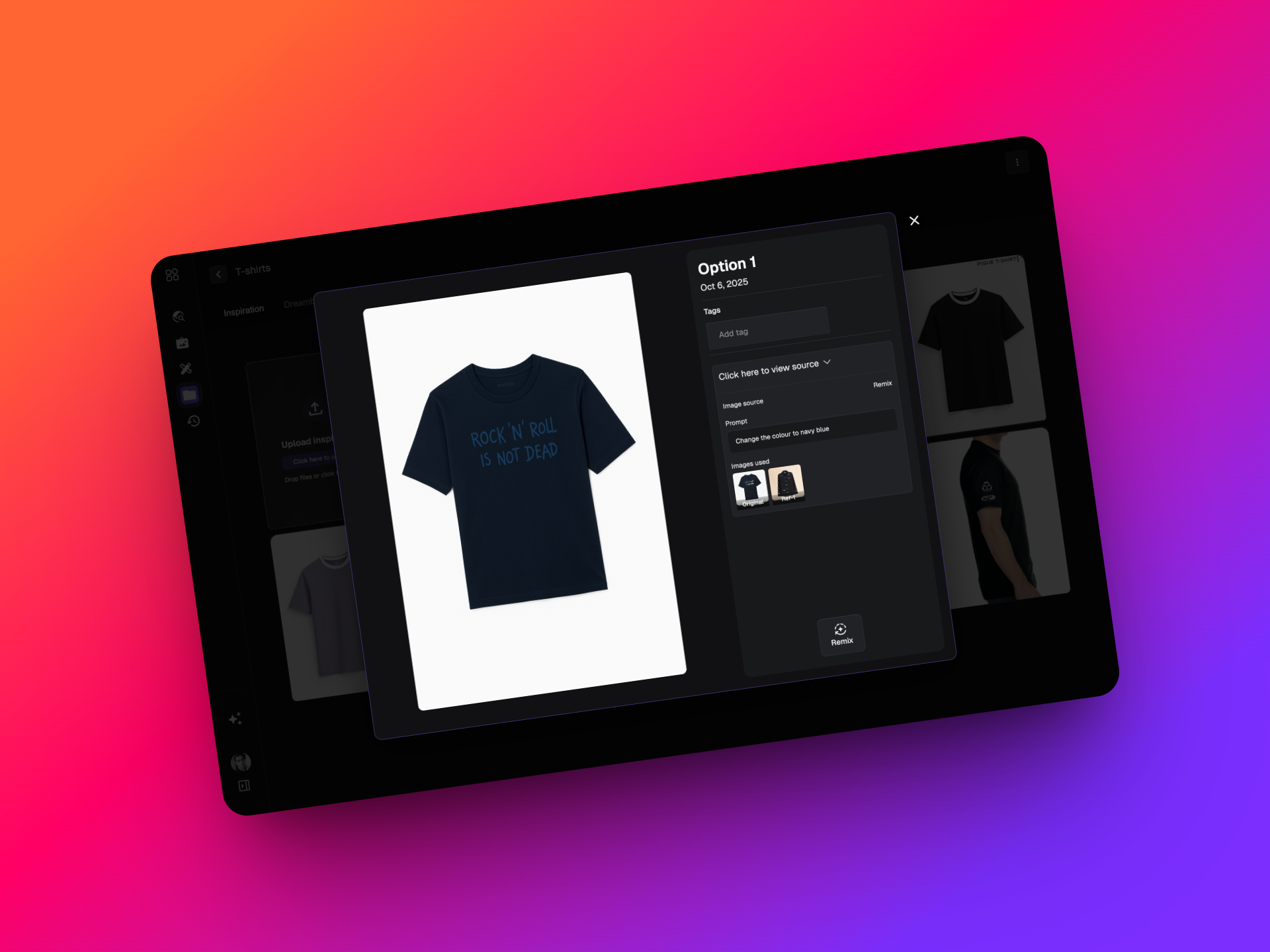
✏️ Edit and Collaborate Easily
Rename projects, change privacy, move files between tabs, or delete old work — all in one clean interface. Projects are built for seamless teamwork and flexible creative control.
🔍 Bonus: Search and Tag Your Work
Add tags, use search, and discover your assets instantly. Explore and play around — Projects are designed to grow with your creativity.
That’s just the beginning for Projects on Artifax. Dive in, start building, and see how effortlessly you can organize and expand your creative universe.
Happy Creating! 💫
v0.21.0
4 September 2025
✨ Streamoid CXO v0.21.0 is here!
We’re rolling out smarter workflows, sharper images, and cleaner experiences across Scout, Photogenix, and Catalogix. Here’s what’s new across all apps:
🚀 What’s New?
📖 Stories are now more consistent
Stories will stay stable no matter how many brands you add or remove. You’ll always see between 4 and 5 stories, giving you a reliable and balanced view.
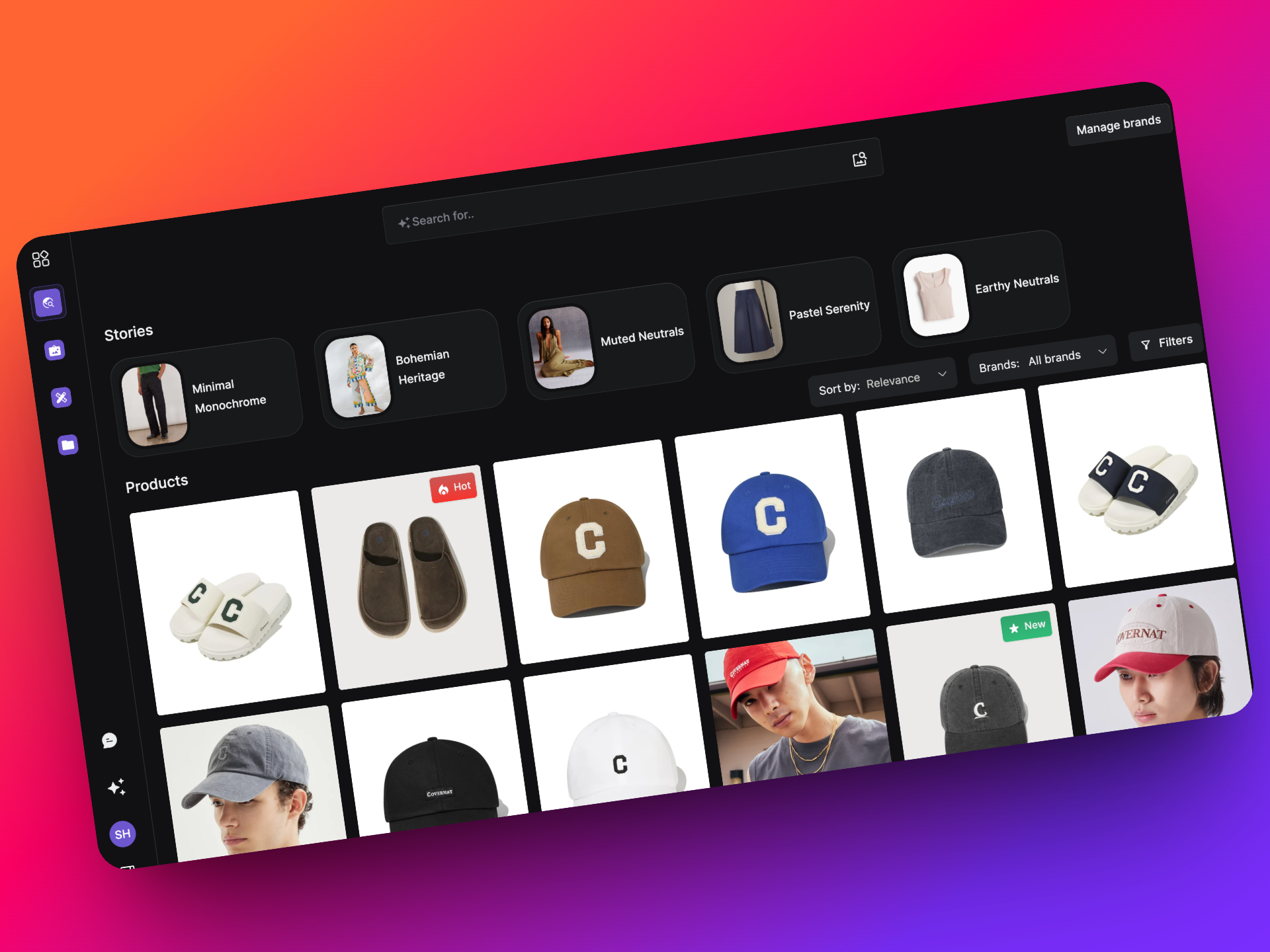
❌ Auto-applied date filters removed
Earlier, when you activated or deactivated a brand, the listing page would quietly add a 3-month date filter. This made stories and listings feel out of sync. That filter is now gone so your products match perfectly across both.
v0.20.1
28 August 2025
🚀 CXO v0.20.1 Updates
Just a week after our last release, we’re back with v0.20.1 — bringing smart Catalogix enhancements and fresh updates to Scout. Let’s dive in!
🚀 What’s New?
🎨 UI refresh
- For You has been renamed to Products.
- Stories are now part of search results.
- Minor refinements to the listing page make navigation better.
📸 Remix with multiple reference images
You can now upload up to 4 reference images in Remix. It’s also clearer in the UI that 4 is the maximum. While your images are uploading, you can still type your prompt or select regions - no more waiting around with a blocked screen!
⚡ Instant Remix pop-up on upload
Uploading a new image to Scout? The Remix pop-up now opens automatically, so you can start remixing right away without extra clicks.
🔒 Locked apps & features
To keep things clear and streamlined, some apps like Dream Board and Techpacks are currently locked. These features are still in development and will unlock once they’re fully ready to go live.
v0.20.0
21 August 2025
Our first ever update for the Streamoid CXO Platform! ✨
Platform-wide: this shipped across Streamoid CXO, so it appears on the Artifax, Photogenix and Catalogix changelogs alike.
We’re thrilled to bring you Streamoid CXO v0.20.0 — a release packed with improvements and new features across Artifax, Photogenix, and Catalogix.
🌟 Highlights
- Artifax: More brands to explore, with new rules for free plan users.
- Photogenix: Big upgrades to on-model editing, background changes, and solid colour outputs.
- Catalogix: Smarter automation management, clearer marketplace version updates, and key fixes.
Check out the full details below!
🚀 What’s New?
🆕 More brands to follow and explore
We’ve expanded our brand list on Artifax to include some crowd favourites! You can now browse and remix porducts from brands Carters, Nike, Westside, Blissclub, Suta, EuMaje, Eu-Sandro-Paris, Ullajohnson, Isabel Marant, Mothercare, Adidas, and Wearcomet. More brands to come soon!
.png)
🔓 Free plan update
If you’re on the free plan, you can still explore and remix products available within Artifax. However, uploading your own images is now a feature reserved for paid plans.
v0.19.0
6 August 2025
Platform-wide: this shipped across Streamoid CXO, so it appears on the Artifax, Photogenix and Catalogix changelogs alike.
👋 Say Hello to Streamoid CXO!
This is our biggest release yet. With version 0.19.0, we’re bringing everything you love into one powerful, unified platform: Streamoid CXO, your new retail command centre.
To kick things off, Brand Eye has been renamed to Artifax!
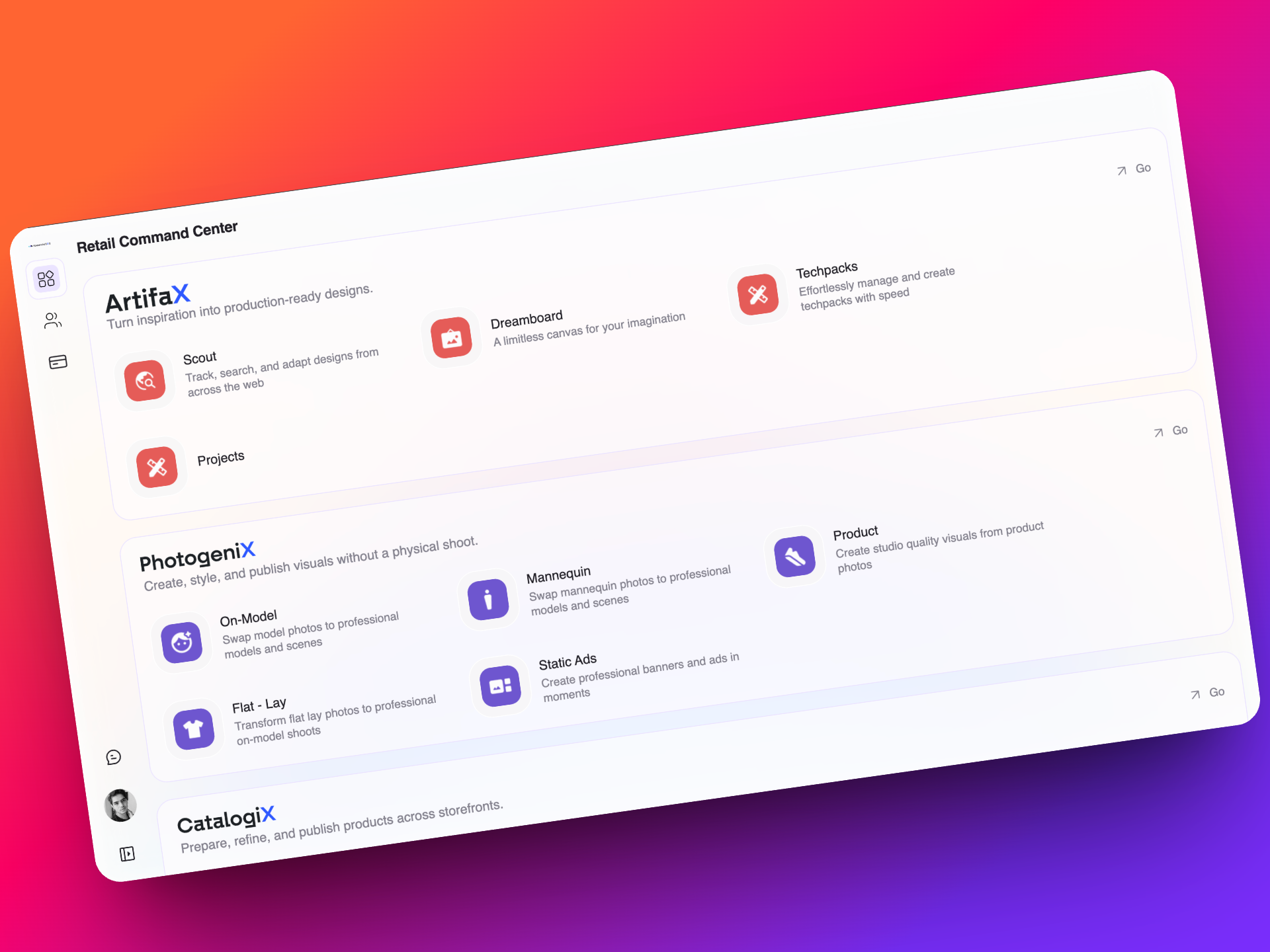
🔄 One Streamlined Platform for All Fashion Workflows
Artifax, Photogenix, Catalogix, Prelogix, and Catalist are now part of a single, unified platform -Streamoid CXO. No more multiple tools or logins. Just one place to design, shoot, and list your products.
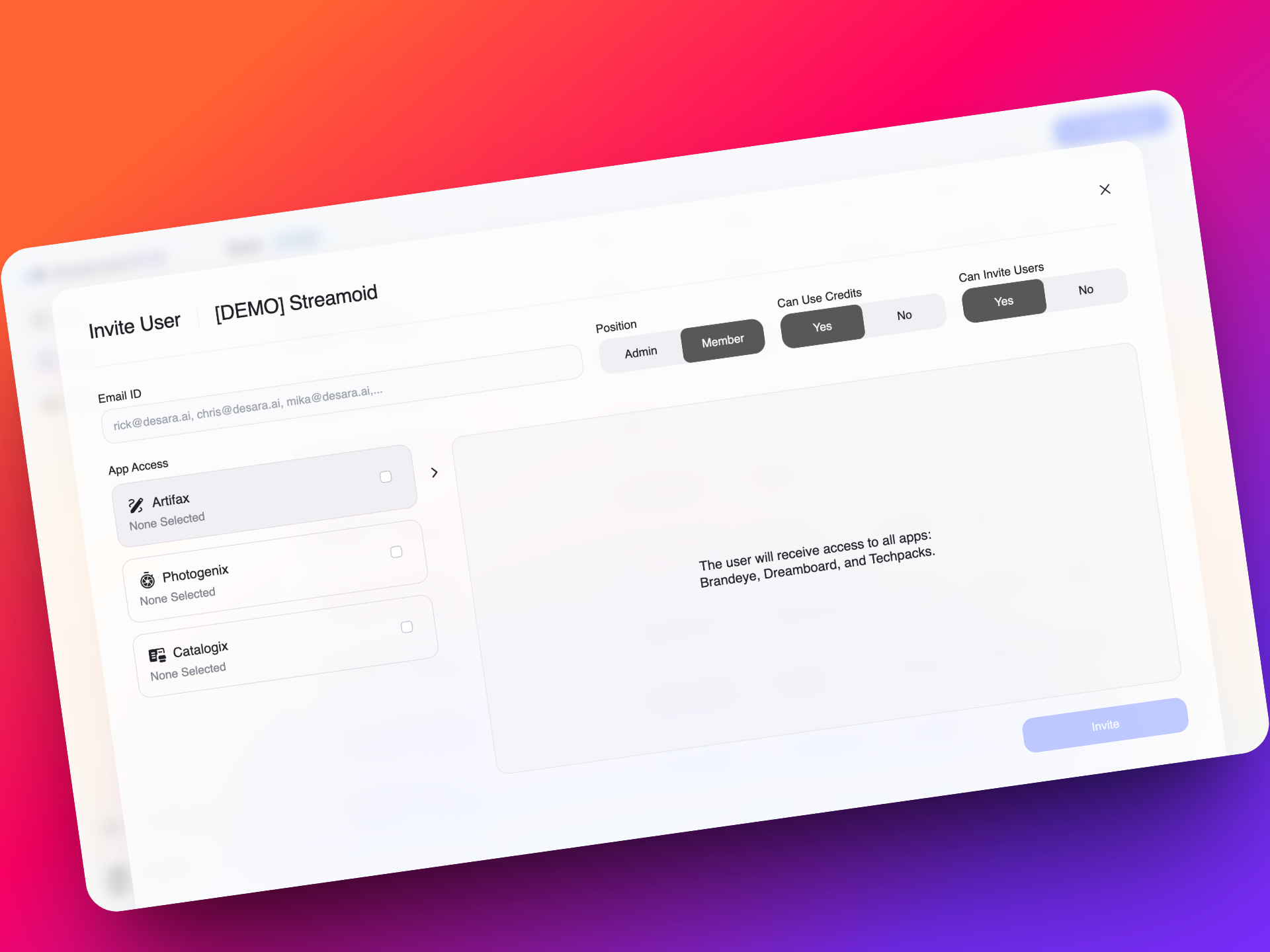
🔐 Advanced Team Access and Permissions Management
You now have fine-grained control over who on your team can access which apps, purchase credits, or invite new members. Build better governance across workflows without micromanaging each tool.
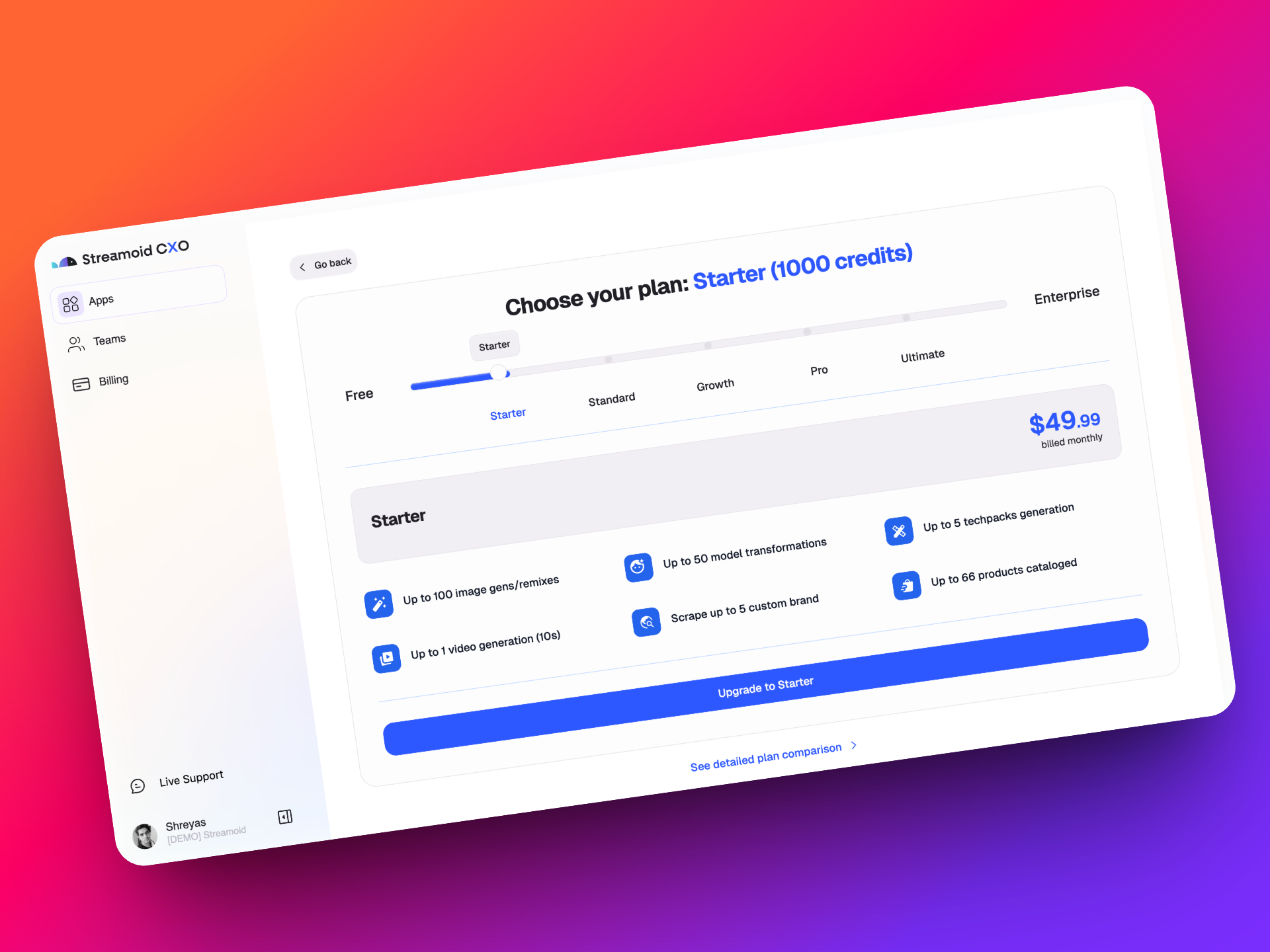
💳 A Smarter, Unified Billing System with Free Credits to Start
Every new signup gets 300 free credits, usable across any app in CXO. Only pay for what you need, when you need it and choose from flexible plans:
Starter, Standard, Growth, Pro, or Ultimate. Need something custom? We’ve got you covered.
👥 Workspaces with Built-in Access to Every Streamoid App
Every workspace now automatically comes with access to Artifax, Photogenix, and the Catalogix Suite. No setup required. Just log in and start working across all our tools instantly
🔁 Effortless Navigation Between Design, Photo, and Catalog Tools
Switch between apps in a click without logging in again or juggling browser tabs.
CXO is built to keep your momentum going, no matter where you are in the fashion workflow.